
TL;DR
One disk image, ten questions, and a USB stick that left its traces all over the Windows registry. The lab walks a physical-medium exfiltration end to end: which device was plugged in, when it first happened, whose account used it, and which file left on it. Most questions are answerable inside Autopsy, but the two that punish GUI trust, the timezone and the first connection time, only give in to the raw artifacts underneath: the ripped registry text and setupapi.dev.log.
Scenario

A highly confidential document has been stolen from the President’s laptop and has been sold on the Dark Web. The Secret Service thinks someone with physical access to the laptop was able to retrieve the important document, and they suspect the likely method was ATT&CK ID T1052.001. Can you help the Secret Service to figure out how this happened?
The investigation
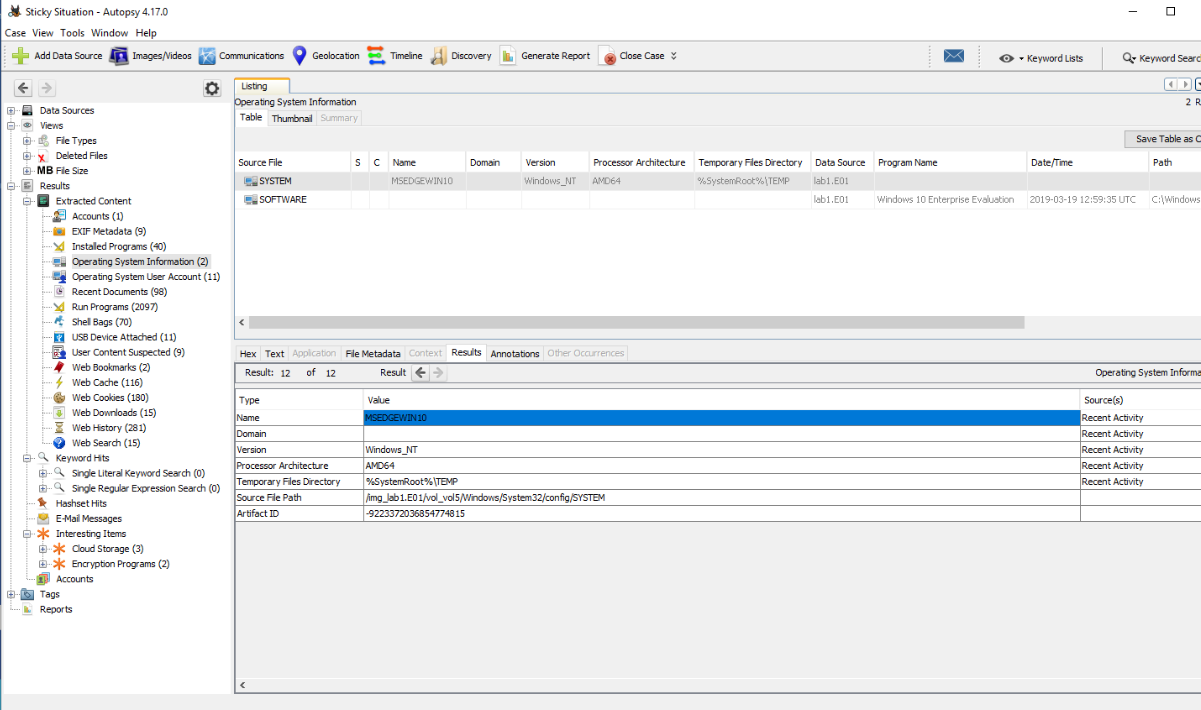
The computer name
Question (5 points). What is the computer name?
Answer: MSEDGEWIN10
How I got there. The questions here are not numbered, so before touching anything I read all of them to know what to look for, and looked up the technique the scenario names: T1052.001, exfiltration via USB, under the parent technique Exfiltration Over Physical Medium (T1052), tactic Exfiltration (TA0010). It requires physical presence of a USB device, which pointed me at device artifacts instead of network logs. Then I opened the case in Autopsy:
C:\Users\BTLOTest\Desktop\Investigation Files\Autopsy Case\Sticky Situation\Stiky Situation.aut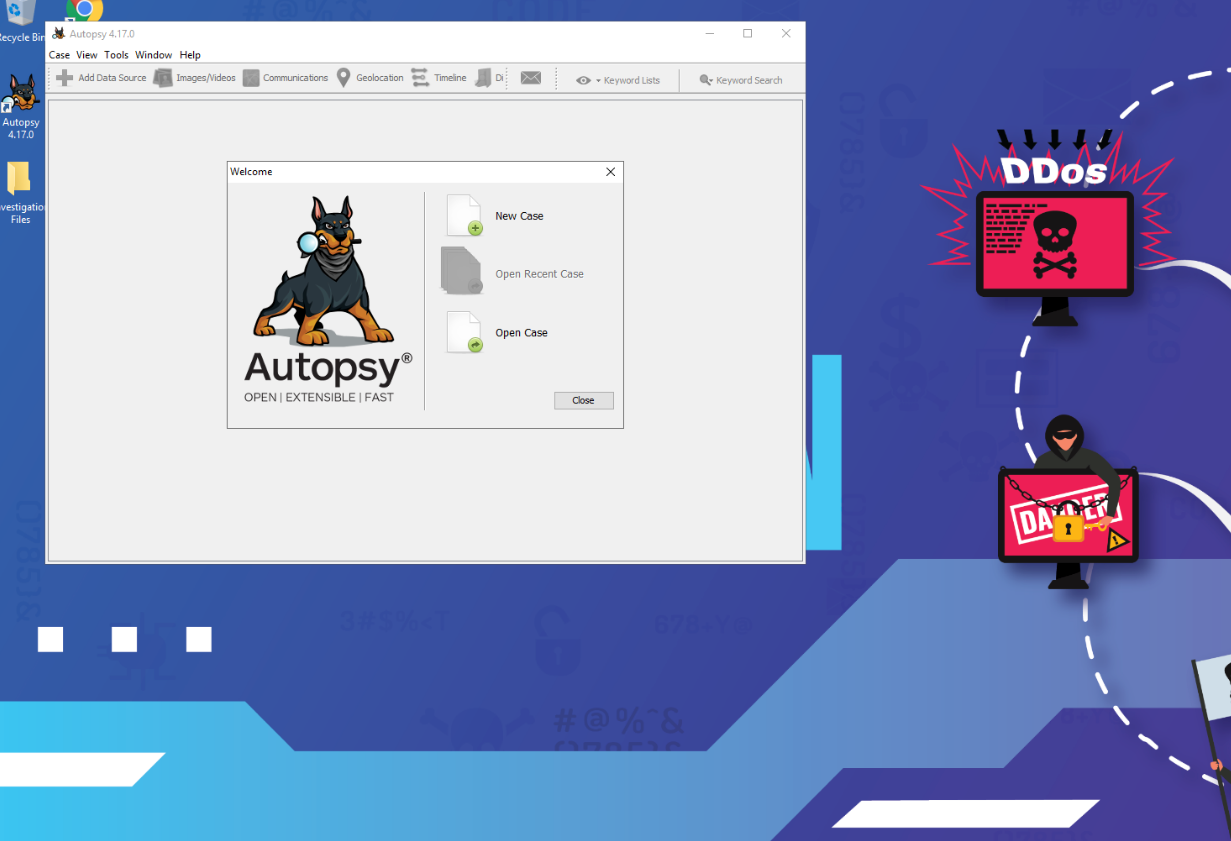
With the case loaded I went to the Operating System Information section, and the computer name was right there.
When the OS was installed
Question (5 points). When was the OS installed?
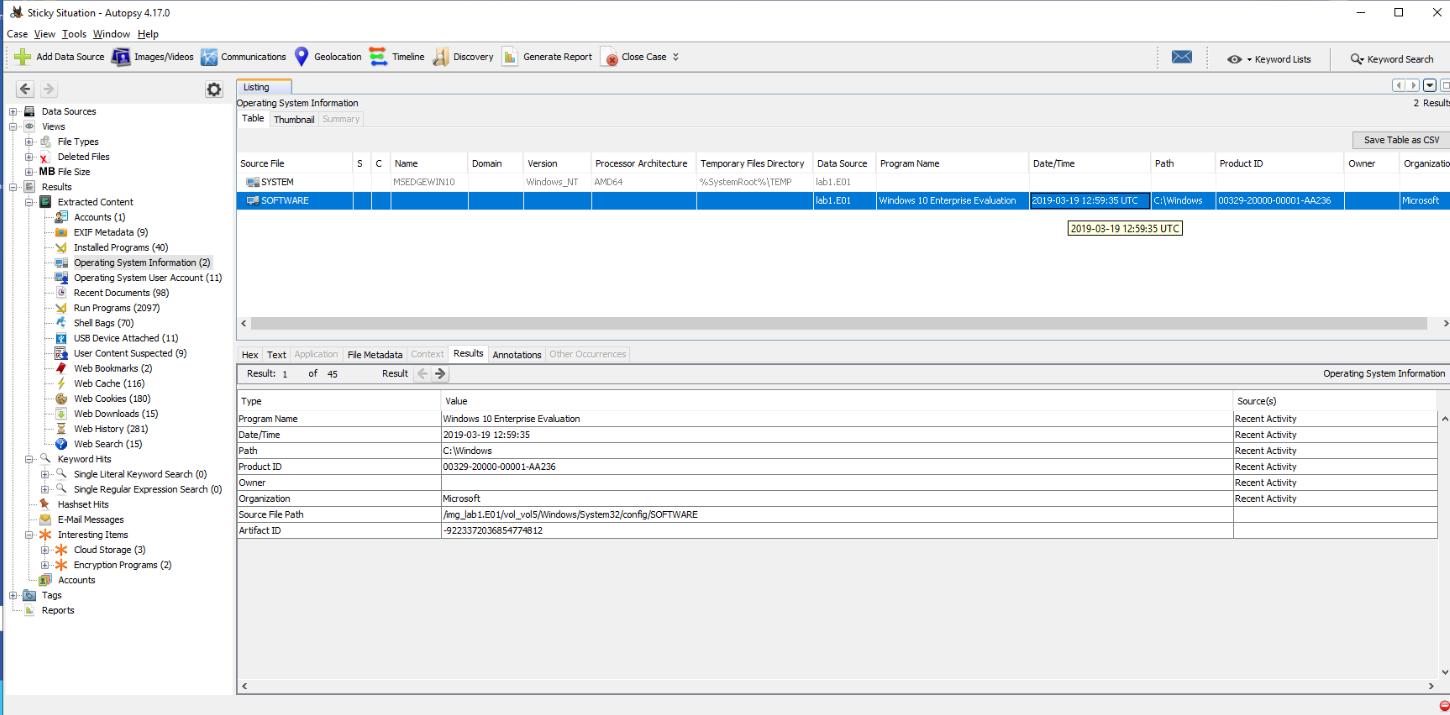
Answer: 19/03/2019
How I got there. Same window, different row. The Operating System Information section lists one row per hive, and the SOFTWARE row’s Date/Time column holds the install date.
The timezone
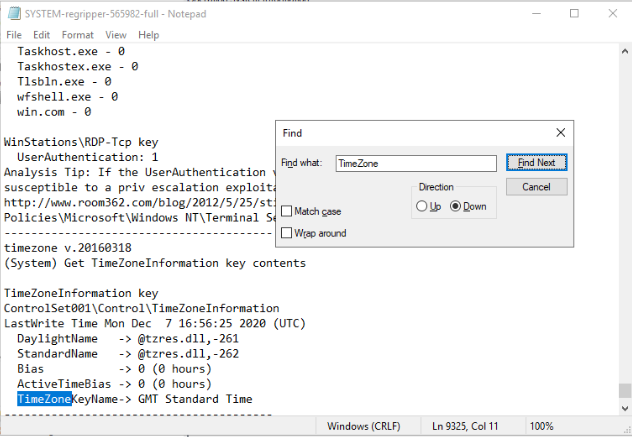
Question (5 points). What is the Timezone of the computer?
Answer: GMT
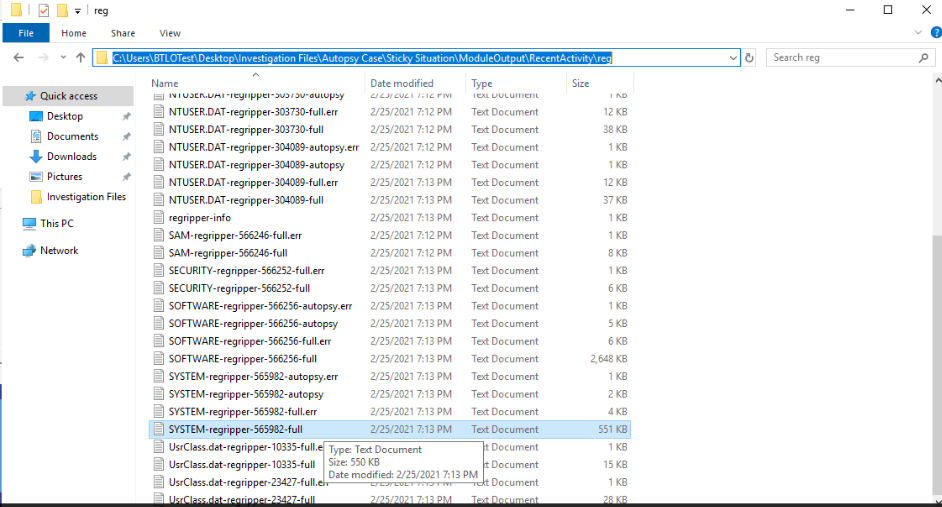
How I got there. After some searching I realized Autopsy displays all time formats in UTC, so the GUI cannot reliably answer a timezone question. The case files saved me: the RecentActivity module had already ripped the registry hives to text. I navigated to
C:\Users\BTLOTest\Desktop\Investigation Files\Autopsy Case\Sticky Situation\ModuleOutput\RecentActivity\regand opened the SYSTEM file, then searched it for the timezone entry.
First USB device: serial number
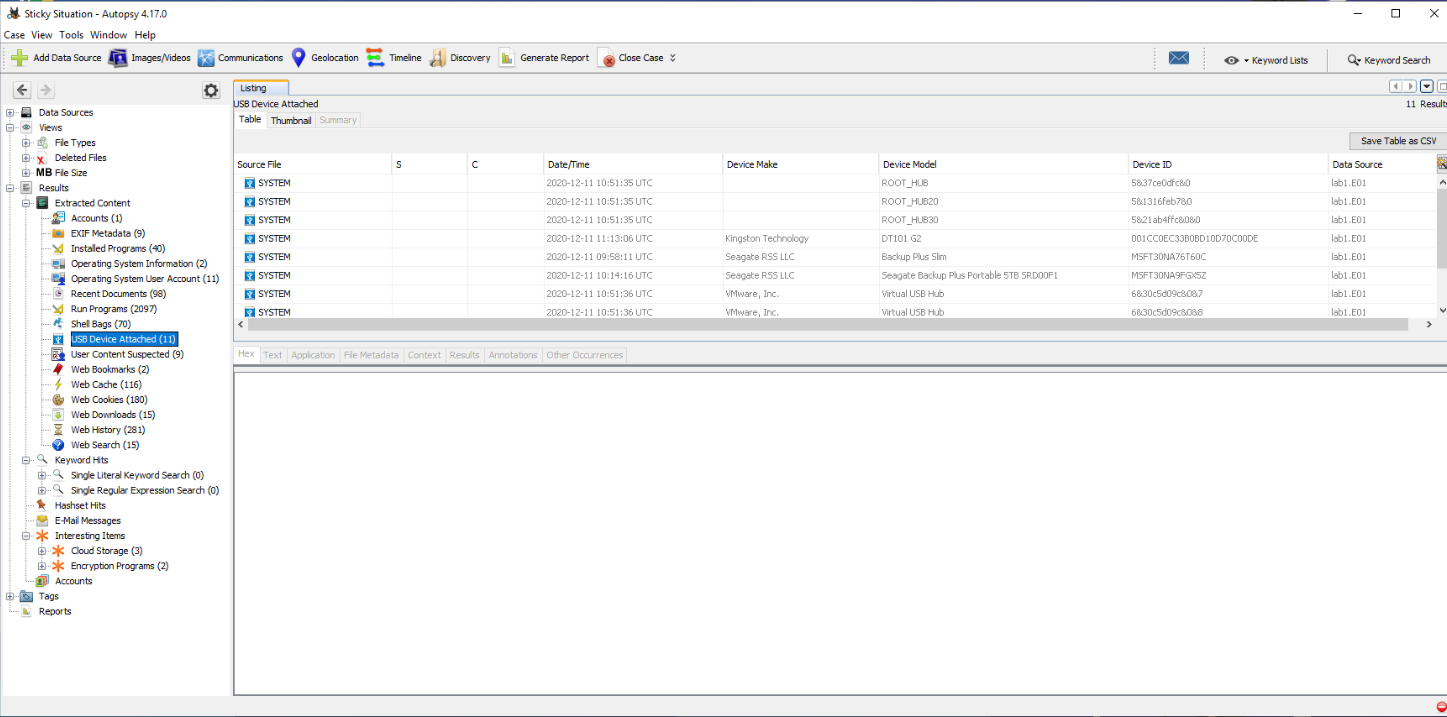
Question (5 points). What is the serial number of the first USB mass storage device connected?
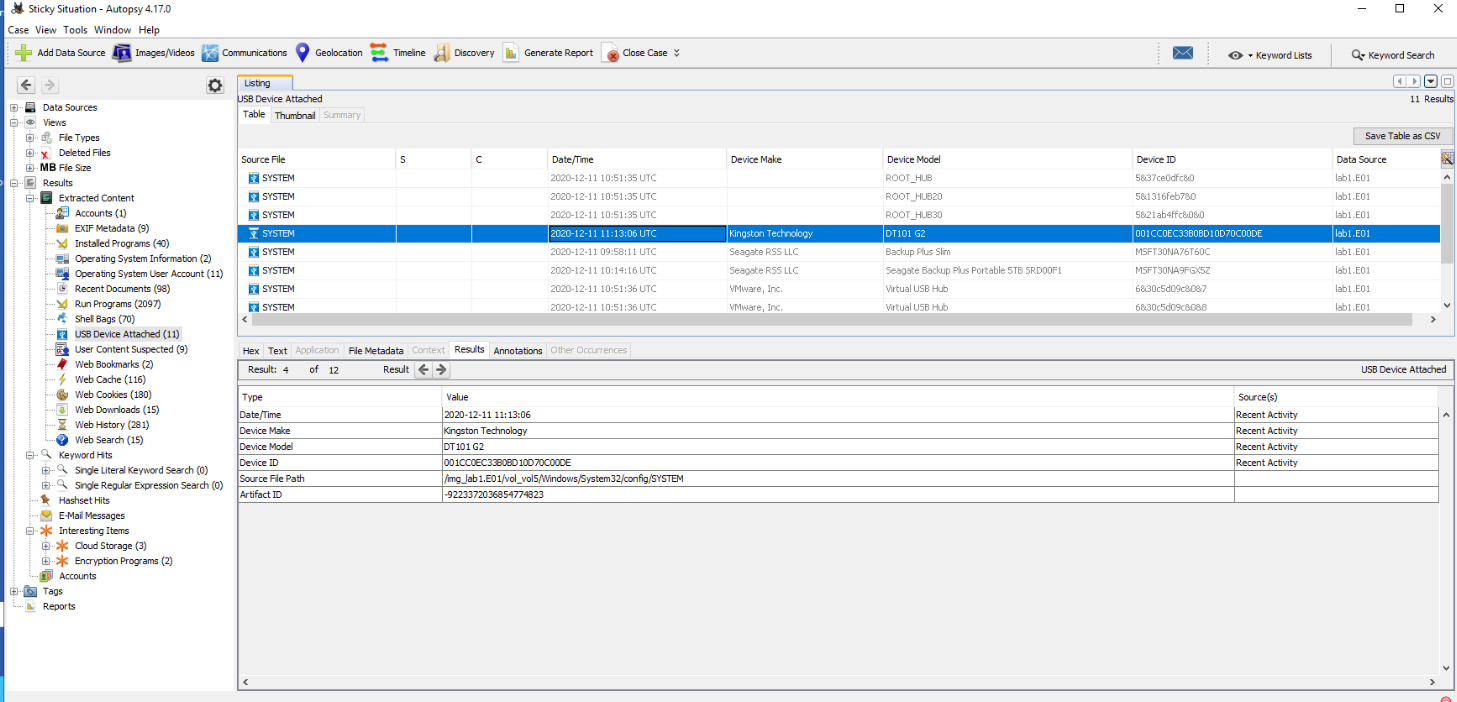
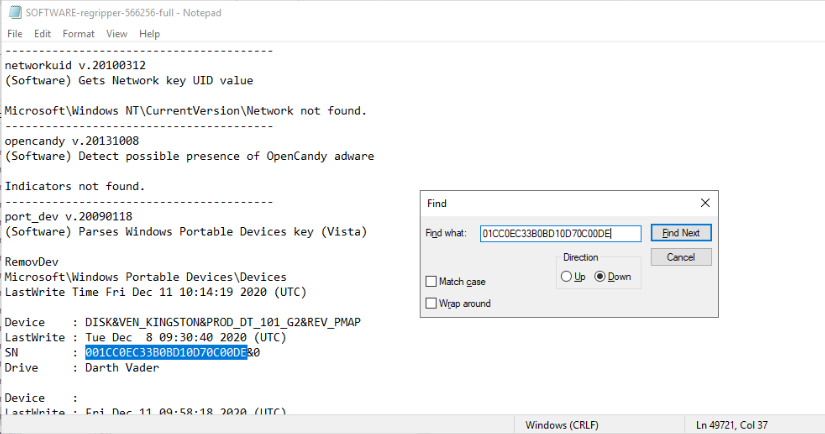
Answer: 001CC0EC33B0BD10D70C00DE
How I got there. Back in Autopsy, to the USB Device Attached section. I ordered the devices by time, and the first one showed its device ID right in the details.
First USB device: vendor
Question (5 points). What is the vendor name of the first USB mass storage device?
Answer: Kingston
How I got there. Device Name is another name for Vendor Name here, so the answer was already sitting in the device string from the previous question.
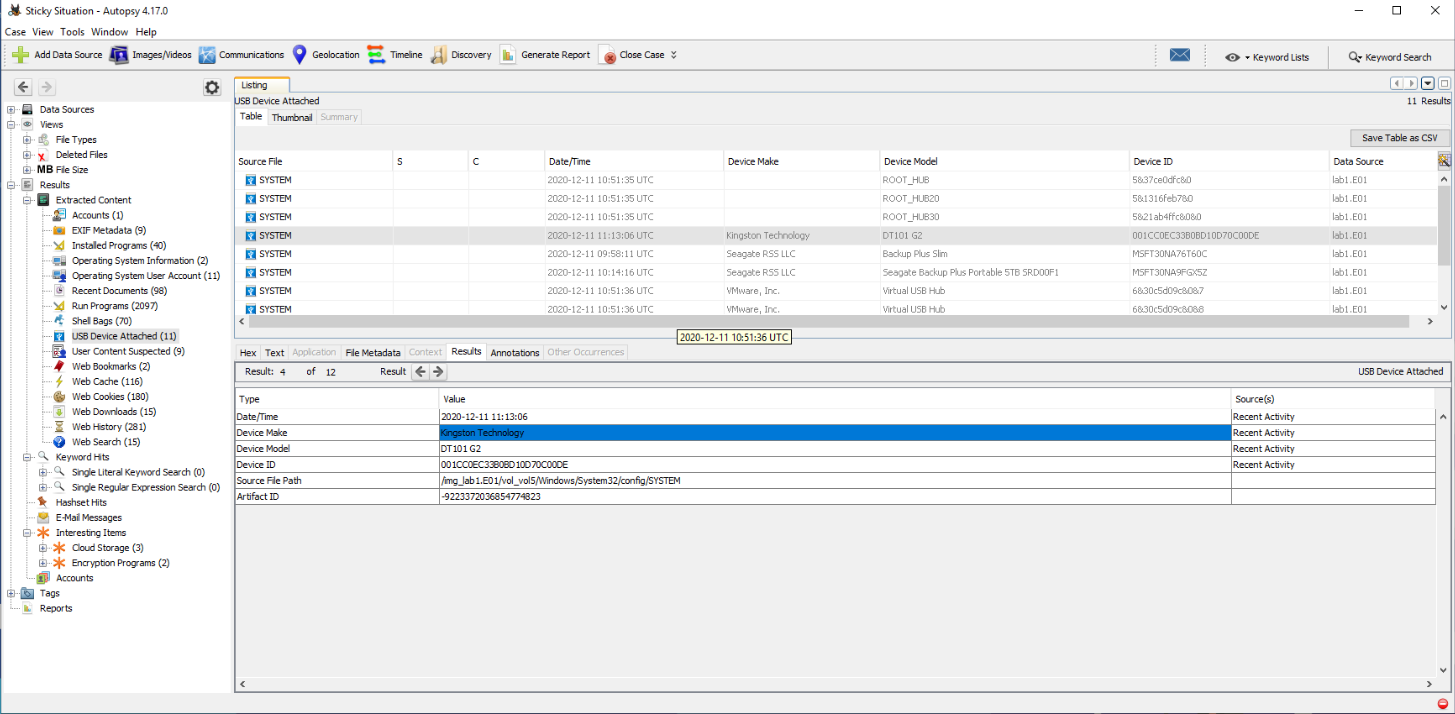
A small format lesson from the answer checker: it did not accept the full “Kingston Technology”, it only wanted Kingston.
First connection time
Question (5 points). When was the first USB mass storage device connected for the first time? (system local time)
Answer: 2020/12/01 01:40:18
How I got there. This one had me searching in circles for longer than I would like to admit. The answer was not in Autopsy’s GUI at all. The device’s first installation is recorded in setupapi.dev.log:
img_lab1.E01 / vol_vol5 / Windows / INF / setupapi.dev.log;The file was not visible through the app, so I extracted it out to a CSV to search it, then looked for the USB device ID in the results.
The volume label
Question (5 points). What is the Volume Label of the unique USB mass storage device?
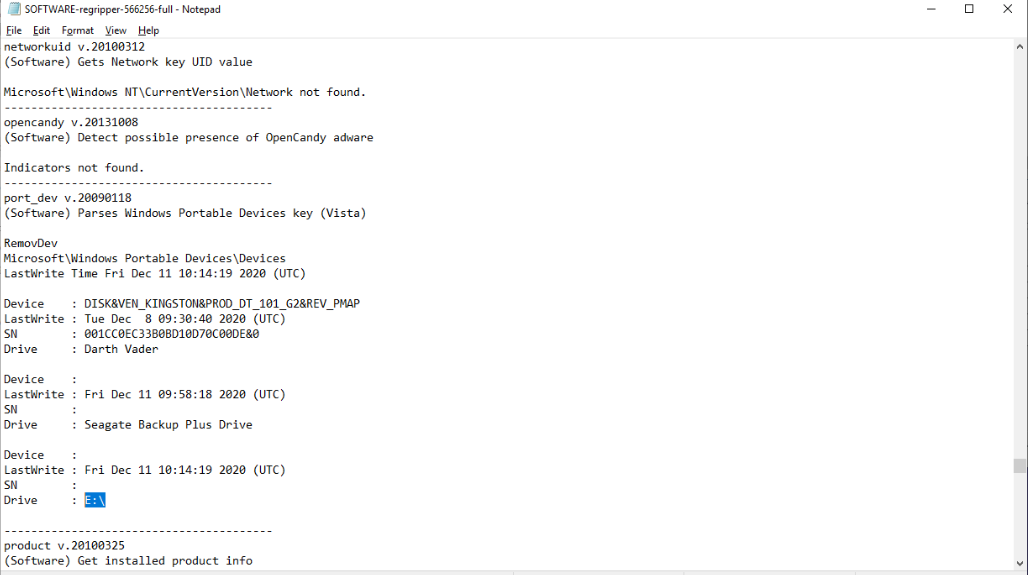
Answer: Darth Vader
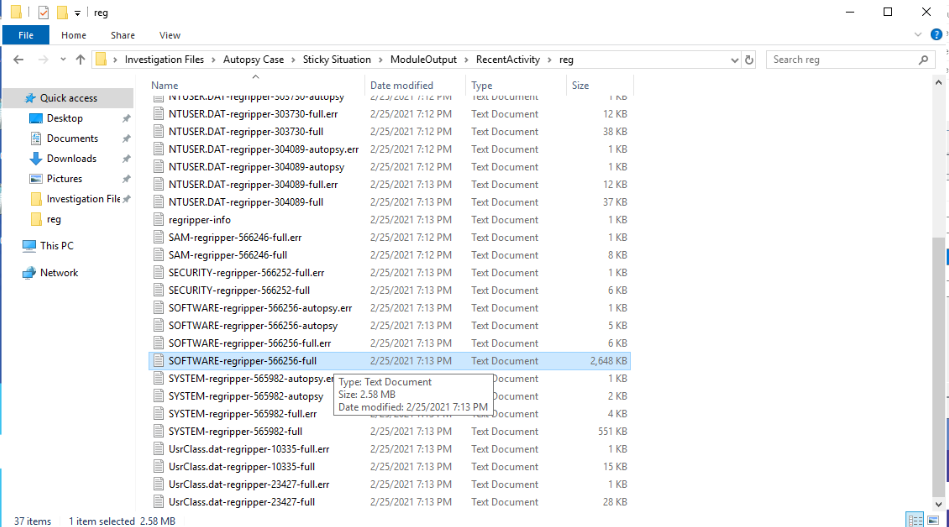
How I got there. Back to the reg module output files. I opened the SOFTWARE registry logs and searched for our serial ID, 001CC0EC33B0BD10D70C00DE, to pull the info related to that specific device.
Who used the device: the SID
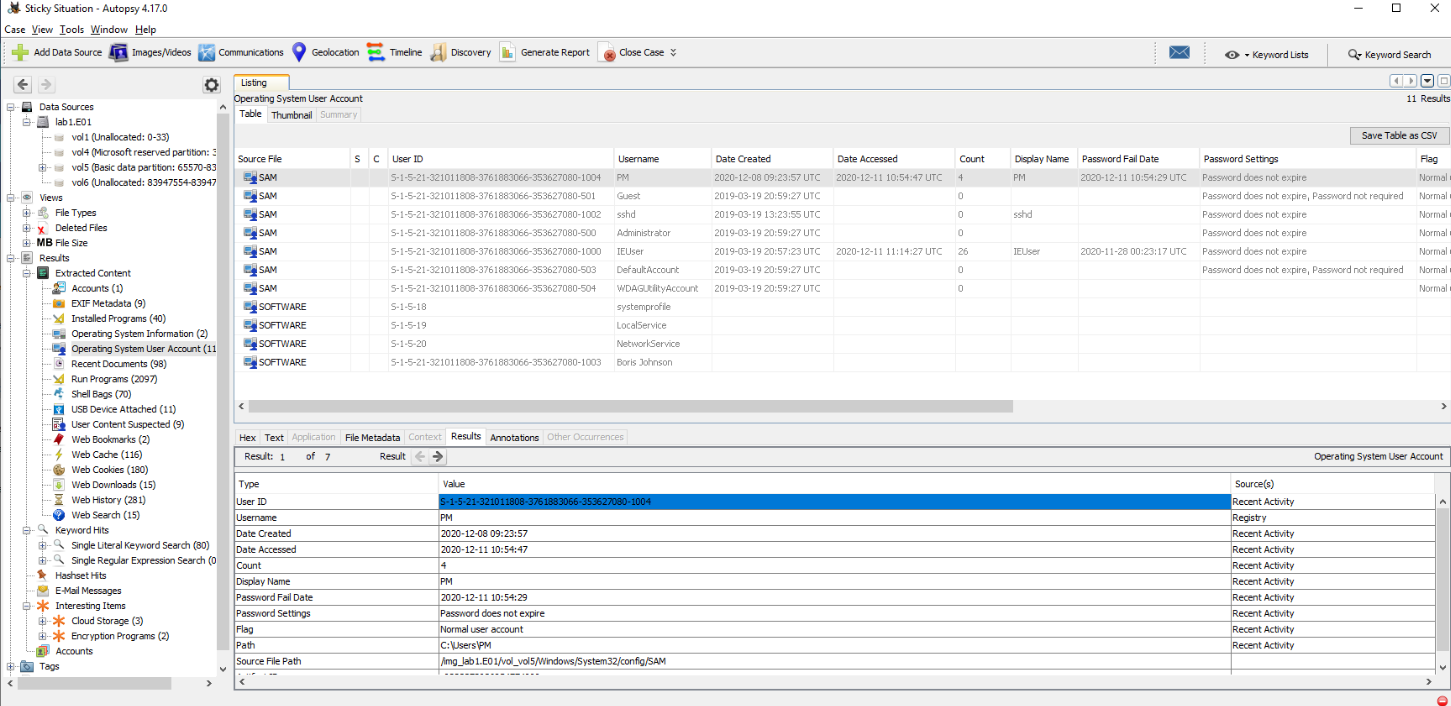
Question (5 points). Find the user that used the USB Device. What is the user’s SID?
Answer: S-1-5-21-321011808-3761883066-353627080-1004
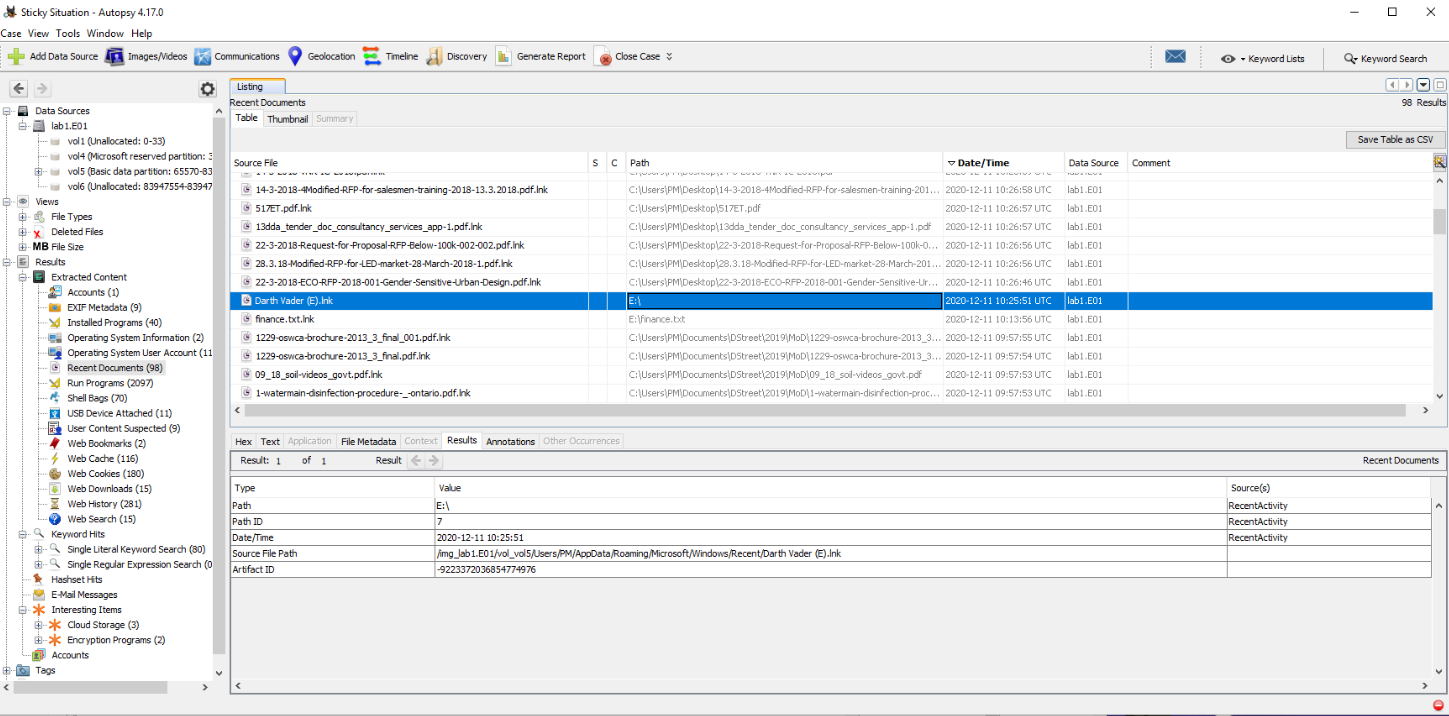
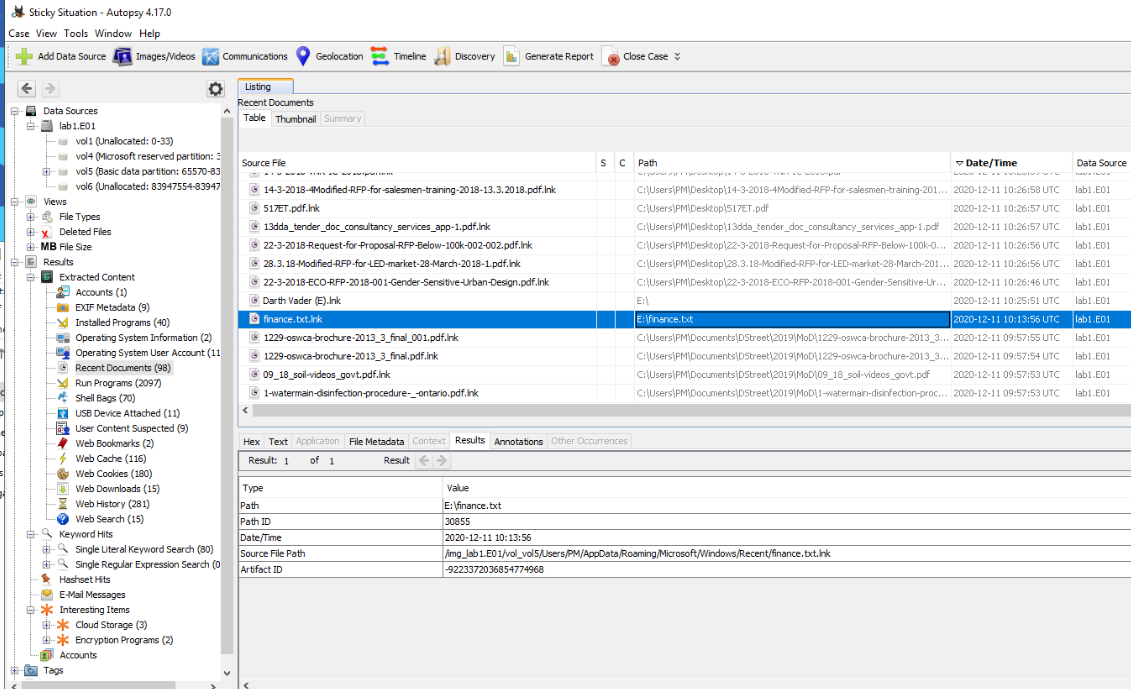
How I got there. With the drive letter and volume name in hand I went to the Recent Documents section and looked for the user who most recently accessed that drive. That gave me the username, PM, and from there the Operating System Account Info page had the SID. It was a long search, for me at least, before we finally had the answer.
The last drive letter
Question (5 points). What is the last drive letter assigned to the USB device?
Answer: E
How I got there. I had already picked this up while answering the volume label question: the same SOFTWARE registry logs from the RegRipper module that gave me the label also showed the letter the drive was assigned. One note on the checker: it does not accept E:\, it only wants the letter.
The stolen document
Question (5 points). What is the filename of the document stolen?
Answer: finance.txt
How I got there. For the final question the answer was almost given. The Recent Documents evidence showed one file accessed from that drive, finance.txt, so that was the one that left the laptop.
What this lab really tests
Rebuilding a physical-medium exfiltration from what Windows remembered: registry hives for what got plugged in, setupapi.dev.log for when it first happened, recent documents for who used it and what they opened. The harder half is knowing your tool’s limits. Autopsy normalizes displayed times to UTC and its device view sorts by last-write times, and either difference will quietly mislead you if you trust the GUI on faith. In a real case this is the USB chain-of-custody question: which device, whose account, which file, and when.
Skills and techniques
- Autopsy: Operating System Information, USB Device Attached, Recent Documents, Operating System Account Info
- Windows registry analysis through the RecentActivity module’s RegRipper text output: SYSTEM hive (ComputerName, TimeZoneInformation), SOFTWARE hive (install date, mounted devices, volume labels)
- setupapi.dev.log: first device installation times
- MITRE ATT&CK: T1052.001 (Exfiltration Over Physical Medium: Exfiltration via USB)