
TL;DR
The evidence arrives as a folder of split VMware VMDKs, not a regular disk image, and Steam is not where it usually lives on Linux either: the whole install hides inside the snap package path. Most of the questions are FTK Imager work, pulling the auto-login account, a cached avatar and its MD5, a numeric Valve tag, and achievement timestamps out of Steam’s config folders. One artifact, the SteamID64, then pivots the case from disk to OSINT and into the account’s public profile. The last question flips it around: the games themselves are gone, deleted from their install directory, and the finding is the gap between what Steam’s metadata claims and what the filesystem still holds.
Scenario

G’day Defenders, looks like one of our new content developers is having some trouble. He suspects one of his dogs is playing games on his computer. He doesn’t have time to look at this though so maybe you can handle this and answer the following questions.
Our content developer doesn’t know how to start this forensic investigation but he said that he would just “Google it” when he got some time.
He also didn’t install Steam in the standard location!
The investigation
The two installed games
Question (4 points). What are the two games installed by the user? [List in alphabetical order] (Format: AGame, BGame)
Answer: THE BUTTON, Quaver
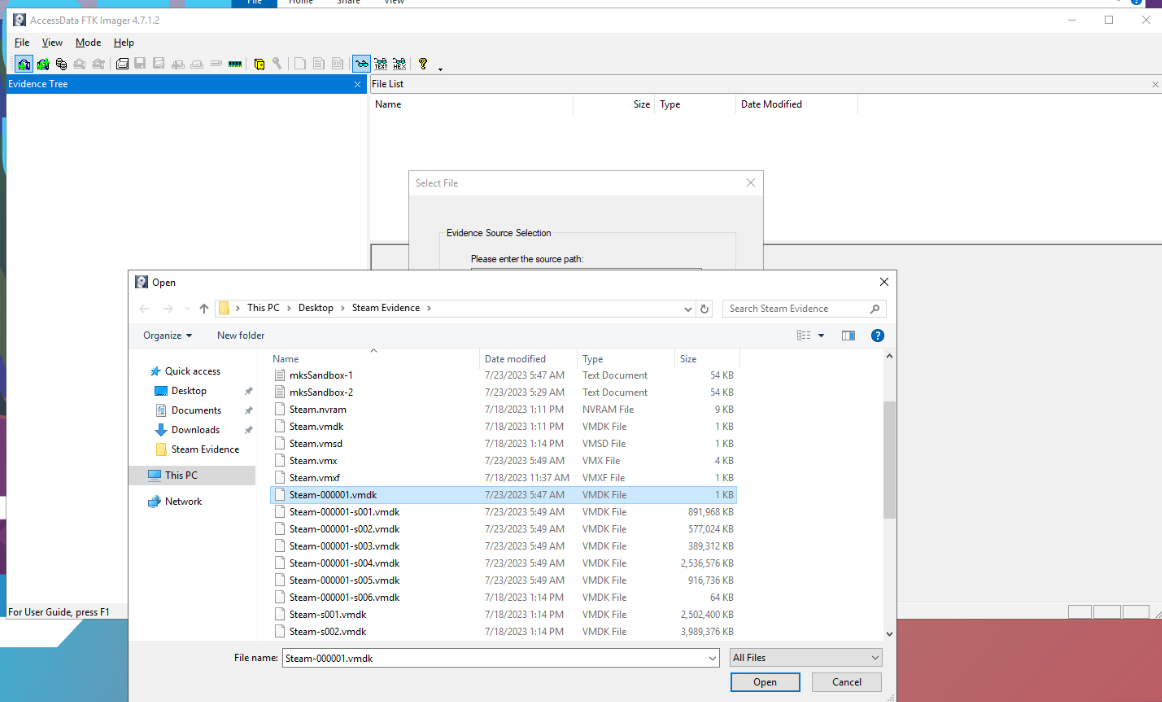
How I got there. The lab does not give us a regular disk image. What arrives is a VMware-style snapshot, a folder of split VMDK segments, so the file to load in FTK Imager is Steam-000001.vmdk. That is the descriptor, the small file that references every other segment and lets FTK Imager reconstruct the full disk from them.
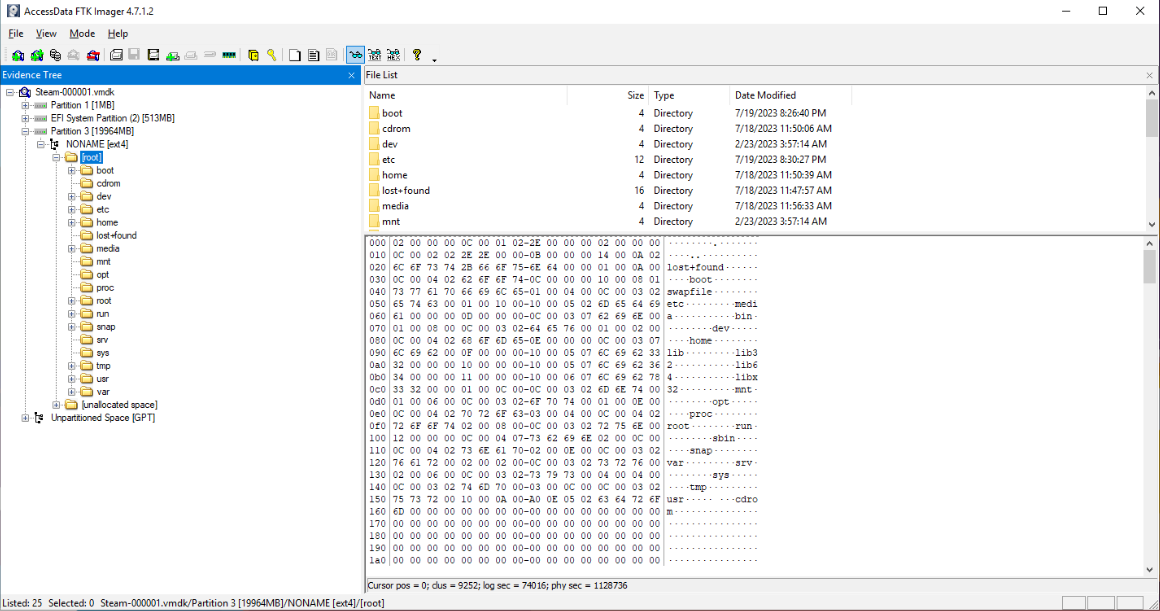
With the disk reconstructed, navigation works like any other image. At this point I also noted the OS is probably Ubuntu, because the filesystem is ext4 and the snap store folder exists. That is an assumption, and I flagged it as one: if it mattered later I would verify it with the proper protocols.
Some quick OSINT found the default location for downloaded Steam games on Ubuntu:
~/snap/steam/common/.local/share/Steam/steamapps/compatdata/<Game_ID>/pfx/drive_c/Navigating there showed the two game folders.
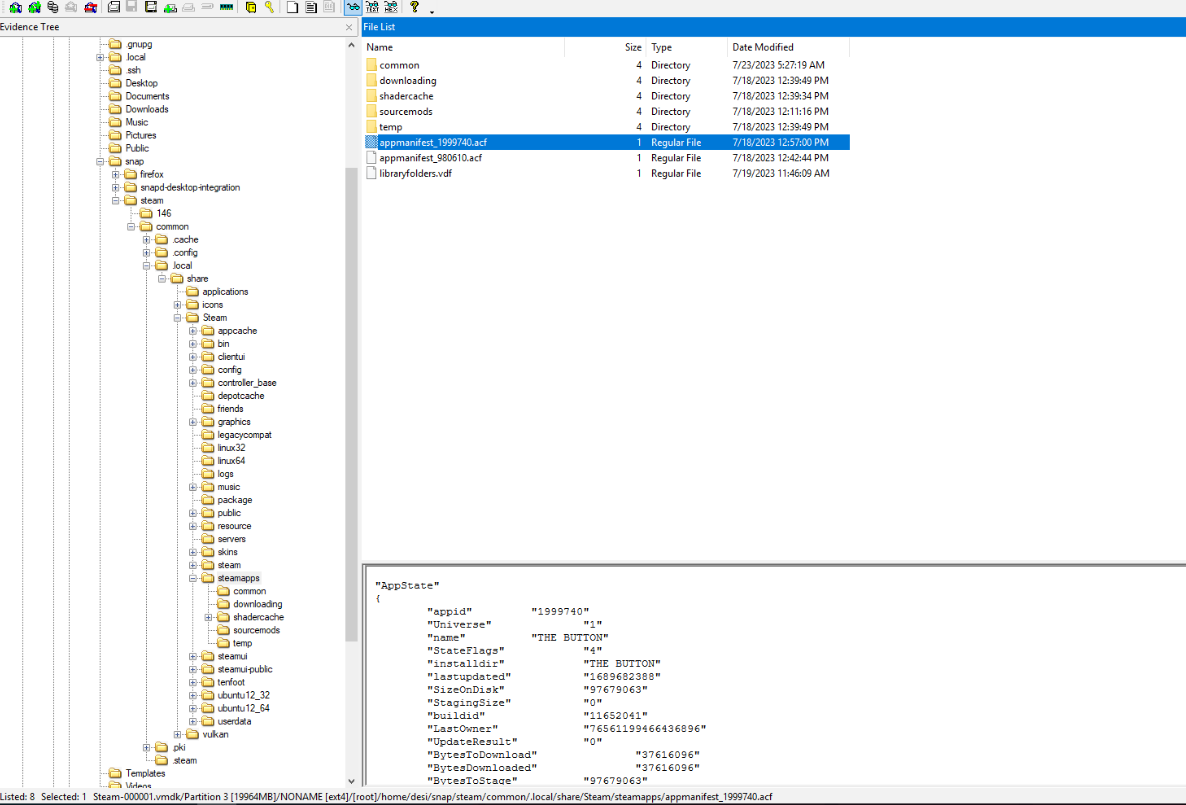
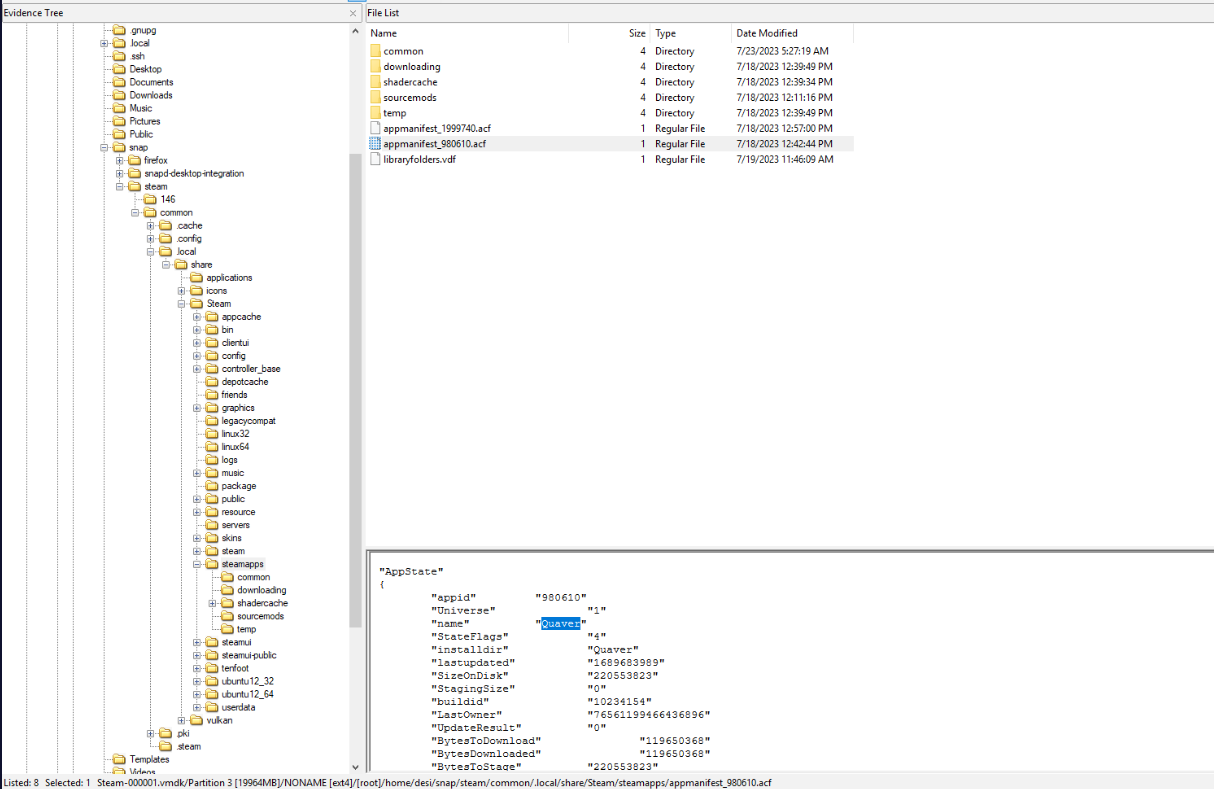
The folder names are app IDs, and the detail pane below maps them to the game names.
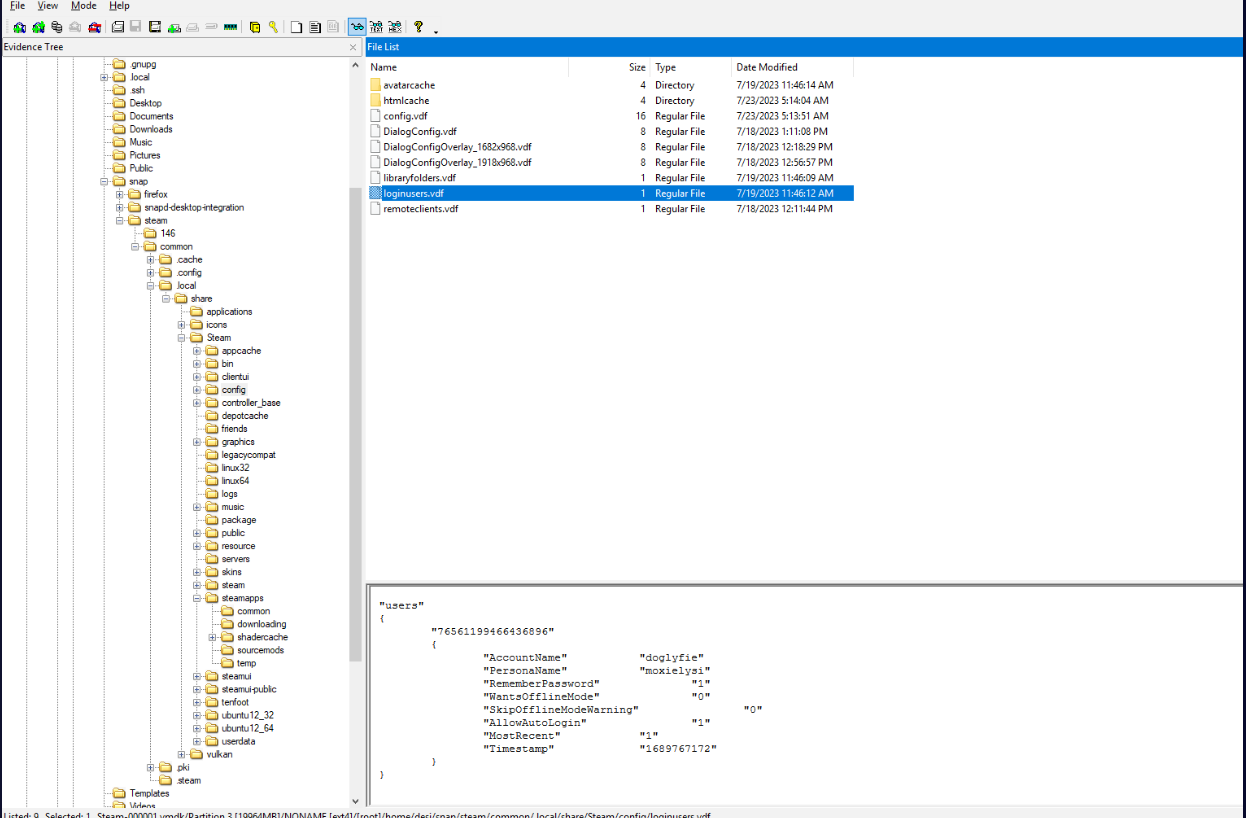
The auto-login account
Question (2 points). What is the username that automatically gets logged in when steam opens? (Format: Username)
Answer: doglyfie
How I got there. This one stays in the same Steam directory, now looking for something config-related, so into config/. There is a file named loginusers there, and it holds the answer: the account that Steam signs in without asking.
How Valve tags psychological horror
Question (4 points). This is becoming a bit of a ‘psychological horror’ knowing that a dog is potentially playing games. How would Valve tag this? (Format: XXXX)
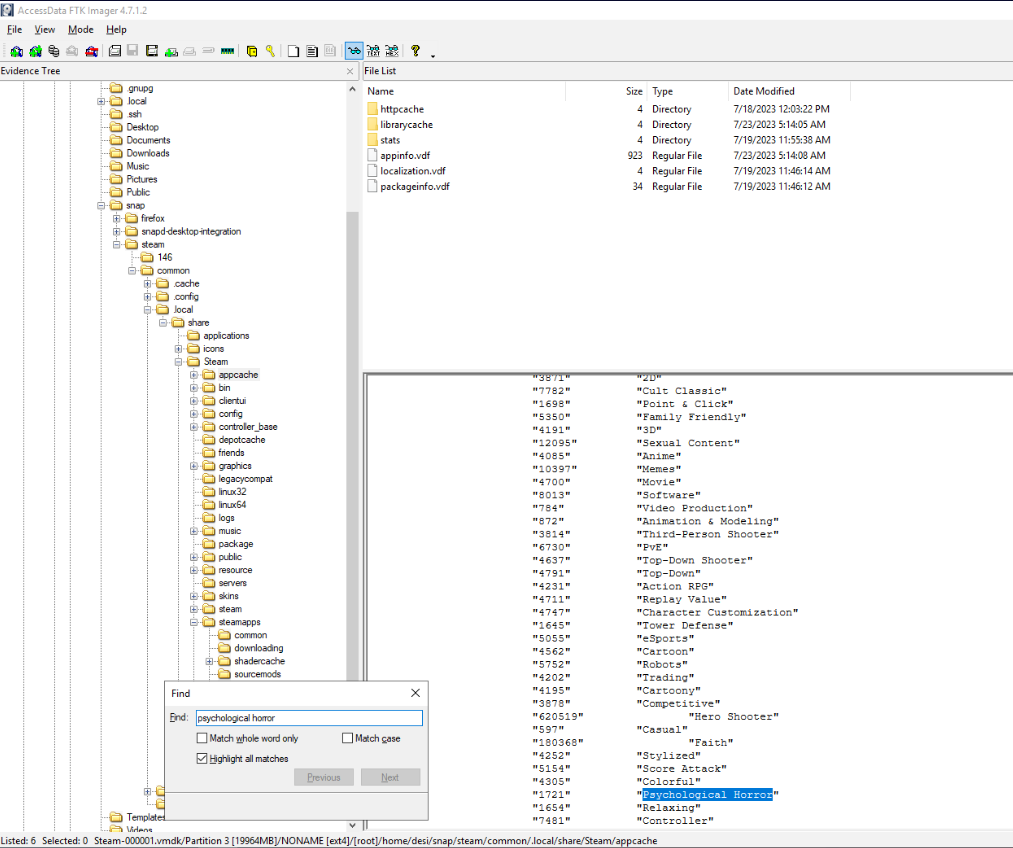
Answer: 1721
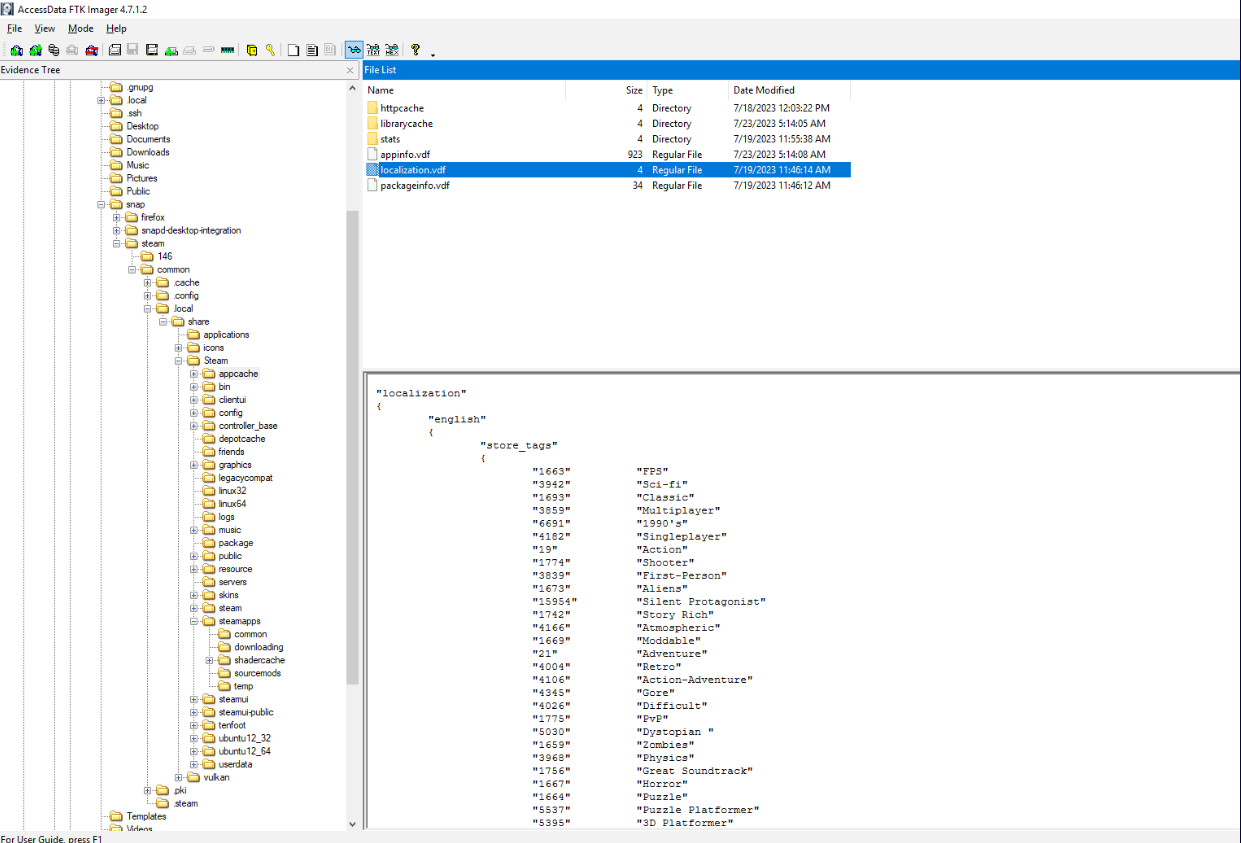
How I got there. This one fought back. I started on Google trying to understand how Valve rates games, then noticed the question says tag, not rating. Searches for Steam tags returned nothing I could use, so I went back into the files. Plain language lives in localization files, so I navigated to ~/snap/steam/common/.local/share/Steam/appcache/ and found the localization file there.
Searching inside it for psychological horror gave me the answer: the label sits next to a numeric tag ID.
The avatar MD5 and its game
Question (6 points). What is the md5 hash of the avatar set for the user and what game is it from? (Format: MD5, game)
Answer: 0fa9bd3268de3aa948b9f7a63088afb6, THE BUTTON
How I got there. OSINT again: a quick search for where Steam caches avatars, adjusted for the snap layout, pointed back into the config folder I had already visited. This time the subfolder is avatarcache:
~/snap/steam/common/.local/share/Steam/config/avatarcache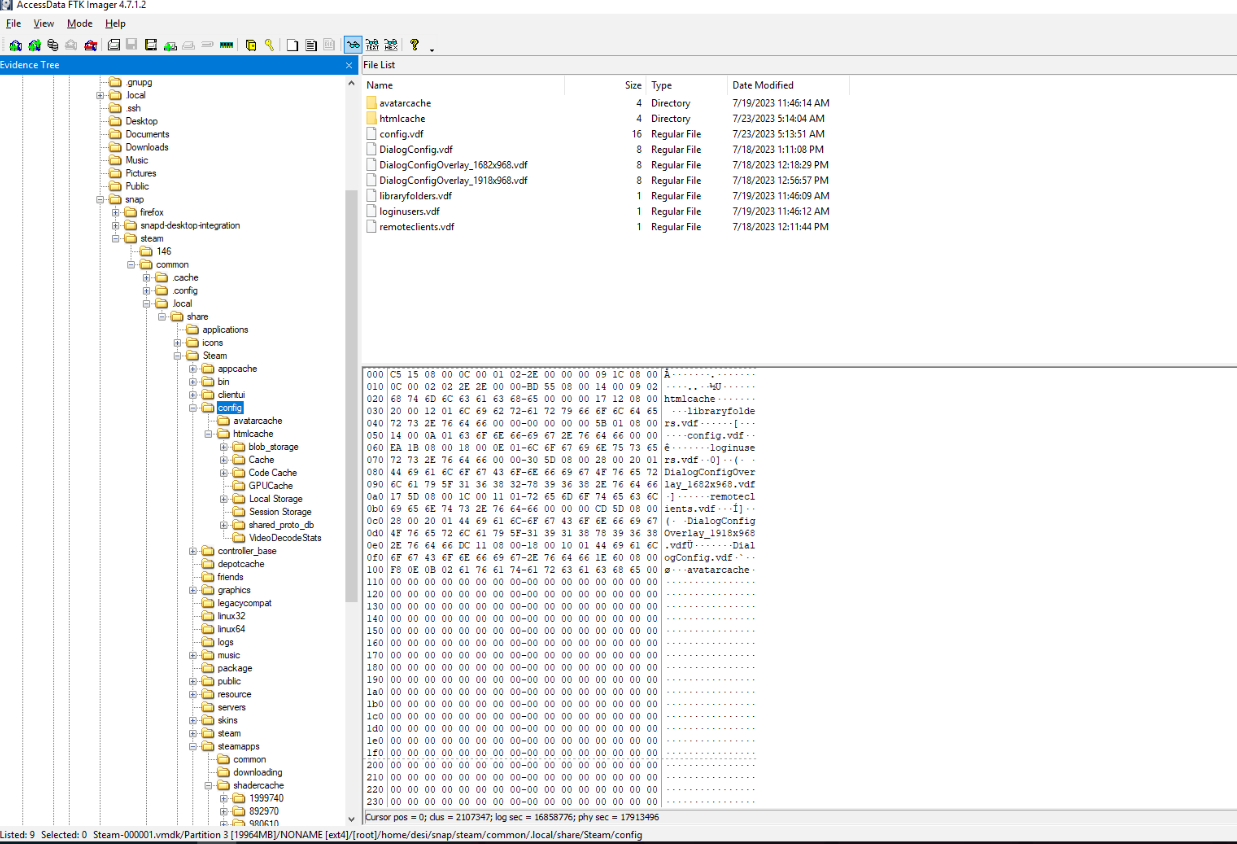
For the hash I stayed inside FTK Imager, which exports hash lists directly, and saved the result as a CSV on my machine.
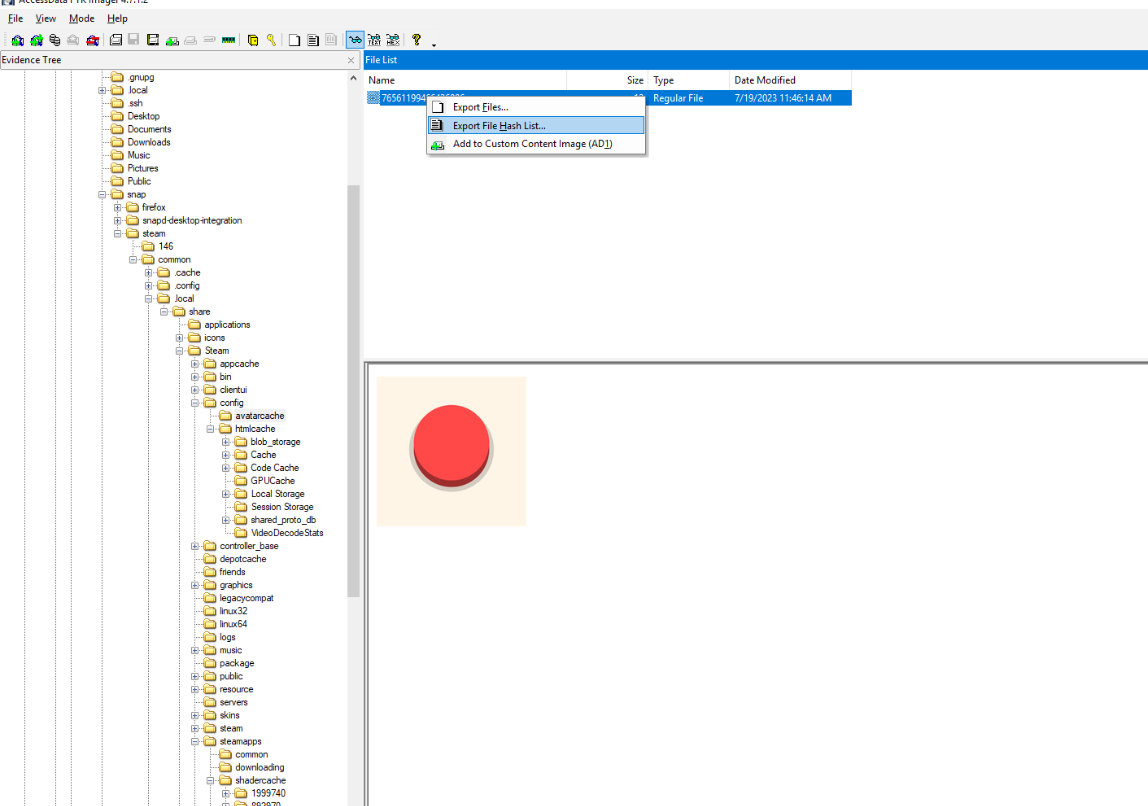
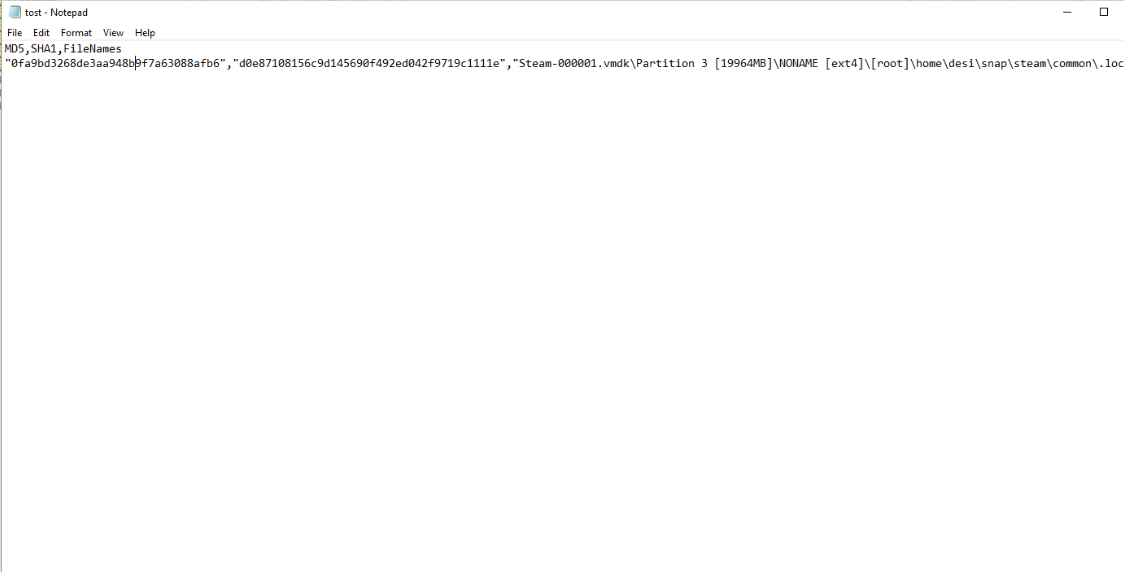
For the game, I very nearly went into OSINT mode out of pure habit. Then I actually looked at the image. Two games on the disk, one of them named THE BUTTON, and the avatar makes the match obvious. No image search needed. Nice one, guys, you got me for a second.
The Steam ID
Question (2 points). What is the Steam ID for the account? (Format: ID)
Answer: 76561199466436896
How I got there. Another config question, so I stayed in the same directory. Most files there could be dismissed quickly after seeing their contents, but config.vdf is large, so I used the search function to hunt for an ID instead of scrolling through it.
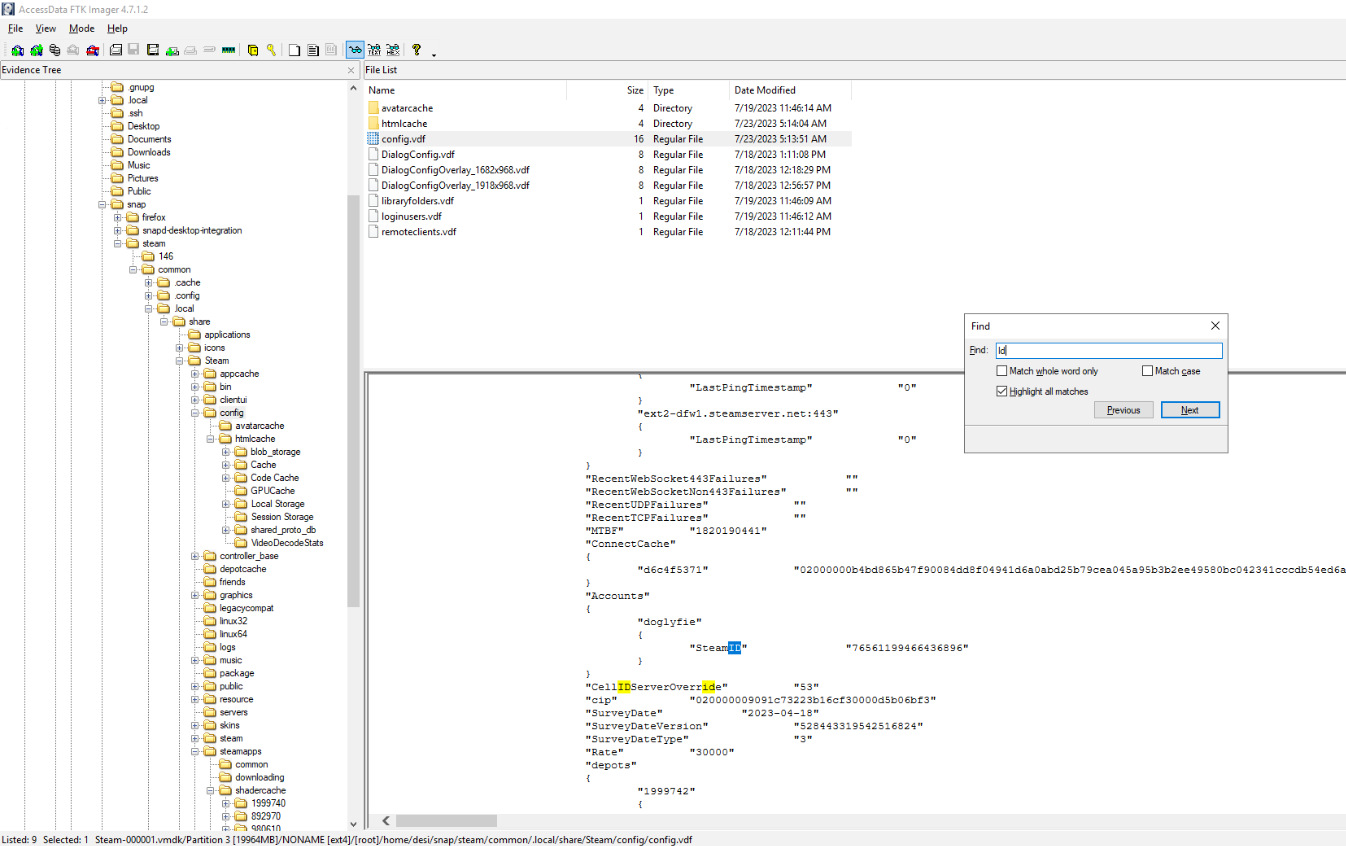
One caution worth keeping: verify the ID belongs to the right account. Nothing stops a Steam install from holding traces of several accounts, so the first ID-looking string in a big config file is not automatically the answer.
Persona, city, state, country, real name
Question (8 points). What is the persona, city, state, country, and real name for the user? (Format: persona, city, state, country, real name)
Answer: moxielysi, Canberra, Australian Capital Territory, Australia, puppacup
Correction. My original note said
puppcup. That was a typing slip in the answer line; the profile itself shows puppacup, and my own bullet list from the same investigation had the spelling right. The corrected answer ismoxielysi, Canberra, Australian Capital Territory, Australia, puppacup, which the live Steam community profile and Steam Write-up, Tamerlan Shabanov also give.
How I got there. The persona I already had: loginusers.vdf keeps it next to the account name.
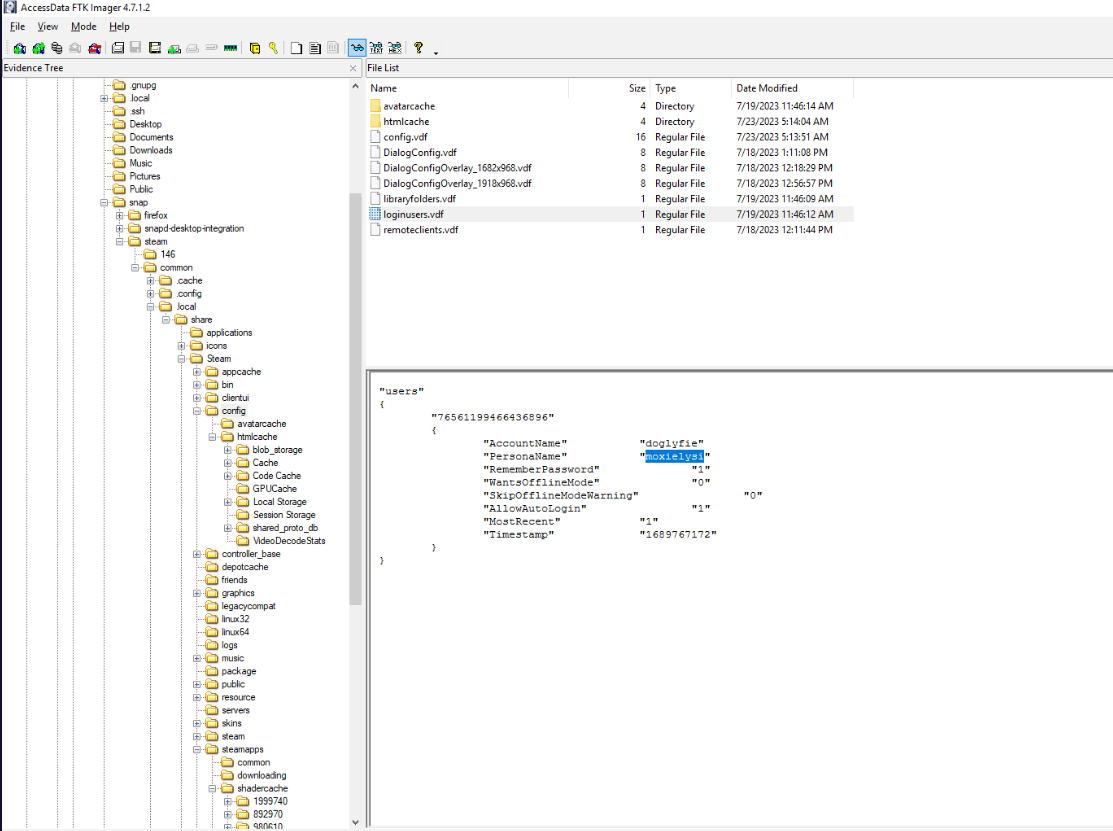
The rest meant backtracking. Steam does not seem to keep these details in the config files, or anywhere else on the disk for that matter, so this went back to OSINT, and the account name alone was not enough to pin down the person. The unlock: Steam gives every user a unique Steam ID, and that ID was the filename of the avatar I had extracted two questions earlier. I went back, grabbed the ID, and searched Steam with it.
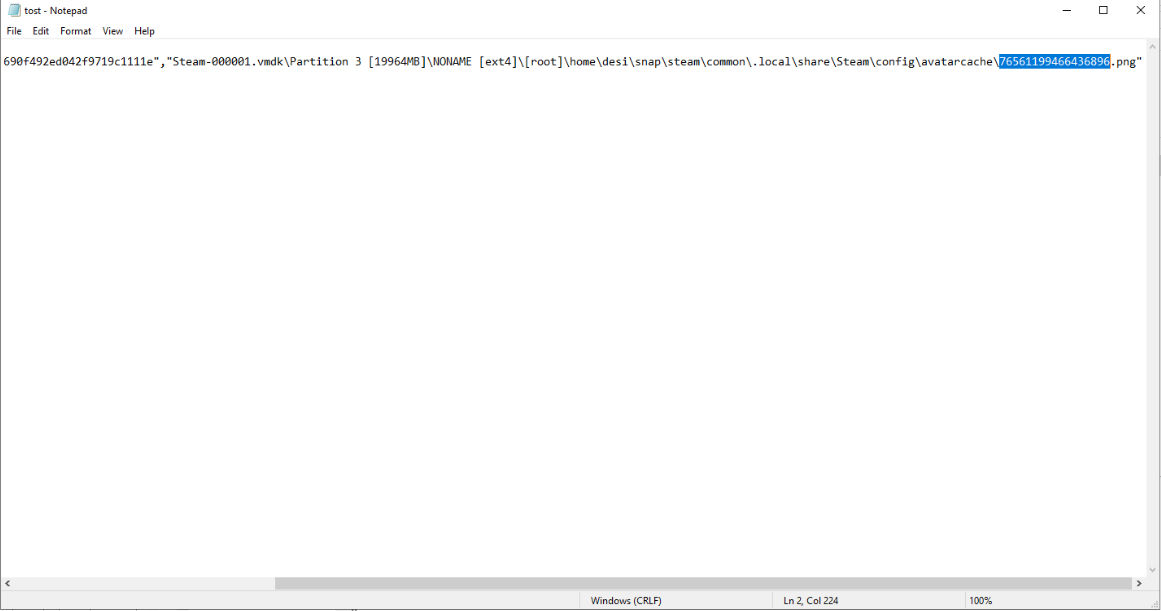
The profile page had the city and country right on it, along with the alias history.
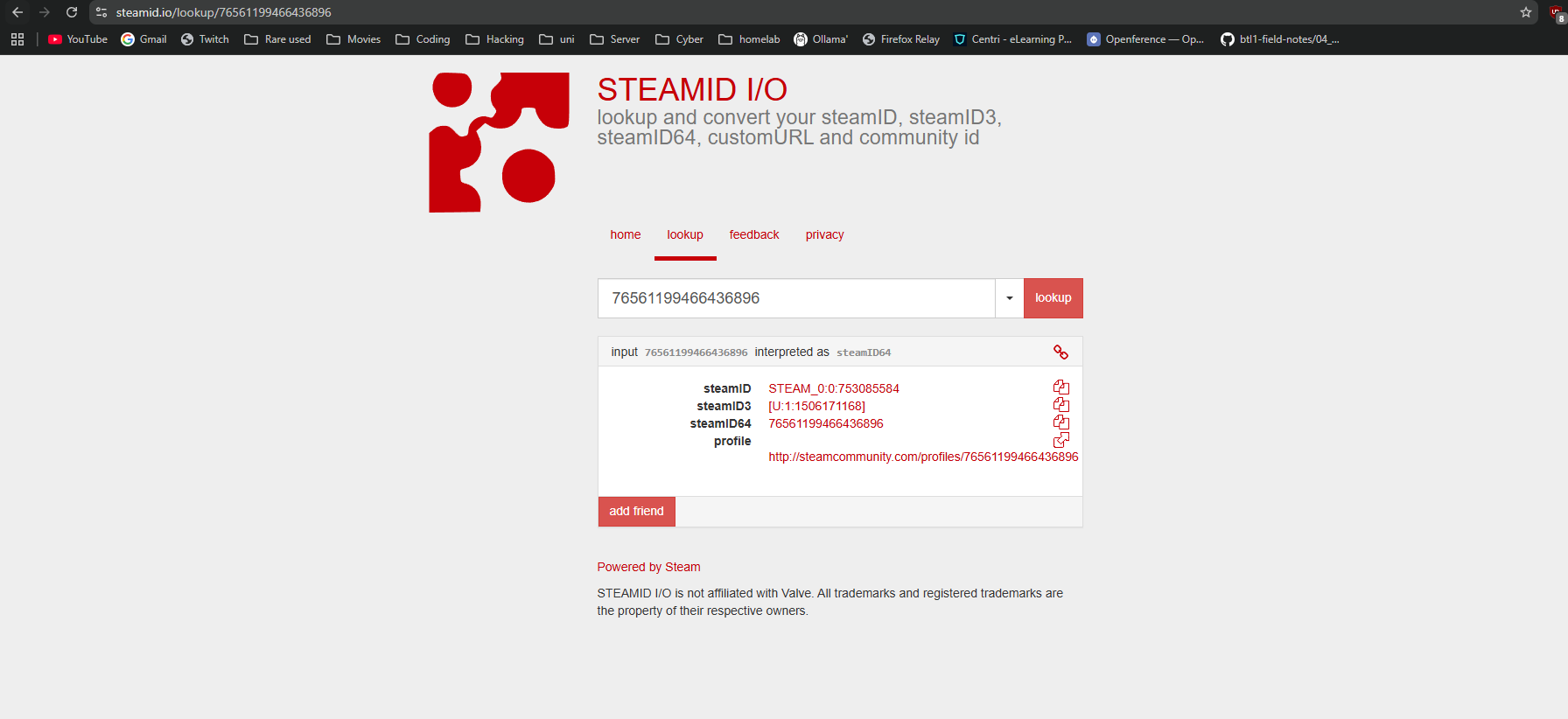
One extra detail: the account’s only friend is desi, a name I had already seen in the config files. That comes back in the next question.
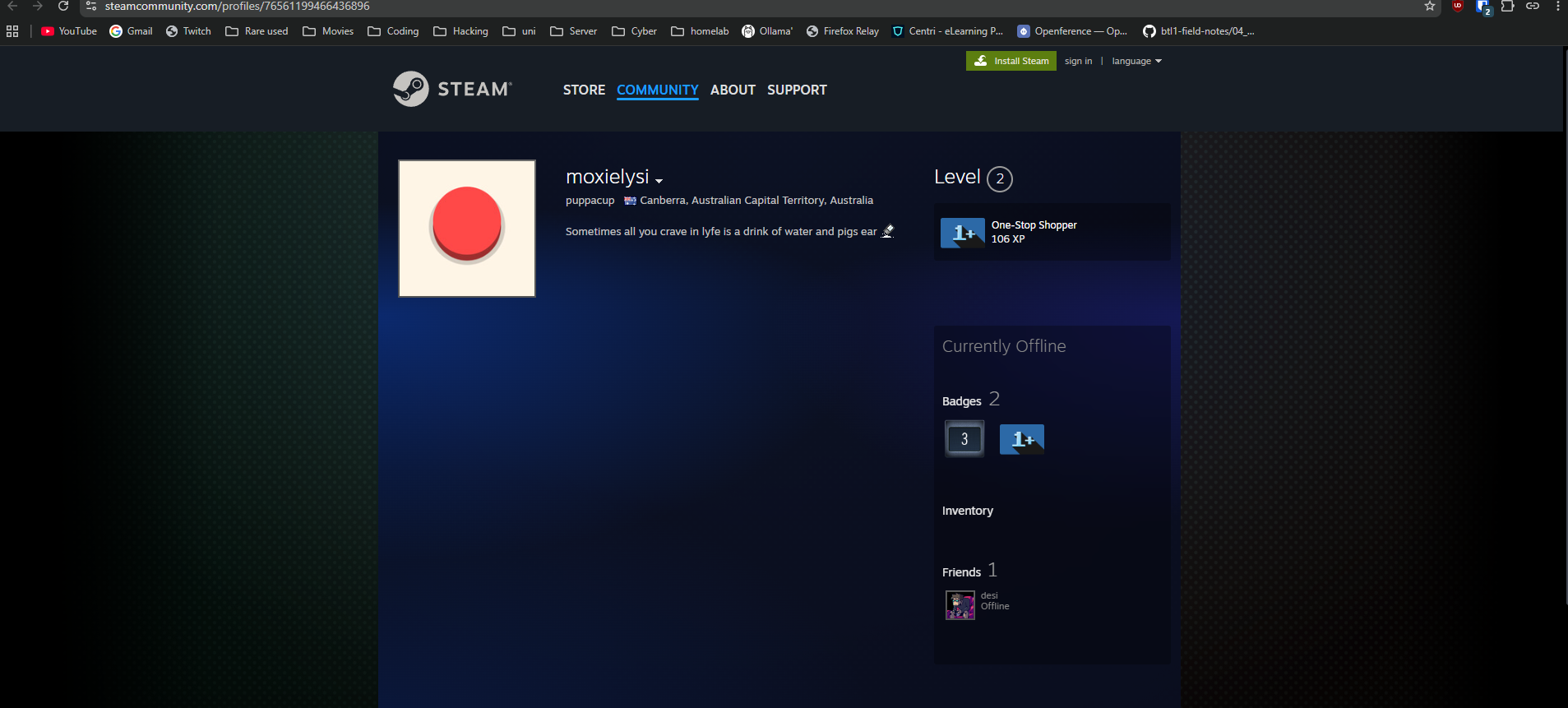
The previous account name
Question (4 points). What is the previous name of the account? (Format: Name)
Answer: desi
How I got there. Normally this is a freebie: Steam shows previous names behind a dropdown next to the alias. But the lab was built in 2022, I worked it in September 2026, and that history simply was not there anymore. Either the profile UI changed in the meantime or someone with access to the account cleared it. My next instinct was loginusers.vdf, which should hold every account that ever logged in on the machine, but it only contained the current one. I tried steamid.uk for extra profile history and the Wayback Machine for an archived copy of the profile page, and both came up empty. At that point I used a writeup, inksec’s Steam walkthrough, which confirmed my first thought, the dropdown that no longer exists, and gave the answer.
The most recent achievement
Question (10 points). What is the name of the most recent achievement and how is it achieved in the same game from Q4? (Format: AchievementName, yes/no)
Answer: What's stopping you?, yes
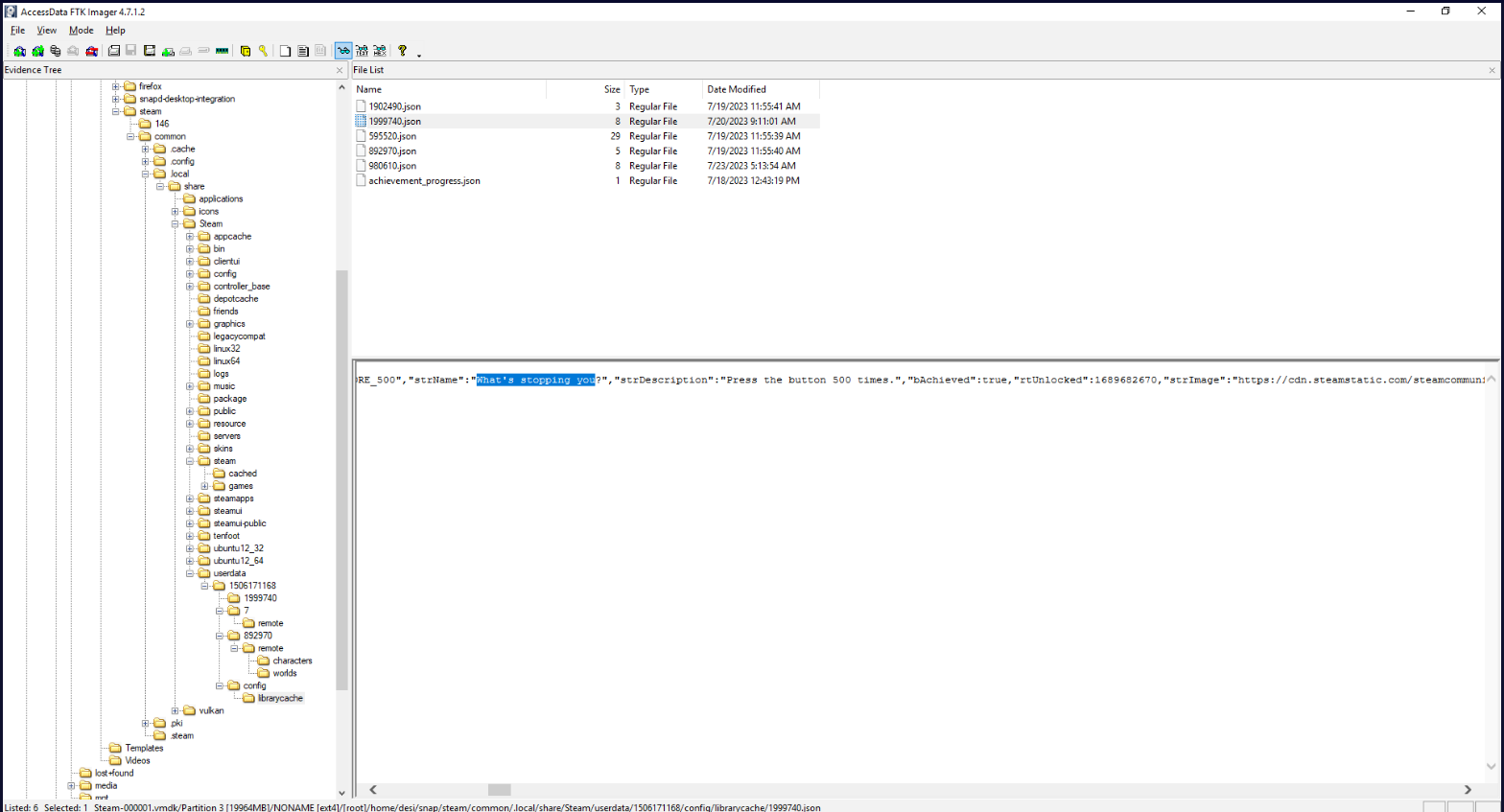
How I got there. Achievements live under the userdata directory, so that was the next stop. Four folders there hold achievement data, one per game, so the job was to work out which of the achieved ones unlocked most recently.
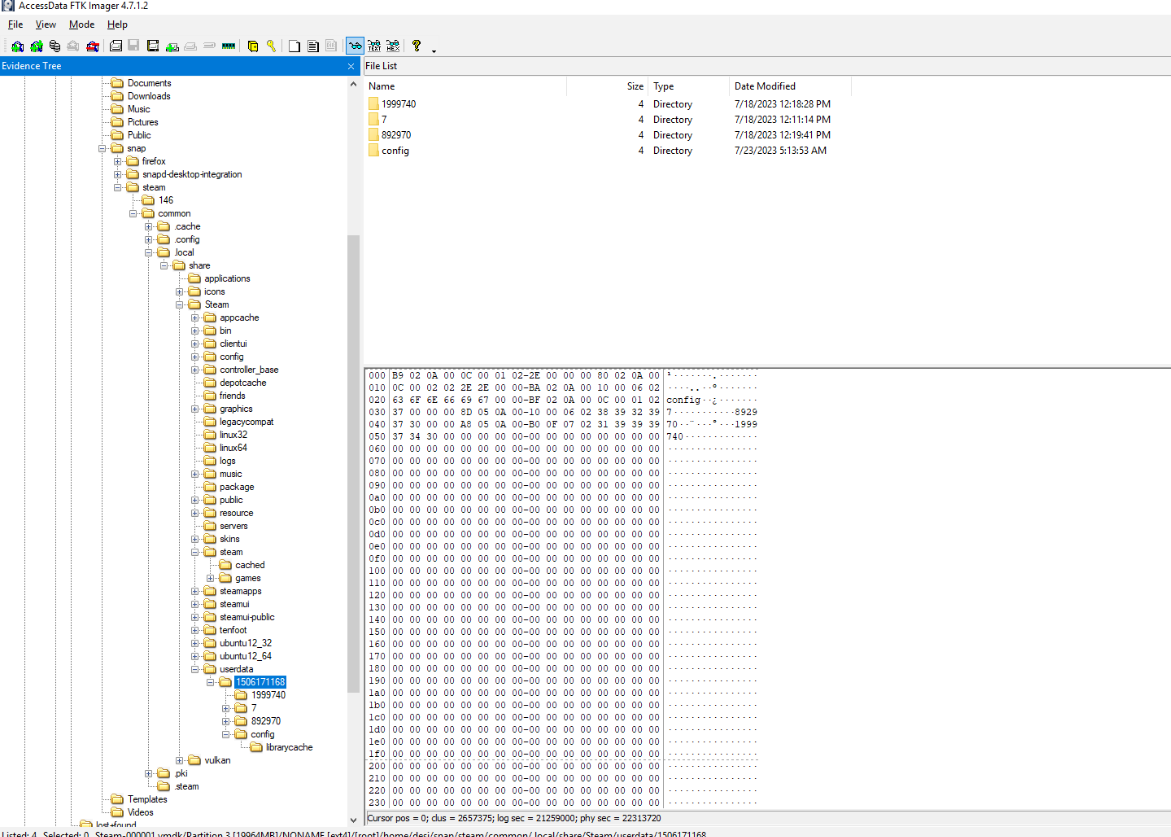
That meant reading through the logs to verify which achievements were actually complete and which one came first. The Quaver file had nothing but false flags. The Button’s log had several genuine unlocks, and the latest of them was What’s stopping you?, so it counts as achieved: yes.
Anti-forensics on the games directory
Question (10 points). It looks like the dog tried to hide what she was playing. Which directory did she perform anti-forensics on and what action did she do (select from MOVE|DELETE|COPY OVER|ADD FILES)? (Format: /full/directory/path, ACTION)
Answer: /home/desi/snap/steam/common/.local/share/Steam/steamapps/common, DELETE
How I got there. With this much already extracted from the logs, and the logs themselves looking untouched, my suspicion fell on the games. Where Steam installs games is steamapps/common:
/home/desi/snap/steam/common/.local/share/Steam/steamapps/common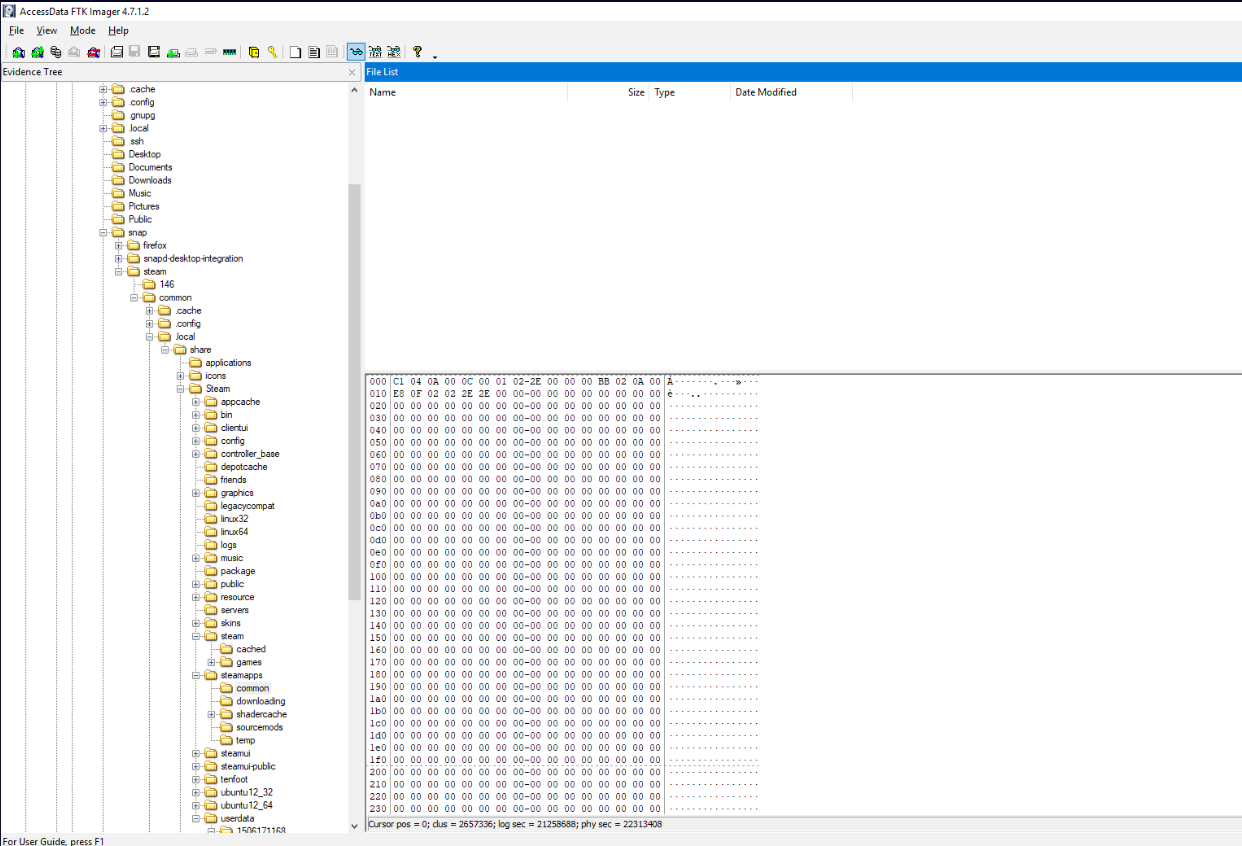
The hunch was right: the games were deleted from the computer. The UserGameStats files that had already gone missing during the achievements hunt confirmed it. Those are local files that store achievement and stats data, and their absence next to an emptied install directory only makes sense if the games themselves were removed.
What this lab really tests
Knowing where an application keeps its records. Steam alone left a login, a persona, an account ID, a cached avatar, a numeric tag table, achievement logs with timestamps, and install state, each in its own corner of the filesystem, and nearly every question reduced to knowing which corner. The final question is the part that transfers straight into casework: someone tried to hide the games by deleting the install directory, and the surviving metadata is what exposed the deletion. Intruders tidy up the same way, so checking what the records promise against what the disk actually holds is a habit worth building early.
Skills and techniques
- FTK Imager: mounting split VMware VMDK snapshots through the descriptor file (
Steam-000001.vmdk), Evidence Tree navigation, Export File Hash List for the MD5 - Steam on Linux: the snap layout (
~/snap/steam/common/.local/share/Steam/),loginusers.vdf,config.vdf,appcache/localization.vdf,config/avatarcache/,steamapps/compatdataprefixes,userdataachievement JSONs - OSINT pivoting: SteamID64 as the key from a disk artifact to the public Steam community profile, with steamid.uk and the Wayback Machine as fallbacks
- Anti-forensics detection: deleted install directories versus surviving metadata; MITRE ATT&CK T1070.004 (Indicator Removal: File Deletion)