
TL;DR
A single fake Office login page, and eight questions answered without leaving the browser. The kit is real and it is broken: cloned with HTTrack from a cPanel default page, careless enough to leave the whole kit as a zip on an open directory listing, and wired so the form’s field names never match what the PHP reads. By the last question you hold the mirroring tool, the credential drop mailbox, the kit’s hash, and the reason victims never get redirected.
Scenario

You have been sent a phishing link. It is your task to investigate this website and find out everything you can about the site, the actor responsible, and perform threat intelligence work on the operator(s) of the phishing site.
Warning: the website and kit you see in the lab is REAL. Exercise caution when interacting with the malicious website and do not enter any sensitive information.
From only the phishing URL, find out all you can about the person responsible and bring them to justice. Visit the following site in your lab browser (Applications - Internet - Firefox Web Browser):securedocument.net/secure/L0GIN/protected/login/portal/index1.html?1614546319649
The investigation
The decoy page and the HTTrack signature
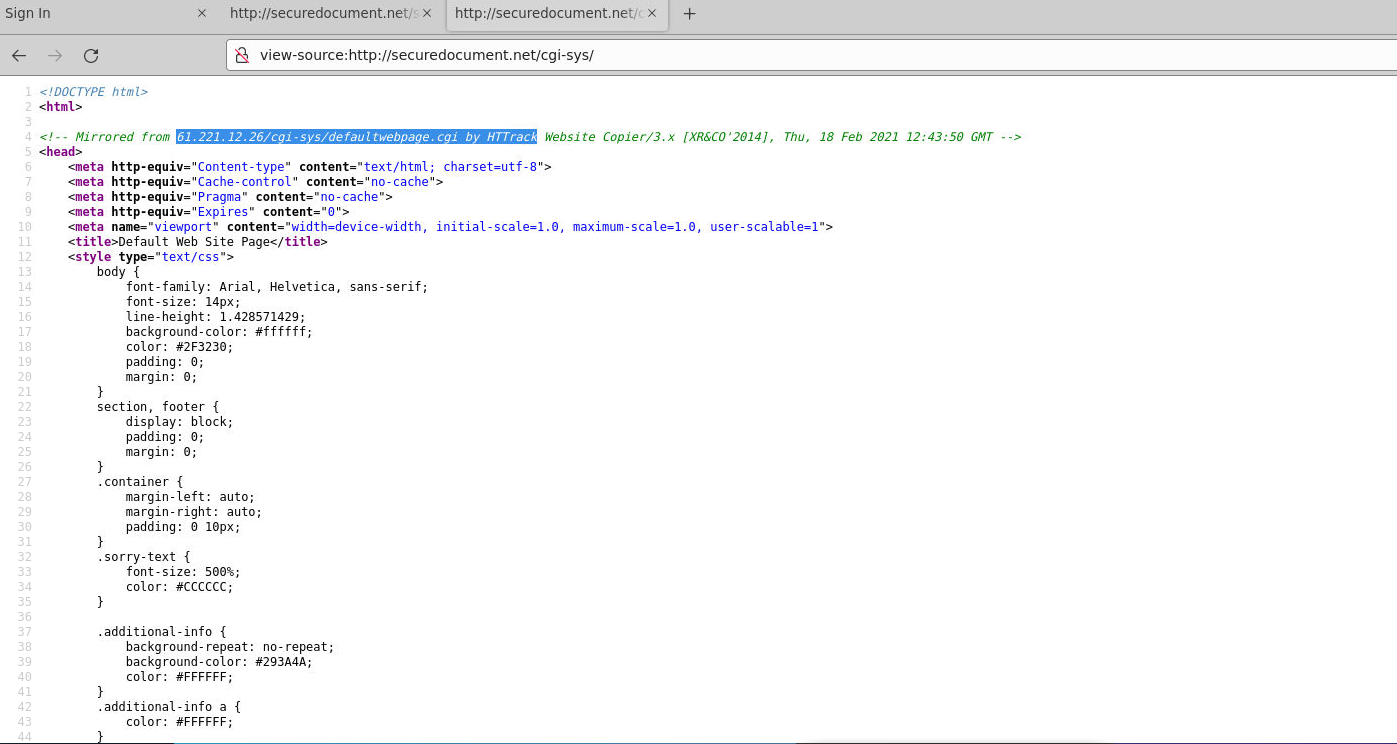
Question (4 points). The HTML page used on securedocument.net is a decoy. Where was this webpage mirrored from, and what tool was used? (Use the first part of the tool name only)
Answer: 61.221.12.26/cgi-sys/defaultwebpage.cgi, HTTrack
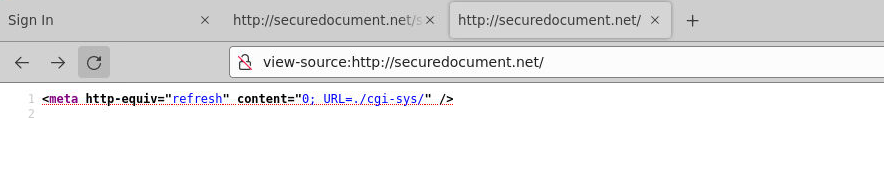
How I got there. I left this question alone at the start because I did not know how to tackle it, and came back after question 4. The move that unlocks it is walking backwards through the URL while viewing the source at every level. Strip the path down to the bare domain and the root of securedocument.net is a single line: a meta refresh pointing at /cgi-sys/. Go to that path and view the source, and the first comment has the answer: Mirrored from 61.221.12.26/cgi-sys/defaultwebpage.cgi by HTTrack Website Copier/3.x.
The background image URL
Question (3 points). What is the full URL of the background image which is on the phishing landing page?
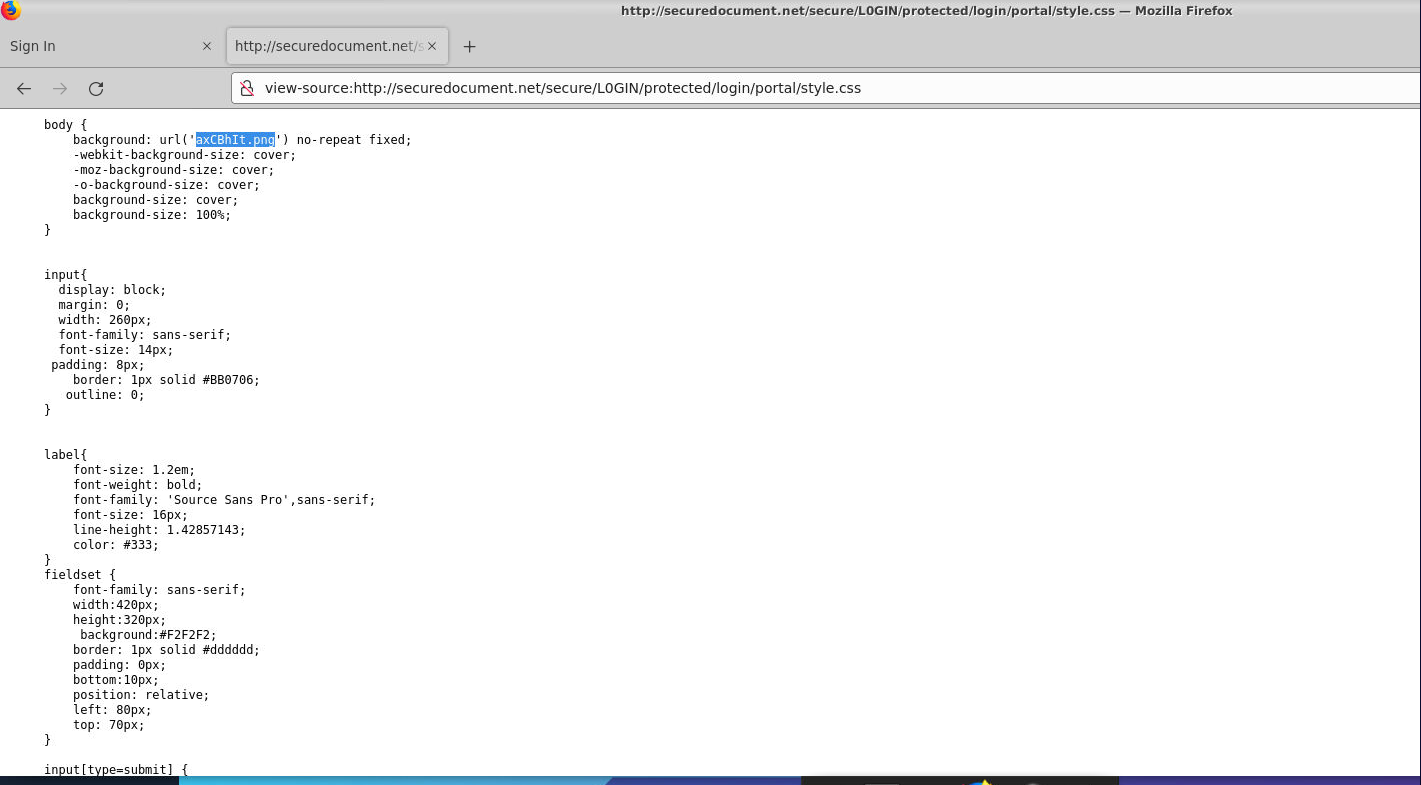
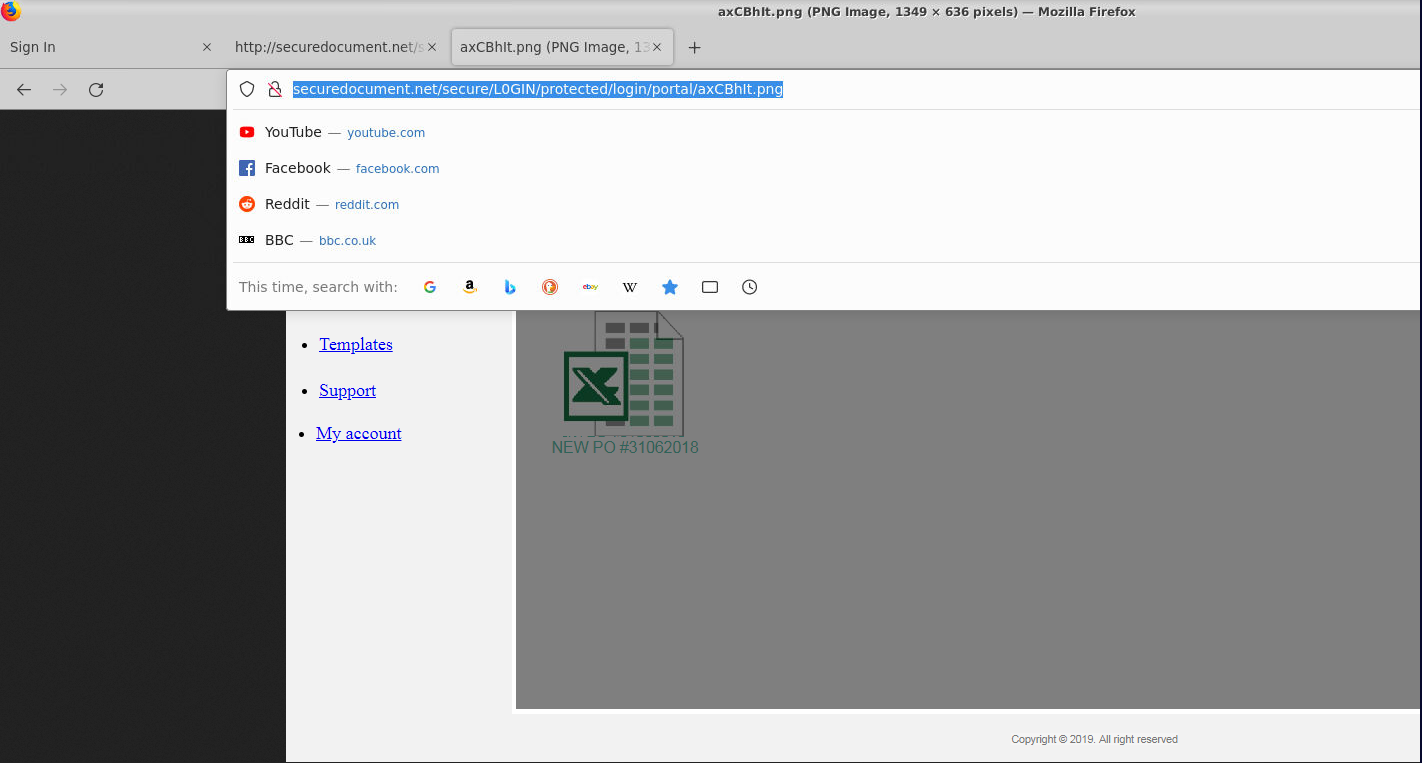
Answer: http://securedocument.net/secure/L0GIN/protected/login/portal/axCBhIt.png
How I got there. This is where I started after skipping question 1. Developer tools on the landing page lead to the css file, and in there the background jumps out: background: url('axCBhIt.png'). To verify, I appended the file name to the URL I was already in, removing the style.css part so I would not see the whole css file again. The spreadsheet image loaded on its own, and the address bar showed the complete URL.
The page that processes the credentials
Question (3 points). What is the name of the php page which will process the stolen credentials?
Answer: jeff.php
How I got there. Quick one. Ctrl+U on the landing page and the form tag is right there: <form action="jeff.php" method="post">. Whatever the visitor types gets posted to jeff.php, so that is the page doing the processing.

The leftover kit zip and its hash
Question (3 points). What is the SHA256 of the phishing kit in ZIP format? (Provide the last 6 characters)
Answer: fa5b48
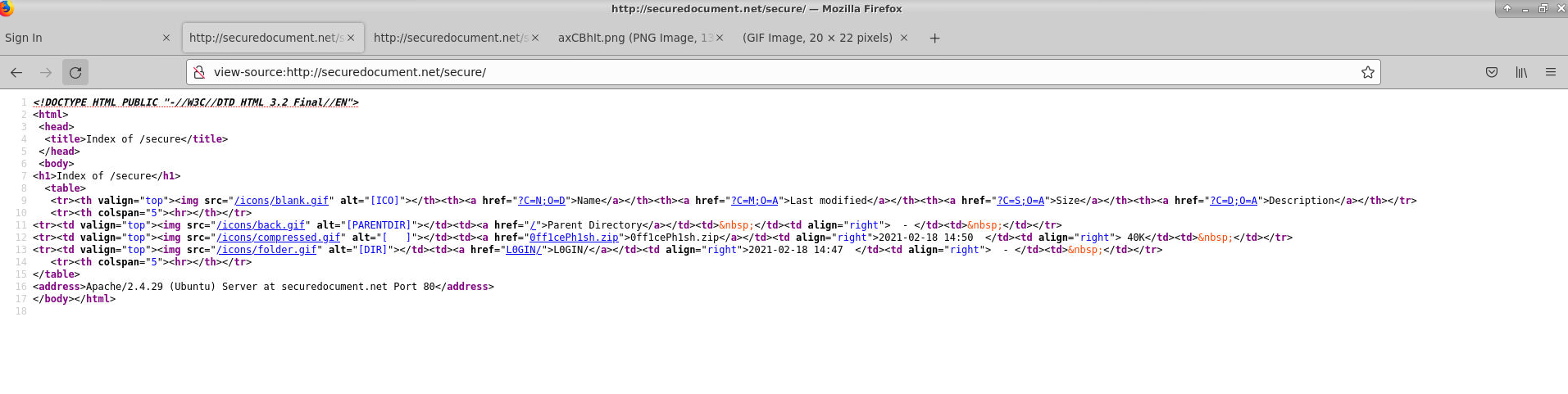
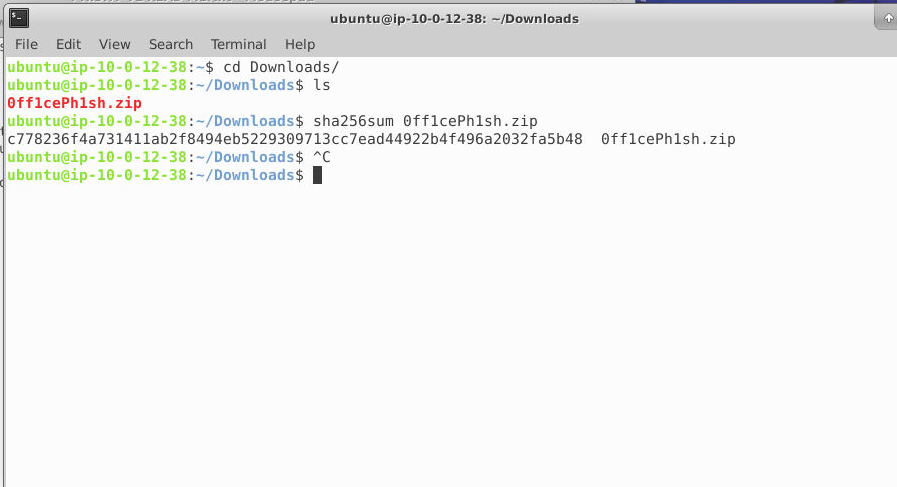
How I got there. I started walking back from the URL and viewing the source at each level, in case a forgotten zip file was lying around somewhere. One was. The directory listing above index1.html is open, and it shows 0ff1cePh1sh.zip, 40K, dated 2021-02-18. Clicking it downloads the zip from securedocument.net/secure/0ff1cePh1sh.zip, and the terminal gives the hash:
sha256sum 0ff1cePh1sh.zip
c778236fa4731411ab2f8494eb5229309713cc7ead44922b4f496a2032fa5b48  0ff1cePh1sh.zip
Last six characters: fa5b48.

Where the credential logs go
Question (3 points). What email address is setup to receive the phishing credential logs?
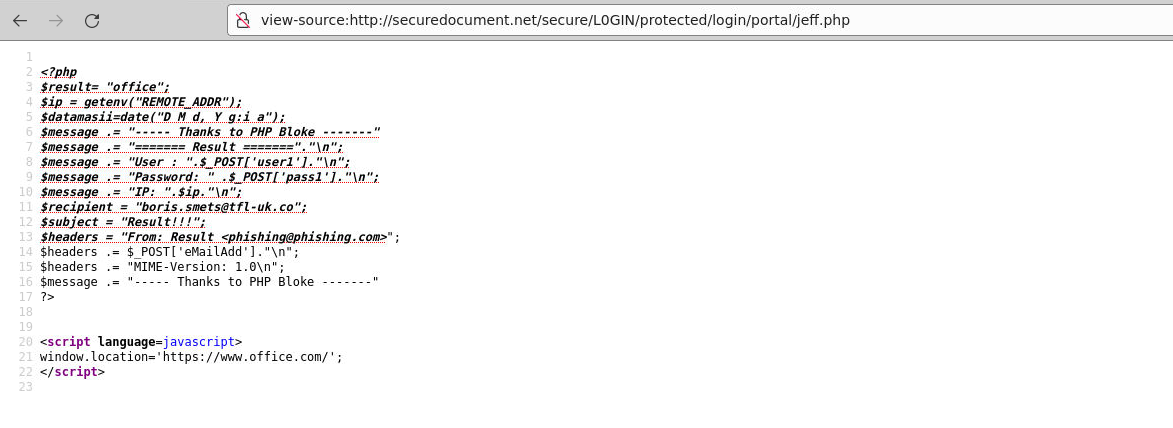
Answer: boris.smets@tfl-uk.co
How I got there. I skipped question 4 for a moment and jumped here, since this one answers itself once you click through: opening jeff.php, the file from question 3, shows the PHP, and the $recipient variable holds the address that receives the stolen credentials.
The timestamp function in the URL
Question (3 points). What is the function called to produce the PHP variable which appears in the index1.html URL?
Answer: Date().getTime()
How I got there. Skipped this one and went to the next first. Coming back, I walked backwards through the URL once more. The question sounds like it wants a PHP variable or a function inside the PHP, but that is not where the answer lives: the number at the top of the link, 1614546319649, is a fresh timestamp generated on every visit. The code that assembles the URL is at view-source:http://securedocument.net/secure/L0GIN/protected/login/portal/, where a short script redirects to index1.html? plus new Date().getTime(). I first assumed PHP put that number there; the source says it is client-side JavaScript.

The redirect after login
Question (3 points). What is the domain of the website which should appear once credentials are entered?
Answer: office.com
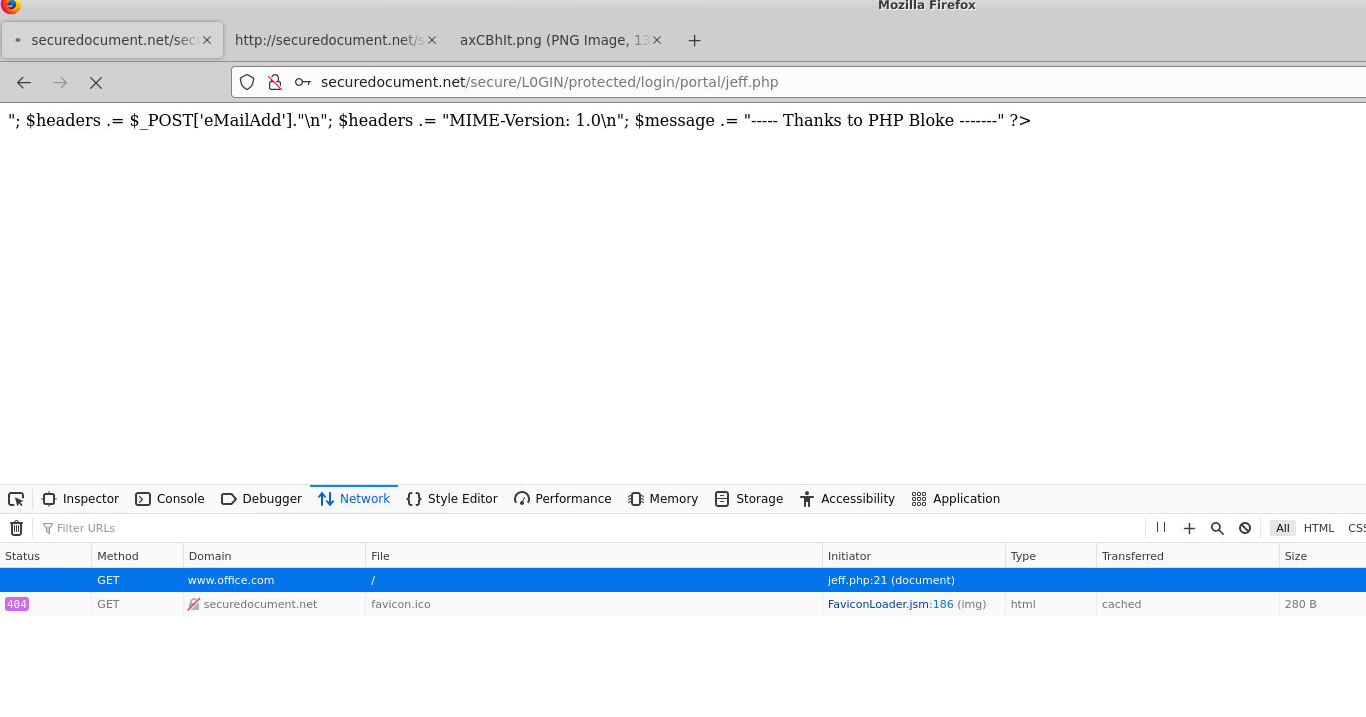
How I got there. This one I answered by trying it: submit the login form with the network tab open in dev tools. The browser fires a GET to www.office.com, initiated by jeff.php. The bottom of jeff.php confirms it in code: window.location='https://www.office.com/'.
Why the kit is broken
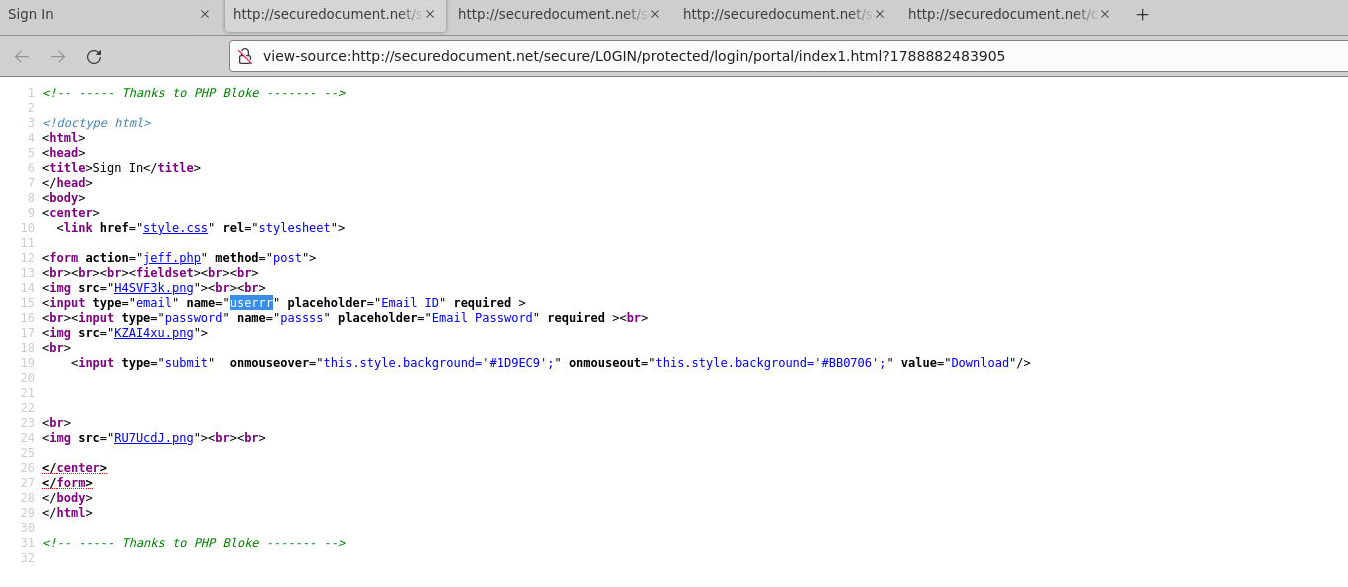
Question (3 points). There is an error in this phishing kit. What variable name is wrong causing the phishing site to break? (Enter any of 4 potential answers)
Answer: userrr (any of userrr, passss, user1, pass1 accepted)
How I got there. At first I did not know where to look, so I went back to the zip from question 4. Then it clicked: I had already seen the broken result, the jeff.php tab spilling raw PHP text instead of redirecting. So compare the two files. jeff.php reads $_POST['user1'] and $_POST['pass1'], while the form fields in index1.html are named userrr and passss. The names never match, the credentials arrive as empty values, and the kit breaks. Comparing both files is also how you get the four accepted answers at once.
![jeff.php expects \$_POST\['user1'\] and \$_POST\['pass1'\]](/_astro/1hptnb.72LTS-Fc.png)
What this lab really tests
Whether you read a website like an investigator or like a user. Everything here comes from two moves: view the source, and walk the URL backwards one segment at a time. The mirroring comment, the leftover zip, and the variable mismatch are all invisible unless you go looking, and that habit carries over to real phishing triage, where the kit’s source is often the only thing you get.
Skills and techniques
- Firefox: view-source (Ctrl+U), dev tools, Network tab
- URL path walking to surface directory listings, leftover archives, and decoy pages
- HTTrack cloning artifacts: “Mirrored from” comments, meta refresh stubs
- Reading a PHP credential handler:
$_POSTfields,$recipient,window.location sha256sumto fingerprint a retrieved kit archive